
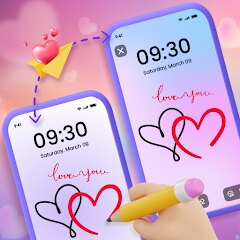
Lockscreen Drawing
EZTech Apps
Installs
1M+
Developer
EZTech Apps
-
Category
Productivity
-
Content Rating
Everyone
Developer Email
Privacy Policy
https://sites.google.com/view/eztechapps/home
Screenshots
Expert Review
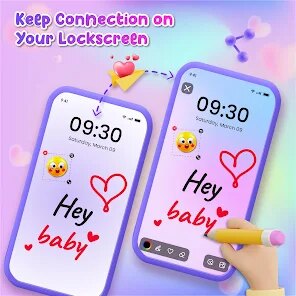
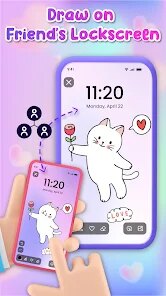
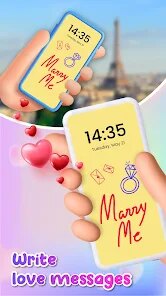
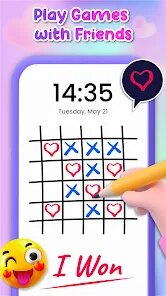
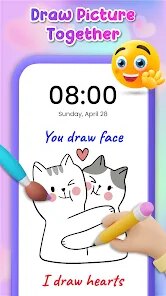
Lockscreen Drawing is a pretty unique app in the productivity and customization genre. It lets you draw or write notes directly on your phone's lock screen, which is super handy for quickly jotting down a thought, a phone number, or a quick reminder without even unlocking your device. I first heard about it a few years back when it launched on the Google Play Store. It's been around for a while, and you can still find it there for download. The app has racked up a solid number of installs, showing it's got a dedicated user base. The best part? It's completely free to download and install. You don't need to register an account to start using it, which I always appreciate for a simple utility app. There are some in-app ads, but they're not too intrusive, and there are optional in-app purchases if you want to remove them or get some extra features.
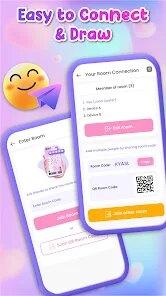
Using the app is straightforward. After you install it and grant the necessary permissions, your lock screen gets a small pencil icon. Just tap it, and a drawing canvas appears over your usual lock screen. You can use your finger to scribble anything. I use it all the time when I'm in a hurry – maybe to remember a grocery item or a task for later. A good tip is to adjust the brush size and color in the app's settings beforehand so your quick notes are clear. Remember to save your drawing if it's something important, as a new one will replace it.
I've tried other similar lock screen note apps before, but I keep coming back to Lockscreen Drawing. Some other apps in this space, like 'Lock Screen Notes' or 'Quick Memo,' often feel clunkier or have more complicated setups. What I like about this app is its pure simplicity. It does one job – letting you draw on the lock screen – and it does it well without extra bells and whistles. For a free, no-fuss way to capture instant ideas, it's my go-to choice over the others.
Key Functional Highlights
- 🎨 Instant Lock Screen Canvas: The core feature is its seamless, instant-access drawing layer over your lock screen. Unlike some apps that just show text, this lets you sketch diagrams or write freely, which is much more versatile for quick visual notes.
- ⚙️ Minimalist Setup: Compared to a popular similar app like 'Niagara Launcher's note feature' which is part of a whole system launcher, Lockscreen Drawing is a lightweight, standalone app. You download it, set it up once, and it just works without changing your entire phone's interface.
- 🆓 Truly Free Core Utility: A standout feature is that all the essential drawing and note-taking functions are completely free upon install. Many other note apps lock basic tools behind a paywall, but here you get a fully functional tool right from the Google Play store page.
- 💾 One-Tap Save & Share: After drawing, you can save the note to your gallery or share it directly to other apps with a single tap. This integration is smoother than in some competitors where exporting your scribble can be a multi-step hassle.
Advantages & Benefits
- ✅ Unmatched Speed: For capturing a thought in under 3 seconds, nothing beats it. Apps like Google Keep require unlocking and opening the app; this is literally a tap and scribble on the lock screen.
- ✅ Zero Login Friction: You install it and it's ready. Unlike Evernote or Microsoft OneNote, there's no account creation, syncing, or setup—perfect for purely local, instant notes.
- ✅ Visual Over Text: Its strength is drawing. Most other quick-capture apps (like Samsung's Quick Memo) are better for text. This app's genre is unique as a true lock-screen drawing tool.
Areas for Improvement
- ❌ Basic Feature Set: It lacks advanced organization. Your drawings are just temporary unless manually saved. Compared to a full notes app like ColorNote, there's no tagging, folders, or search.
- ❌ Ad-Supported Model: The free version shows ads. Apps like 'Simple Draw' on the Play Store might offer a completely ad-free experience, while here you need an in-app purchase to remove them.
- ❌ No Cloud Sync: Your notes live and die on your device. If you change phones or need access elsewhere, unlike Google Keep, this app doesn't offer any backup or sync option.
Recommended Apps
![]()
ZEPETO: Avatar, Connect & Play
Naver Z Corporation4.3
![]()
Reverse Voice: Flip Singing
NindaFuit0![]()
AI Chat Ask Assistant - NowAI
Now Tech4.3![]()
Lie Detector Test: Prank App
DkTech inc.4.3![]()
Peachy - AI Face & Body Editor
InShot Video Editor4.8
![]()
AI Video Art Creator - Livensa
FERASET4.5![]()
Google Voice
Google LLC4.3![]()
Horoscopes & Tarot
Astrolis Horoscopes4.7![]()
eBay online shopping & selling
eBay Mobile4.6![]()
JPay
Jpay Mobile4.1![]()
Stranger Things 5 Challenges
MVH Entertainment Team5![]()
Chat Master: Prank Story
ABI Game Studio4.8![]()
Google Maps
Google LLC4.2![]()
AI Chat・Ask Chatbot Assistant
AI Chat Studio4.5![]()
Name Meanings with Impact
Alif Innovative Solution3.7















You May Like
-
![]()
True Tarot Card Reading
KaApps4.2 -
![]()
LinkedIn: Jobs & Business News
LinkedIn4.2 -
![]()
iControl: Easy Widgets Themes
Fancy keyboard for theme apps4.6 -
![]()
Duolingo: Language & Chess
Duolingo4.7 -
![]()
Flipped:Chat with AI Character
First Group pte ltd4.1 -
![]()
Hearing Age
Mobile Solutions Tech0 -
![]()
TikTok
TikTok Pte. Ltd.4.4 -
![]()
Pretty Makeup - Beauty Camera
Photo Editor Perfect Corp.4.4 -
![]()
PhotoRoom AI Photo Editor
PhotoRoom Background Editor App4.7 -
![]()
Lightleap by Lightricks
Lightricks Ltd.4.3 -
![]()
Name Meaning
Dexati4.1 -
![]()
Truth Social
T Media Tech LLC3.3 -
![]()
Ace Hardware
Ace Hardware Corporation4.7 -
![]()
Kpop Fans Demon Hunter Wallpap
JHNStudio4.3 -
![]()
Artplay - AI Photo & Video
Hideaway Technology Limited4.5











































