

AI Video Art Creator - Livensa
FERASET
Installs
500K+
Developer
FERASET
-
Category
Video Players & Editors
-
Content Rating
Rated for 3+
Developer Email
Privacy Policy
https://www.feraset.co/privacy.html
Screenshots
Expert Review
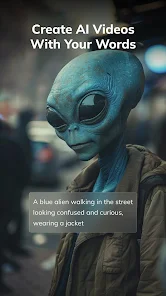
I've been using AI Video Art Creator - Livensa for a few months now, and it's become my go-to app for making cool, AI-generated videos. Basically, it's a video creation app that uses artificial intelligence to turn your ideas or text prompts into animated clips. You can find it on Google Play, and it's completely free to download and install. I remember it launched a while back, and it's racked up a solid number of installs. You don't need to register an account to start playing around with it, which is great for quick testing. While the core app is free, there are optional in-app purchases if you want to unlock more styles or remove watermarks from your creations. You'll also see some ads, but they're not too intrusive.
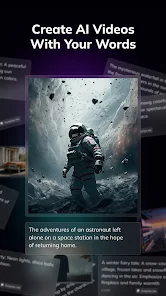
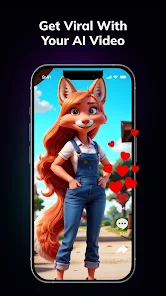
Using the app is pretty straightforward. You just type in what you want to see, like 'a cyberpunk cat dancing in the rain,' pick an art style, and let the AI do its magic. My tip is to be as descriptive as possible in your prompts; the more details you give, the more interesting the results tend to be. I also like to experiment with mixing different styles it offers to get unique looks. It's a fun way to kill time and create something shareable for social media in just a few minutes.
There are other apps in this genre, like Wonder or Wombo Dream, which are also popular for AI art. I tried a few before settling on Livensa. The main reason I stuck with this app is its specific focus on video. While other apps might generate a single image, Livensa gives you a short, moving clip, which feels more dynamic. For someone who just wants to quickly make a fun, looping video without a steep learning curve, this app hits the sweet spot. It might not have all the advanced features of some desktop software, but for mobile creation, it's incredibly convenient.
Key Functional Highlights
- 🎬 AI-Powered Video Generation: Unlike many similar apps that only create static images, Livensa's core feature is generating short, animated video clips from text descriptions. This sets it apart in the mobile AI art genre.
- 🆓 Free to Start on Google Play: You can download and install the app at no cost and begin creating immediately without signing up. This low barrier to entry is perfect for casual users wanting to experiment with AI video.
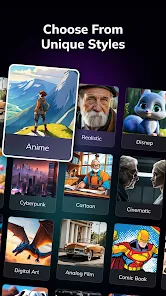
- 🎨 Diverse Style Library: The app offers a wide range of artistic filters and styles (anime, cyberpunk, painting, etc.) to apply to your video prompts, allowing for a lot of creative variation from a single idea.
- ⚡ Quick Turnaround: From typing a prompt to getting a shareable video, the process is surprisingly fast. It's great for creating content on the go when you don't have time for complex editing software.
Advantages & Benefits
- ✅ Specializes in Video: Compared to apps like Dream by Wombo, which focuses on images, Livensa's video-first approach is its biggest strength for creating engaging, moving content.
- ✅ User-Friendly Interface: The app is simpler and more intuitive for beginners than some competitors, getting you from idea to result in just a few taps.
- ✅ No Account Required for Basic Use: You can test the app's core features immediately after install, unlike some services that force registration upfront.
Areas for Improvement
- ❌ Output Quality Can Vary: The video resolution and coherence aren't always as high as what you might get from more established AI image generators or professional tools.
- ❌ Limited Free Exports: The free version adds a watermark, and unlocking features requires in-app purchases, which can be a limitation compared to some fully free alternatives.
- ❌ Less Control Over Details: Compared to a powerful app like CapCut (for editing) paired with an AI image generator, you have less fine-tuned control over the final output's specifics.
Recommended Apps
![]()
ZEPETO: Avatar, Connect & Play
Naver Z Corporation4.3
![]()
Reverse Voice: Flip Singing
NindaFuit0![]()
AI Chat Ask Assistant - NowAI
Now Tech4.3![]()
Lie Detector Test: Prank App
DkTech inc.4.3![]()
Peachy - AI Face & Body Editor
InShot Video Editor4.8
![]()
AI Video Art Creator - Livensa
FERASET4.5![]()
Google Voice
Google LLC4.3![]()
Horoscopes & Tarot
Astrolis Horoscopes4.7![]()
eBay online shopping & selling
eBay Mobile4.6![]()
JPay
Jpay Mobile4.1![]()
Stranger Things 5 Challenges
MVH Entertainment Team5![]()
Chat Master: Prank Story
ABI Game Studio4.8![]()
Google Maps
Google LLC4.2![]()
AI Chat・Ask Chatbot Assistant
AI Chat Studio4.5![]()
Name Meanings with Impact
Alif Innovative Solution3.7














You May Like
-
![]()
True Tarot Card Reading
KaApps4.2 -
![]()
LinkedIn: Jobs & Business News
LinkedIn4.2 -
![]()
iControl: Easy Widgets Themes
Fancy keyboard for theme apps4.6 -
![]()
Duolingo: Language & Chess
Duolingo4.7 -
![]()
Flipped:Chat with AI Character
First Group pte ltd4.1 -
![]()
Hearing Age
Mobile Solutions Tech0 -
![]()
TikTok
TikTok Pte. Ltd.4.4 -
![]()
Pretty Makeup - Beauty Camera
Photo Editor Perfect Corp.4.4 -
![]()
PhotoRoom AI Photo Editor
PhotoRoom Background Editor App4.7 -
![]()
Lightleap by Lightricks
Lightricks Ltd.4.3 -
![]()
Name Meaning
Dexati4.1 -
![]()
Truth Social
T Media Tech LLC3.3 -
![]()
Ace Hardware
Ace Hardware Corporation4.7 -
![]()
Kpop Fans Demon Hunter Wallpap
JHNStudio4.3 -
![]()
Artplay - AI Photo & Video
Hideaway Technology Limited4.5












































