

Google Maps
Google LLC
Installs
10,000,000,000+
Developer
Google LLC
-
Category
Travel & Local
-
Content Rating
Rated for 3+
Developer Email
Privacy Policy
http://www.google.com/policies/privacy
Screenshots
Expert Review
Google Maps is a navigation and local discovery app that has become a fundamental tool for getting around. You can download it for free from the Google Play Store or the Apple App Store, and it's installed on billions of devices worldwide. The core app is free to use, supported by ads that appear in some search results and business listings. There are no mandatory in-app purchases, though some features, like offline map downloads for large areas, were once part of a paid tier but are now generally free.
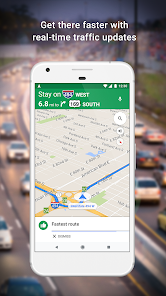
In practice, you open the app and it immediately shows your location as a blue dot on a detailed map. You can search for a specific address, a type of business like "coffee shop," or even a landmark. Once you choose a destination, you tap "Directions" and it provides multiple route options for driving, walking, cycling, or public transit, complete with estimated travel times and turn-by-turn voice guidance. From my experience, the real-time traffic overlay, which shows congested roads in red or orange, is indispensable for planning drives in the city. It's less about just finding a place and more about understanding the conditions of your journey before you even start.
Compared to other mapping services like Apple Maps or Waze, Google Maps feels more like a comprehensive digital atlas. Apple Maps integrates more seamlessly with iOS devices and has improved greatly, but Google Maps still has an edge in the depth and accuracy of its business information, user reviews, and photos. Waze is fantastic for real-time, community-sourced traffic alerts during a drive, but Google Maps offers a better balance for overall trip planning, exploring an area, and finding specific services. Overall, I tend to use Google Maps as my primary tool for planning and Apple Maps for quick, integrated navigation once I'm in my car.
Key Functional Highlights
- The map detail and Points of Interest (POI) database are incredibly deep. It's not just streets; you can see building outlines, parks, trails, and even the layouts of some airports and shopping malls. Searching for something like "hardware store" brings up a list with ratings, hours, photos, and popular times graphs, which feels more thorough than the basic listings on many other apps.
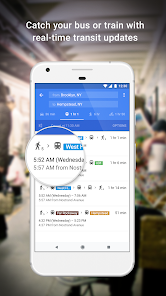
- Live traffic and public transit integration work together seamlessly. You can see exactly when the next bus is coming, if there are service delays, and compare that travel time against driving in current traffic. This multimodal view makes it easier to choose the best way to get somewhere without switching between different apps.
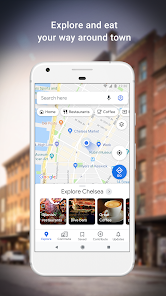
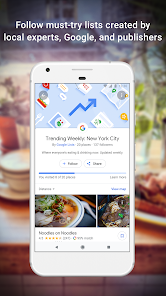
- The "Explore" and "Saved" tabs transform the app from a pure navigator into a discovery tool. You can browse curated lists of restaurants or attractions in a neighborhood and save places you want to visit later into custom lists (e.g., "Want to go," "Favorites"). This functionality bridges the gap between a map and a travel guide.
- One notable difference from a dedicated app like Waze is the navigation experience. Google Maps provides clear, reliable guidance but is generally less vocal about reporting every pothole or police car. It feels more focused on getting you there efficiently, while Waze feels more like a collaborative driving game aimed solely at beating traffic.
Advantages & Benefits
- Having street-level imagery (Street View) available directly in search results is incredibly useful for confirming what a building looks like or checking parking situations.
- The ability to download offline maps for entire cities or regions provides real peace of mind when traveling somewhere with poor mobile service.
- Seeing how busy a restaurant or store is at your current time, based on aggregated user data, helps avoid showing up to a packed location.
- Integration with your Google account means your search history, saved places, and home/work addresses sync effortlessly across your phone, tablet, and computer.
Areas for Improvement
- The app can feel a bit overwhelming at times, with a lot of information and icons layered on the map, which some might find cluttered.
- Battery drain can be significant during prolonged navigation, especially with the screen kept on, which is common to all GPS-intensive apps but is still a practical downside.
- While generally accurate, the estimated times for public transit can sometimes be off if the local transit authority's data isn't perfectly synced.
- Occasionally, the search function can be too broad, prioritizing chain businesses or sponsored results over a smaller, highly-rated local spot you were trying to find.
Recommended Apps
![]()
ZEPETO: Avatar, Connect & Play
Naver Z Corporation4.3
![]()
Reverse Voice: Flip Singing
NindaFuit0![]()
AI Chat Ask Assistant - NowAI
Now Tech4.3![]()
Lie Detector Test: Prank App
DkTech inc.4.3![]()
Peachy - AI Face & Body Editor
InShot Video Editor4.8
![]()
AI Video Art Creator - Livensa
FERASET4.5![]()
Google Voice
Google LLC4.3![]()
Horoscopes & Tarot
Astrolis Horoscopes4.7![]()
eBay online shopping & selling
eBay Mobile4.6![]()
JPay
Jpay Mobile4.1![]()
Stranger Things 5 Challenges
MVH Entertainment Team5![]()
Chat Master: Prank Story
ABI Game Studio4.8![]()
Google Maps
Google LLC4.2![]()
AI Chat・Ask Chatbot Assistant
AI Chat Studio4.5![]()
Name Meanings with Impact
Alif Innovative Solution3.7














You May Like
-
![]()
True Tarot Card Reading
KaApps4.2 -
![]()
LinkedIn: Jobs & Business News
LinkedIn4.2 -
![]()
iControl: Easy Widgets Themes
Fancy keyboard for theme apps4.6 -
![]()
Duolingo: Language & Chess
Duolingo4.7 -
![]()
Flipped:Chat with AI Character
First Group pte ltd4.1 -
![]()
Hearing Age
Mobile Solutions Tech0 -
![]()
TikTok
TikTok Pte. Ltd.4.4 -
![]()
Pretty Makeup - Beauty Camera
Photo Editor Perfect Corp.4.4 -
![]()
PhotoRoom AI Photo Editor
PhotoRoom Background Editor App4.7 -
![]()
Lightleap by Lightricks
Lightricks Ltd.4.3 -
![]()
Name Meaning
Dexati4.1 -
![]()
Truth Social
T Media Tech LLC3.3 -
![]()
Ace Hardware
Ace Hardware Corporation4.7 -
![]()
Kpop Fans Demon Hunter Wallpap
JHNStudio4.3 -
![]()
Artplay - AI Photo & Video
Hideaway Technology Limited4.5











































