
My Character: Cartoon Filter
CEM SOFTWARE LTD
Installs
5M+
Developer
CEM SOFTWARE LTD
-
Category
Entertainment
-
Content Rating
Everyone
Developer Email
Privacy Policy
https://cemsoftwareltd.com/privacyPolicy.html
Screenshots
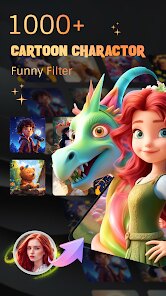
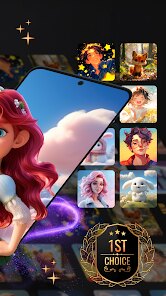
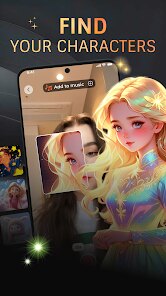
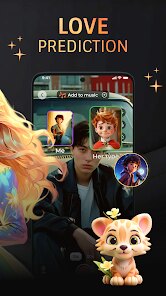
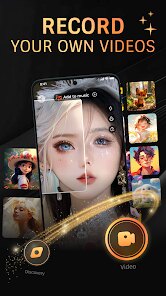
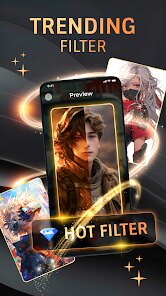
Expert Review
Cartoon Filter is a photo editing app that transforms your ordinary pictures into cool cartoon-style images. It's a fun tool for anyone who wants to add a playful, artistic twist to their photos, making them look like they're straight out of a comic book or an animated movie. The app launched a while back and is available for download on the Google Play Store. It has racked up a significant number of installs, showing it's pretty popular among users looking for this specific effect. You can download and install the app for free, and you don't need to register an account to start using it right away. That's a big plus for quick, hassle-free editing. However, like many free apps, it does include ads, and there are in-app purchases available if you want to unlock additional filters or remove the advertisements.
Using the app is straightforward. You just open it, pick a photo from your gallery, and then browse through the various cartoon filters. The app applies the effect instantly, so you can see the transformation in real-time. A good tip is to start with photos that have clear subjects and good contrast, as the filters tend to work best on those. You can then adjust the intensity of the effect or add some finishing touches before saving your new cartoon masterpiece. It's perfect for creating unique profile pictures or just having a bit of creative fun.
When I was looking for a cartoon photo app, I tried a few others like ToonMe and Cartoon Photo Editor. While those are good, I kept coming back to Cartoon Filter. The main reason is its simplicity and the specific style of its filters. Some apps try to do too much or their results look a bit messy. This app feels more focused. The cartoon effects here have a consistent, clean look that I really like for social media posts. It doesn't have all the bells and whistles of some bigger editing suites, but for quickly turning a selfie or a pet photo into a cartoon, it's my go-to choice. It's the app I have installed when I just want that one thing done well without a complicated process.
Key Functional Highlights
- 🎨 Instant Cartoon Transformation: The core feature is its speed and variety. You select a filter, and boom, your photo is cartoonified. It offers a solid range of styles, from classic comic dots to smoother animated looks, all within this single, focused app.
- 🛠️ Simple Adjustments: Unlike complex editors, this app keeps it simple with easy sliders to control the filter strength and add basic effects like outlines. This makes fine-tuning your cartoon image intuitive and quick, which is great for casual users.
- 📱 Lightweight and Fast: Compared to a massive app like PicsArt, which has cartoon features buried among hundreds of tools, Cartoon Filter is lightweight. It downloads and installs fast, doesn't take up much space, and launches quickly just to do its main job.
- 💾 Easy Save and Share: Once you're happy, saving the image is a one-tap process. The app seamlessly saves to your gallery, making it super easy to then share your cartoon creation directly to Instagram, WhatsApp, or any other platform.
Advantages & Benefits
- 👍 Focused Functionality: It does one thing and does it well. Apps like Prisma offer artistic filters but can be overkill. Cartoon Filter's dedicated focus means you get reliable, good-quality cartoon effects without sifting through unrelated features.
- 👍 No Account Needed: You can download, install, and use it immediately without signing up. Many similar apps now force registration, so this frictionless start is a definite strength for quick editing sessions.
- 👍 Style Consistency: The filters produce a cohesive cartoon aesthetic. Compared to some other cartoon apps where results can be hit-or-miss, the outputs here are generally predictable and stylistically consistent, which I appreciate.
Areas for Improvement
- 👎 Ad Interruptions: The free version is supported by ads, which can pop up quite frequently. This is more intrusive than in some other free editing apps, and it can disrupt the creative flow unless you make an in-app purchase to remove them.
- 👎 Limited Advanced Editing: If you want to tweak specific details like eye size or add custom text bubbles, you can't. An app like FaceApp offers more granular control over facial features even in its cartoon modes, which this app lacks.
- 👎 Filter Variety Locked: Many of the more unique and interesting cartoon filters are locked behind a paywall. While the base app is free to download, getting the full experience requires a purchase, which isn't the case with all competitors.
Recommended Apps
![]()
ZEPETO: Avatar, Connect & Play
Naver Z Corporation4.3
![]()
Reverse Voice: Flip Singing
NindaFuit0![]()
AI Chat Ask Assistant - NowAI
Now Tech4.3![]()
Lie Detector Test: Prank App
DkTech inc.4.3![]()
Peachy - AI Face & Body Editor
InShot Video Editor4.8
![]()
AI Video Art Creator - Livensa
FERASET4.5![]()
Google Voice
Google LLC4.3![]()
Horoscopes & Tarot
Astrolis Horoscopes4.7![]()
eBay online shopping & selling
eBay Mobile4.6![]()
JPay
Jpay Mobile4.1![]()
Stranger Things 5 Challenges
MVH Entertainment Team5![]()
Chat Master: Prank Story
ABI Game Studio4.8![]()
Google Maps
Google LLC4.2![]()
AI Chat・Ask Chatbot Assistant
AI Chat Studio4.5![]()
Name Meanings with Impact
Alif Innovative Solution3.7















You May Like
-
![]()
True Tarot Card Reading
KaApps4.2 -
![]()
LinkedIn: Jobs & Business News
LinkedIn4.2 -
![]()
iControl: Easy Widgets Themes
Fancy keyboard for theme apps4.6 -
![]()
Duolingo: Language & Chess
Duolingo4.7 -
![]()
Flipped:Chat with AI Character
First Group pte ltd4.1 -
![]()
Hearing Age
Mobile Solutions Tech0 -
![]()
TikTok
TikTok Pte. Ltd.4.4 -
![]()
Pretty Makeup - Beauty Camera
Photo Editor Perfect Corp.4.4 -
![]()
PhotoRoom AI Photo Editor
PhotoRoom Background Editor App4.7 -
![]()
Lightleap by Lightricks
Lightricks Ltd.4.3 -
![]()
Name Meaning
Dexati4.1 -
![]()
Truth Social
T Media Tech LLC3.3 -
![]()
Ace Hardware
Ace Hardware Corporation4.7 -
![]()
Kpop Fans Demon Hunter Wallpap
JHNStudio4.3 -
![]()
Artplay - AI Photo & Video
Hideaway Technology Limited4.5










































