

Blink Home Monitor
Immedia Semiconductor
Installs
5,000,000+
Developer
Immedia Semiconductor
-
Category
Productivity
-
Content Rating
Rated for 3+
Developer Email
Privacy Policy
https://apphelp.immedia-semi.com/en/privacy_policy.html
Screenshots
Expert Review
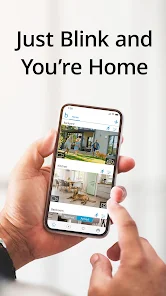
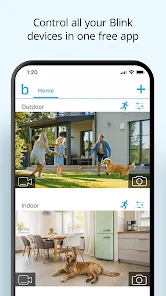
Blink Home Monitor is a security camera app that lets you keep an eye on your home from anywhere. It works with Blink's range of wireless cameras, like the Mini, Indoor, and Outdoor models. You can use the app to watch live video, get motion alerts, and review clips saved in the cloud. The Blink system first came out a few years back, and you can get the app for free on both Google Play and the Apple App Store. It has millions of downloads on Google Play. The app itself is free to download and use, but you do need to create an account to set up your cameras. There are optional subscription plans for more cloud storage, but the basic features work without a monthly fee. You might see some ads in the app for Blink's own products or services.
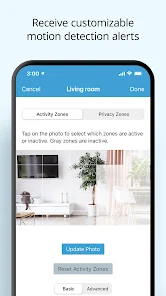
Using the Blink app is pretty straightforward. After you install it and create your account, you follow the in-app steps to add each camera to your system. A good tip is to place your Sync Module centrally for the best wireless connection to all cameras. For daily use, I mostly just open the app to check the live view or glance at the notification when motion is detected. You can customize the motion zones so you're not alerted every time a car drives by, which saves battery life on the cameras. The clips are short and snappy, making it easy to scroll through the day's events quickly.
Compared to other home security apps like the one for Wyze or Ring, I stuck with Blink mainly for its simplicity and battery life. Wyze cams have more features packed in, which can feel cluttered, and Ring often pushes its subscription harder. Blink's app does one job—home monitoring—without too much extra fuss. It's not as powerful as some professional systems, but for checking on the house while I'm at work or seeing what the dog is up to, it's reliable and doesn't require constant charging of the cameras, which is a big plus over some Wi-Fi-only competitors.
Key Functional Highlights
- 🔋 Incredible Battery Life: The standout feature of the Blink app and its cameras is the battery longevity. Unlike many similar apps for cameras that need weekly charging, Blink devices can run for up to two years on two AA lithium batteries. This makes the app truly 'set and forget'.
- 👁️ Clean, Focused Live View: The live streaming interface in the Blink app is super clean. It loads quickly and doesn't have a bunch of overlays or confusing buttons cluttering the screen, which is something I found more frustrating in apps like Google Home when viewing multiple camera feeds.
- 📹 Useful Clip Preview: When you get a motion alert, the app shows a tiny preview animation of the clip right in the notification panel and on the main screen. You don't always have to open the full clip to see if it's just a leaf or a person, saving a lot of time.
- ⚙️ Simple, Effective Scheduling: The app lets you easily create schedules to arm and disarm the system. I have mine set to only alert me when I'm away, which is much simpler to set up here than in some other security apps I've tried.
Advantages & Benefits
- ✅ Truly Wire-Free Setup: Compared to systems like Arlo or Eufy, the Blink app guides you through a completely wire-free camera installation (aside from batteries). There's no power cord to route, which offers unparalleled placement flexibility.
- ✅ Low-Cost Entry for Cloud Features: Unlike Ring, which heavily gates features behind a subscription, the Blink app gives you basic cloud clip storage and live viewing for free, with no mandatory monthly fee to start using its core functions.
- ✅ Lightweight App Performance: The Blink app is notably lighter and faster to open on my phone than the comprehensive but sometimes sluggish apps from Google Nest or Samsung SmartThings.
Areas for Improvement
- ❌ Limited Local Storage Options: A weakness compared to apps like Eufy Security is the lack of robust local storage. Blink heavily relies on its cloud or a USB drive on the Sync Module, whereas Eufy's app works seamlessly with onboard SD card storage.
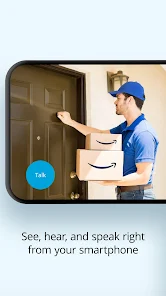
- ❌ Basic Two-Way Audio: The audio feature in the Blink app feels like an afterthought. There's a noticeable lag, and the quality isn't as clear as the crisp, full-duplex audio you get in the app for a Google Nest Cam.
- ❌ Sparse Smart Home Integration: While it works with Alexa, the Blink app's integration with other smart home platforms like Google Home is very basic. You can't create complex automations like you can with devices through the Philips Hue app, for example.
Recommended Apps
![]()
ZEPETO: Avatar, Connect & Play
Naver Z Corporation4.3
![]()
Reverse Voice: Flip Singing
NindaFuit0![]()
AI Chat Ask Assistant - NowAI
Now Tech4.3![]()
Lie Detector Test: Prank App
DkTech inc.4.3![]()
Peachy - AI Face & Body Editor
InShot Video Editor4.8
![]()
AI Video Art Creator - Livensa
FERASET4.5![]()
Google Voice
Google LLC4.3![]()
Horoscopes & Tarot
Astrolis Horoscopes4.7![]()
eBay online shopping & selling
eBay Mobile4.6![]()
JPay
Jpay Mobile4.1![]()
Stranger Things 5 Challenges
MVH Entertainment Team5![]()
Chat Master: Prank Story
ABI Game Studio4.8![]()
Google Maps
Google LLC4.2![]()
AI Chat・Ask Chatbot Assistant
AI Chat Studio4.5![]()
Name Meanings with Impact
Alif Innovative Solution3.7















You May Like
-
![]()
True Tarot Card Reading
KaApps4.2 -
![]()
LinkedIn: Jobs & Business News
LinkedIn4.2 -
![]()
iControl: Easy Widgets Themes
Fancy keyboard for theme apps4.6 -
![]()
Duolingo: Language & Chess
Duolingo4.7 -
![]()
Flipped:Chat with AI Character
First Group pte ltd4.1 -
![]()
Hearing Age
Mobile Solutions Tech0 -
![]()
TikTok
TikTok Pte. Ltd.4.4 -
![]()
Pretty Makeup - Beauty Camera
Photo Editor Perfect Corp.4.4 -
![]()
PhotoRoom AI Photo Editor
PhotoRoom Background Editor App4.7 -
![]()
Lightleap by Lightricks
Lightricks Ltd.4.3 -
![]()
Name Meaning
Dexati4.1 -
![]()
Truth Social
T Media Tech LLC3.3 -
![]()
Ace Hardware
Ace Hardware Corporation4.7 -
![]()
Kpop Fans Demon Hunter Wallpap
JHNStudio4.3 -
![]()
Artplay - AI Photo & Video
Hideaway Technology Limited4.5










































