

Waze Navigation & Live Traffic
Waze
Installs
100,000,000+
Developer
Waze
-
Category
Travel & Local
-
Content Rating
Rated for 3+
Developer Email
Privacy Policy
http://www.waze.com/legal/privacy/
Screenshots
Expert Review
I've been using Waze Navigation & Live Traffic for years now, and it's completely changed how I drive. At its core, Waze is a community-driven navigation app. It's not just about getting from point A to point B; it's about getting there smarter, faster, and with a heads-up about what's happening on the road ahead. The app first launched way back, and it's been a staple on my phone ever since. You can easily download it for free from the Google Play Store or the App Store. With over 100 million installs on Google Play alone, it's clear I'm not the only one who relies on it. You don't need to register to use the basic features, but signing up lets you contribute reports and earn points. There are in-app ads, which can be a bit distracting, but they're the trade-off for a free, powerful navigation tool. There's also an optional subscription called Waze Carpool, but the main navigation app itself is free.
Using the app is straightforward. You just type in your destination, and it calculates the best route based on real-time traffic data. The real magic happens when you start driving. I constantly tap the screen to report things like police, accidents, or hazards, and I see reports from other drivers pop up instantly. A great tip is to set your vehicle type in the settings; it helps Waze avoid routes with low bridges or weight limits for trucks. Also, connecting the app to your calendar or music apps makes starting a trip super smooth.
Compared to other navigation apps like Google Maps or Apple Maps, I choose Waze for one main reason: the live, user-generated data. Google Maps is fantastic for discovering new places and has more detailed maps, but Waze feels like you have a network of fellow drivers looking out for you. It's often faster at rerouting around sudden traffic jams because the reports come in so quickly from the community. While other apps might have cleaner interfaces, the sheer utility and proactive alerts for cops and road closures keep Waze as my go-to app for daily commuting and road trips.
Key Functional Highlights
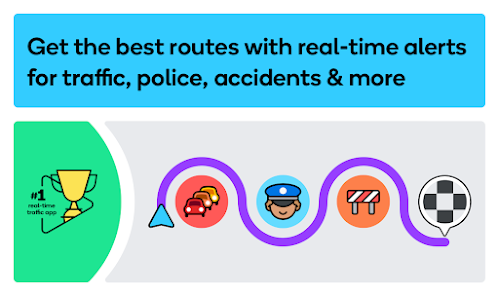
- 🚗 Real-Time Community Alerts: This is Waze's killer feature. As you drive, you see and can report police, accidents, hazards, and even cheap gas prices. This crowd-sourced info is often faster than traditional traffic data systems used by other apps, giving you a crucial edge.
- 🗺️ Dynamic Rerouting: The app doesn't just set a route and forget it. It constantly monitors live traffic conditions. If a faster path opens up because of an accident or slowdown on your original route, Waze will automatically suggest a new one, often saving significant time.
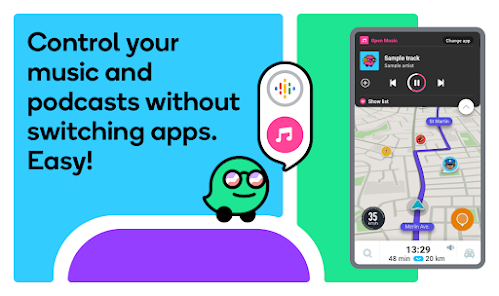
- 🎵 Integrated Audio Player: You can control Spotify, Apple Music, and other music apps directly from the Waze interface. This means you don't have to switch between apps to change a playlist or podcast while navigating, which is a huge plus for safety and convenience.
- 👥 Carpool Feature (Waze Carpool): While a separate service, it's integrated into the app. It connects drivers with riders heading the same way to share commutes. It's a standout social feature you won't find in standard navigation apps like Google Maps.
Advantages & Benefits
- 👍 Unbeatable Live Traffic Intelligence: The crowd-sourced data for police traps, accidents, and road closures is more immediate and detailed than what you get in Apple Maps or even Google Maps' standard traffic view.
- 👍 Superior Commute Planning: Its time-of-departure planning and historical traffic data for predicting your arrival time are often more accurate for regular routes compared to similar apps.
- 👍 Fun & Gamified Experience: Earning points and climbing the community ranks for making reports adds a fun, social layer that makes you feel part of a team, unlike the purely utilitarian feel of other navigation tools.
Areas for Improvement
- 👎 Interface Can Feel Cluttered: Compared to the minimalist design of Apple Maps or Google Maps, the Waze screen can feel busy with ads, pop-ups, and many map pins, which some users find distracting.
- 👎 Battery and Data Usage: Because it's constantly updating and transmitting data, it can be a heavier drain on your phone's battery and mobile data plan than more basic navigation apps.
- 👎 Less Optimal for Pedestrian/Navigation: While it works, Waze is primarily designed for drivers. For walking directions or public transit info, Google Maps is a far superior app in that genre.
Recommended Apps
![]()
ZEPETO: Avatar, Connect & Play
Naver Z Corporation4.3
![]()
Reverse Voice: Flip Singing
NindaFuit0![]()
AI Chat Ask Assistant - NowAI
Now Tech4.3![]()
Lie Detector Test: Prank App
DkTech inc.4.3![]()
Peachy - AI Face & Body Editor
InShot Video Editor4.8
![]()
AI Video Art Creator - Livensa
FERASET4.5![]()
Google Voice
Google LLC4.3![]()
Horoscopes & Tarot
Astrolis Horoscopes4.7![]()
eBay online shopping & selling
eBay Mobile4.6![]()
JPay
Jpay Mobile4.1![]()
Stranger Things 5 Challenges
MVH Entertainment Team5![]()
Chat Master: Prank Story
ABI Game Studio4.8![]()
Google Maps
Google LLC4.2![]()
AI Chat・Ask Chatbot Assistant
AI Chat Studio4.5![]()
Name Meanings with Impact
Alif Innovative Solution3.7















You May Like
-
![]()
True Tarot Card Reading
KaApps4.2 -
![]()
LinkedIn: Jobs & Business News
LinkedIn4.2 -
![]()
iControl: Easy Widgets Themes
Fancy keyboard for theme apps4.6 -
![]()
Duolingo: Language & Chess
Duolingo4.7 -
![]()
Flipped:Chat with AI Character
First Group pte ltd4.1 -
![]()
Hearing Age
Mobile Solutions Tech0 -
![]()
TikTok
TikTok Pte. Ltd.4.4 -
![]()
Pretty Makeup - Beauty Camera
Photo Editor Perfect Corp.4.4 -
![]()
PhotoRoom AI Photo Editor
PhotoRoom Background Editor App4.7 -
![]()
Lightleap by Lightricks
Lightricks Ltd.4.3 -
![]()
Name Meaning
Dexati4.1 -
![]()
Truth Social
T Media Tech LLC3.3 -
![]()
Ace Hardware
Ace Hardware Corporation4.7 -
![]()
Kpop Fans Demon Hunter Wallpap
JHNStudio4.3 -
![]()
Artplay - AI Photo & Video
Hideaway Technology Limited4.5











































