

Microsoft Copilot
Microsoft Corporation
Installs
1M+
Developer
Microsoft Corporation
-
Category
Generative AI
-
Content Rating
Rated for 3+
Developer Email
Privacy Policy
https://aka.ms/Copilot/Protections
Screenshots
Expert Review
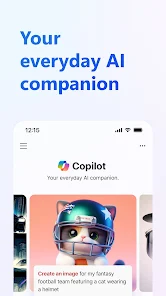
Microsoft Copilot is an AI-powered assistant app designed to help users with a wide range of tasks, from answering questions and generating creative content to summarizing documents and assisting with coding. It's like having a smart companion right on your phone or computer. The app first launched in 2023 and is widely available for download on both the Google Play Store and the Apple App Store. It has already garnered millions of installs, which shows how quickly people are adopting it. The best part? The core app is completely free to download and install. You don't need to register an account to start using its basic features, which makes jumping in super easy. However, for the full, most powerful experience, you can sign in with a Microsoft account. While the app itself is free, there is a premium tier called Copilot Pro that offers advanced features like faster responses and priority access during peak times. You might also encounter some in-app ads or prompts for the Pro version, but they're generally not too intrusive.
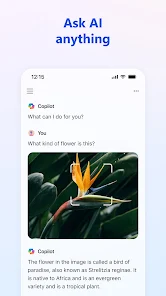
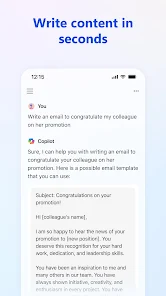
Using the app is straightforward. You just type or speak your question or request into the chat interface. I find it super handy for quick fact-checks, drafting emails, or even brainstorming ideas for a project. A good tip is to be as specific as possible with your prompts; you'll get much better and more relevant answers. For example, instead of asking "Tell me about Rome," try "Give me a three-day travel itinerary for Rome focusing on historical sites." It also integrates with other Microsoft services if you're signed in, which can be a big time-saver.
Compared to other similar apps in the AI assistant genre, like ChatGPT or Google Gemini, I keep coming back to Microsoft Copilot for a few reasons. First, its integration with the web search (powered by Bing) feels seamless and up-to-date, which is great for current events. Second, because it's from Microsoft, it works really well if you're already in their ecosystem with Office or Windows. While ChatGPT is fantastic for pure text generation, I find Copilot's interface a bit cleaner for everyday, casual use. It just feels less intimidating to open up and ask a quick question without overthinking it.
Key Functional Highlights
- 🔍 Integrated Web Search: Unlike some competitors that have knowledge cut-offs, Copilot can pull in fresh, current information from the web for its answers. This is perfect for looking up news, recent product releases, or live sports scores.
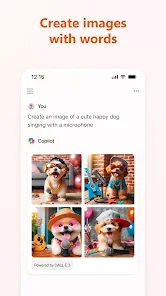
- ✏️ Multi-format Creativity: The app isn't just for text. You can ask it to generate images from descriptions using DALL-E, draft documents, create poems, or even write and explain pieces of code. It's a versatile tool for different creative needs.
- 📱 Seamless Cross-Platform Use: Whether I download the app on my Android phone from Google Play or use it on my PC, the experience is consistent. My conversation history syncs if I'm signed in, making it easy to pick up where I left off on any device.
- 💬 Conversational and Context-Aware: The app remembers the context of our chat. I can ask a follow-up question like "Explain that in simpler terms" or "Give me more examples," and it understands what "that" refers to, making the conversation flow naturally.
Advantages & Benefits
- ✅ Free and Powerful Core: Many apps in this space lock essential features behind a paywall. Copilot's free tier is remarkably capable, offering web-augmented answers and image generation without a subscription, which beats the basic versions of some rivals.
- ✅ Superior Search Integration: Compared to ChatGPT's standard version, Copilot's built-in Bing search provides more timely and cited information directly in its responses, which is a huge strength for research.
- ✅ Microsoft Ecosystem Synergy: If you use Edge, Windows, or Office 365, this app feels like a natural extension. Features like summarizing a PDF opened in Edge or helping with an Excel formula are unique strengths over standalone apps like Claude.
Areas for Improvement
- ⚠️ Occasional Response Limits: Sometimes, during very complex or long conversations, the app might ask to start a new topic or can give slightly truncated answers compared to the unlimited context some desktop AI tools offer.
- ⚠️ Ads for Pro Version: While the app is free, you will see prompts to upgrade to Copilot Pro. It's not overly aggressive, but it's a noticeable difference from a completely ad-free experience like using ChatGPT Plus.
- ⚠️ Dependence on Internet: Like most apps in this genre, it requires a stable internet connection. You can't download it for offline use, which can be a limitation compared to some utility apps that work anywhere.
Recommended Apps
![]()
ZEPETO: Avatar, Connect & Play
Naver Z Corporation4.3
![]()
Reverse Voice: Flip Singing
NindaFuit0![]()
AI Chat Ask Assistant - NowAI
Now Tech4.3![]()
Lie Detector Test: Prank App
DkTech inc.4.3![]()
Peachy - AI Face & Body Editor
InShot Video Editor4.8
![]()
AI Video Art Creator - Livensa
FERASET4.5![]()
Google Voice
Google LLC4.3![]()
Horoscopes & Tarot
Astrolis Horoscopes4.7![]()
eBay online shopping & selling
eBay Mobile4.6![]()
JPay
Jpay Mobile4.1![]()
Stranger Things 5 Challenges
MVH Entertainment Team5![]()
Chat Master: Prank Story
ABI Game Studio4.8![]()
Google Maps
Google LLC4.2![]()
AI Chat・Ask Chatbot Assistant
AI Chat Studio4.5![]()
Name Meanings with Impact
Alif Innovative Solution3.7















You May Like
-
![]()
True Tarot Card Reading
KaApps4.2 -
![]()
LinkedIn: Jobs & Business News
LinkedIn4.2 -
![]()
iControl: Easy Widgets Themes
Fancy keyboard for theme apps4.6 -
![]()
Duolingo: Language & Chess
Duolingo4.7 -
![]()
Flipped:Chat with AI Character
First Group pte ltd4.1 -
![]()
Hearing Age
Mobile Solutions Tech0 -
![]()
TikTok
TikTok Pte. Ltd.4.4 -
![]()
Pretty Makeup - Beauty Camera
Photo Editor Perfect Corp.4.4 -
![]()
PhotoRoom AI Photo Editor
PhotoRoom Background Editor App4.7 -
![]()
Lightleap by Lightricks
Lightricks Ltd.4.3 -
![]()
Name Meaning
Dexati4.1 -
![]()
Truth Social
T Media Tech LLC3.3 -
![]()
Ace Hardware
Ace Hardware Corporation4.7 -
![]()
Kpop Fans Demon Hunter Wallpap
JHNStudio4.3 -
![]()
Artplay - AI Photo & Video
Hideaway Technology Limited4.5











































