

Zoom - One Platform to Connect
zoom.us
Installs
1,000,000,000+
Developer
zoom.us
-
Category
Business
-
Content Rating
Rated for 12+
Developer Email
Privacy Policy
http://zoom.us/privacy/
Screenshots
Expert Review
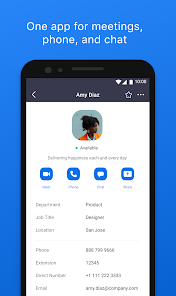
Zoom is the app I use for pretty much all my video calls these days. It's a communication platform, but everyone just knows it as the go-to for video meetings. You can use it for work, online classes, catching up with family, or even virtual game nights. The app first launched back in 2013, but it really became a household name during the pandemic. You can download it for free from the Google Play Store or the Apple App Store, and it has over a billion installs on Google Play alone. The basic version is free to download and use, and you don't even need to register an account to join a meeting if someone sends you a link. For hosting meetings, you do need to sign up, which is quick. There are in-app purchases for the paid plans (like Pro, Business) that offer longer meeting times and more features, and the free version does show some ads for upgrading, but they're not too intrusive during calls.
Using the Zoom app is straightforward. You either create a meeting and share the link or ID, or you enter one you've received. A handy tip is to always mute your microphone when you're not speaking to cut down on background noise. Also, the virtual background feature is a lifesaver if your room is messy! You can find it in the settings before you join or during a call. For larger groups, the host can use breakout rooms to split people into smaller discussions, which is great for workshops.
Compared to similar apps like Google Meet or Microsoft Teams, I keep coming back to Zoom. Google Meet is super simple and integrated with Gmail, but Zoom just feels more reliable and has better video quality consistently, even with spotty internet. Teams is powerful for office collaboration, but it can feel heavy and clunky just for a quick social call. Zoom strikes the right balance between being professional enough for work and simple enough for my weekly family catch-up. The fact that so many people are already familiar with it means you rarely have to explain how to join a call.
Key Functional Highlights
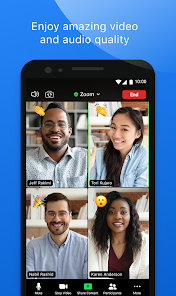
- 🎯 Rock-Solid Video & Audio: Even on a slower connection, Zoom's video quality is consistently clear and stable. It handles bandwidth fluctuations better than many competitors, so you're less likely to freeze into a pixelated mess.
- 🖼️ Fun and Functional Features: The virtual background feature is a standout. It's more polished and offers better background blurring and replacement options compared to the basic ones in Google Meet, letting you hide a chaotic home office instantly.
- 👥 Large Meeting Management: Hosting big calls is where Zoom shines. Features like waiting rooms, host controls to mute participants, and especially breakout rooms for splitting into smaller groups are incredibly useful for classes or team meetings.
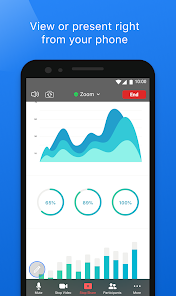
- 📱 Seamless Cross-Platform Use: Whether I install the app on my phone, tablet, or desktop, the experience is nearly identical. Joining a meeting from any device is effortless, and screen sharing works perfectly across all of them.
Advantages & Benefits
- ✅ Reliability is Key: It just works. Fewer dropped calls and audio sync issues than I've experienced with other apps like Cisco Webex.
- ✅ Low Barrier to Entry: The ease of joining a meeting without an account makes it the most accessible option for connecting with less tech-savvy friends or clients.
- ✅ Feature-Rich Free Tier: The 40-minute limit on group calls is generous compared to some alternatives, and you get most core features without paying.
Areas for Improvement
- ❌ Security Scrutiny: It faced well-publicized 'Zoombombing' issues early on. While security is much improved, that initial perception still lingers for some users compared to apps like Signal which are built on privacy.
- ❌ Battery and Resource Drain: The Zoom app can be a significant drain on your phone's battery and CPU during long calls, more so than a simpler app like FaceTime.
- ❌ "Zoom Fatigue" is Real: The intense, gallery-style view and constant self-view can be more mentally taxing than a casual audio call on Discord.
Recommended Apps
![]()
ZEPETO: Avatar, Connect & Play
Naver Z Corporation4.3
![]()
Reverse Voice: Flip Singing
NindaFuit0![]()
AI Chat Ask Assistant - NowAI
Now Tech4.3![]()
Lie Detector Test: Prank App
DkTech inc.4.3![]()
Peachy - AI Face & Body Editor
InShot Video Editor4.8
![]()
AI Video Art Creator - Livensa
FERASET4.5![]()
Google Voice
Google LLC4.3![]()
Horoscopes & Tarot
Astrolis Horoscopes4.7![]()
eBay online shopping & selling
eBay Mobile4.6![]()
JPay
Jpay Mobile4.1![]()
Stranger Things 5 Challenges
MVH Entertainment Team5![]()
Chat Master: Prank Story
ABI Game Studio4.8![]()
Google Maps
Google LLC4.2![]()
AI Chat・Ask Chatbot Assistant
AI Chat Studio4.5![]()
Name Meanings with Impact
Alif Innovative Solution3.7















You May Like
-
![]()
True Tarot Card Reading
KaApps4.2 -
![]()
LinkedIn: Jobs & Business News
LinkedIn4.2 -
![]()
iControl: Easy Widgets Themes
Fancy keyboard for theme apps4.6 -
![]()
Duolingo: Language & Chess
Duolingo4.7 -
![]()
Flipped:Chat with AI Character
First Group pte ltd4.1 -
![]()
Hearing Age
Mobile Solutions Tech0 -
![]()
TikTok
TikTok Pte. Ltd.4.4 -
![]()
Pretty Makeup - Beauty Camera
Photo Editor Perfect Corp.4.4 -
![]()
PhotoRoom AI Photo Editor
PhotoRoom Background Editor App4.7 -
![]()
Lightleap by Lightricks
Lightricks Ltd.4.3 -
![]()
Name Meaning
Dexati4.1 -
![]()
Truth Social
T Media Tech LLC3.3 -
![]()
Ace Hardware
Ace Hardware Corporation4.7 -
![]()
Kpop Fans Demon Hunter Wallpap
JHNStudio4.3 -
![]()
Artplay - AI Photo & Video
Hideaway Technology Limited4.5










































