

Google Meet (original)
Google LLC
Installs
500,000,000+
Developer
Google LLC
-
Category
Business
-
Content Rating
Rated for 3+
Developer Email
Privacy Policy
http://www.google.com/policies/privacy
Screenshots



Expert Review
Google Meet is a video conferencing app that lets you connect with others for work meetings, online classes, or just catching up with friends and family. It's part of Google's Workspace tools and is designed to be a reliable way to have face-to-face conversations over the internet. The app was officially launched as a standalone service in 2017, though it evolved from Google Hangouts. You can find it for free on the Google Play Store and the Apple App Store. It has been downloaded over 5 billion times on Google Play alone, which shows how many people use it. You don't need to pay anything to download and install the app for basic use. To start a meeting, you do need a Google account to sign in. While the core features are free, there are paid plans for businesses that offer more, like longer meeting durations for large groups and extra administrative controls. You might see some ads related to Google's other services within your account settings, but generally, the meeting experience itself is ad-free.
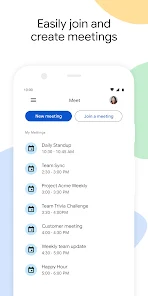
Using Google Meet is pretty straightforward. After you install the app and sign in, you can either join a meeting using a code or link someone sends you, or you can start a new one yourself. A good tip is to check your audio and video before joining – the app has a quick test screen for that. For bigger meetings, the host can manage participants, mute everyone, or share their screen to show presentations. I find it works best with a stable Wi-Fi connection to avoid any lag or dropped calls.
Compared to other apps like Zoom or Microsoft Teams, I often choose Google Meet because it feels more integrated into my daily digital life. Since I already use Gmail and Google Calendar, having Meet right there makes scheduling and joining calls a one-click affair. It's simpler for quick, informal calls with fewer bells and whistles than some competitors, which I actually prefer for most situations. While Zoom might have more fun filters and breakout rooms are a bit more polished, Meet's reliability and clean interface keep me coming back. For someone deep in the Google ecosystem, this app just makes sense.
Key Functional Highlights
- 🔗 Seamless Google Integration: The app ties directly into Gmail and Google Calendar. Invites appear in your calendar, and you can join meetings with a single click from your email, making the whole process incredibly smooth.
- 📹 Solid and Reliable Video Quality: Even on average internet connections, the video and audio hold up well. It adjusts quality automatically, so you're less likely to get a frozen screen compared to some other services when bandwidth dips.
- 🛡️ Strong Security Features: Google Meet uses encryption for meetings, and hosts have good control. Features like requiring participants to ask to join and the ability to admit people from a waiting room help keep unwanted guests out.
- 📱 Excellent Cross-Platform Access: Whether you install it on Android via Google Play, on an iPhone, or use it directly in a web browser, the experience is consistent. Joining a meeting is easy for everyone, no matter their device.
Advantages & Benefits
- ✅ It's Free and Widely Accessible: The barrier to entry is low. Anyone with a Google account can use the core features, making it easy for friends, family, or clients to download and join without complicated setups.
- ✅ Minimalist and User-Friendly Interface: Compared to apps like Zoom, which can feel cluttered, Google Meet's interface is clean and intuitive. You find the essential controls (mute, video, leave) without distraction.
- ✅ Superior for Google Ecosystem Users: If you live in Gmail and Google Calendar, this app is unbeatable. The integration is so tight that using a separate app like Microsoft Teams feels like an extra, unnecessary step.
Areas for Improvement
- ❌ Fewer Fun and Social Features: Compared to Zoom, Google Meet lacks a wide array of fun filters, virtual backgrounds, and interactive tools. It feels more business-oriented, which can be a downside for casual social hangs.
- ❌ Advanced Features Locked Behind Paywall: Useful features for larger or longer meetings, like extended duration for big groups and meeting recording saved to Google Drive, require a paid Workspace subscription.
- ❌ Limited Customization in Meetings: The control a host has is good for security but can feel restrictive. For example, managing breakout rooms isn't as flexible or intuitive as it is in some competing apps.
Recommended Apps
![]()
ZEPETO: Avatar, Connect & Play
Naver Z Corporation4.3
![]()
Reverse Voice: Flip Singing
NindaFuit0![]()
AI Chat Ask Assistant - NowAI
Now Tech4.3![]()
Lie Detector Test: Prank App
DkTech inc.4.3![]()
Peachy - AI Face & Body Editor
InShot Video Editor4.8
![]()
AI Video Art Creator - Livensa
FERASET4.5![]()
Google Voice
Google LLC4.3![]()
Horoscopes & Tarot
Astrolis Horoscopes4.7![]()
eBay online shopping & selling
eBay Mobile4.6![]()
JPay
Jpay Mobile4.1![]()
Stranger Things 5 Challenges
MVH Entertainment Team5![]()
Chat Master: Prank Story
ABI Game Studio4.8![]()
Google Maps
Google LLC4.2![]()
AI Chat・Ask Chatbot Assistant
AI Chat Studio4.5![]()
Name Meanings with Impact
Alif Innovative Solution3.7















You May Like
-
![]()
True Tarot Card Reading
KaApps4.2 -
![]()
LinkedIn: Jobs & Business News
LinkedIn4.2 -
![]()
iControl: Easy Widgets Themes
Fancy keyboard for theme apps4.6 -
![]()
Duolingo: Language & Chess
Duolingo4.7 -
![]()
Flipped:Chat with AI Character
First Group pte ltd4.1 -
![]()
Hearing Age
Mobile Solutions Tech0 -
![]()
TikTok
TikTok Pte. Ltd.4.4 -
![]()
Pretty Makeup - Beauty Camera
Photo Editor Perfect Corp.4.4 -
![]()
PhotoRoom AI Photo Editor
PhotoRoom Background Editor App4.7 -
![]()
Lightleap by Lightricks
Lightricks Ltd.4.3 -
![]()
Name Meaning
Dexati4.1 -
![]()
Truth Social
T Media Tech LLC3.3 -
![]()
Ace Hardware
Ace Hardware Corporation4.7 -
![]()
Kpop Fans Demon Hunter Wallpap
JHNStudio4.3 -
![]()
Artplay - AI Photo & Video
Hideaway Technology Limited4.5











































