
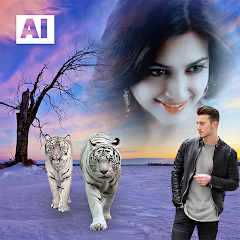
AI Nature Photo Frame & Editor
ClickLab Technology
Installs
10M+
Developer
ClickLab Technology
-
Category
Video Players & Editors
-
Content Rating
Rated for 3+
Developer Email
Privacy Policy
https://clicklabprivacypolicy.blogspot.com/
Screenshots
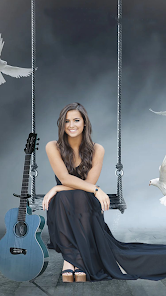

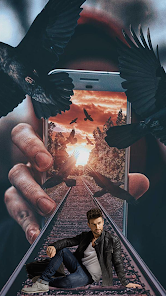
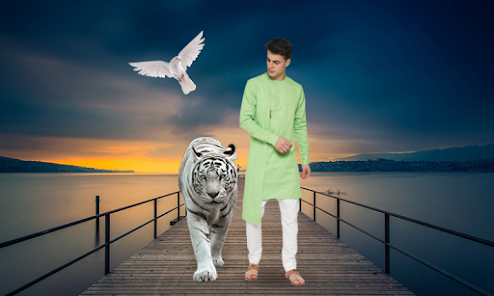
Expert Review
I've been using the AI Nature Photo Frame & Editor app for a few months now, and it's become my go-to tool for sprucing up my nature photos. This app, as the name suggests, is all about adding beautiful, natural-looking frames and effects to your pictures, especially those taken outdoors. It first launched a while back on the Google Play Store, and it's racked up a solid number of downloads since then. You can download and install it for free, which is always a plus. You don't need to register or create an account to start using it, which I appreciate for a quick photo edit. While the core app is free, there are some in-app purchases if you want to unlock all the premium frames and tools. You'll also see some ads, but they're not too intrusive.
Using the app is pretty straightforward. I usually open it, pick a photo from my gallery, and then browse through the huge collection of frames. They have everything from simple wooden borders to elaborate overlays with leaves, flowers, and butterflies. The 'AI' part comes in with smart suggestions and filters that seem to adapt to your photo's colors. A good tip is to try the 'auto-enhance' feature first; it often brightens up a dull landscape shot perfectly before you even pick a frame. I also like to layer effects, sometimes adding a subtle vignette after the frame for a more finished look.
I've tried a few other similar photo frame apps from the Google Play store, like Photo Frames or some of the more general editors. What keeps me coming back to this specific app is its laser focus on nature themes. Other apps might have frames for birthdays or holidays, but if you're into hiking, gardening, or wildlife photography, this app's library feels tailor-made. The quality of the frames is consistently high, and they blend with the photo rather than just sitting on top of it. For anyone who wants to give their outdoor snaps a quick, artistic boost without a steep learning curve, this is the app I'd recommend you install first.
Key Functional Highlights
- 🌿 Massive, Themed Frame Library: Unlike generic editors, this app offers a vast, constantly updated collection of frames and overlays specifically designed for nature photos. Think moss-covered borders, sparkling water effects, and delicate floral wreaths that actually complement your landscape or flower shot.
- 🤖 Smart AI Enhancements: The app goes beyond static frames. Its AI tools can analyze your photo and suggest the best frame style, adjust colors to match the overlay, and apply intelligent lighting filters that make your subject pop naturally, saving you a lot of manual tweaking.
- 📱 One-Tap Social Sharing: Once your masterpiece is ready, the app integrates seamlessly with all major platforms. A single tap optimizes your image for Instagram, Facebook, or WhatsApp, so you can show off your edited creation without leaving the app.
- 🎨 Non-Destructive Layering: You can experiment freely by stacking frames, textures, and adjustment filters. The app lets you edit, re-order, or remove each layer individually without starting over, which is a feature many simpler frame apps on Google Play lack.
Advantages & Benefits
- ✅ Superior Theme Specialization: Compared to catch-all apps like 'Photo Frame Editor', this app's nature-only focus means deeper, higher-quality content for outdoor enthusiasts, making it the best in its niche genre.
- ✅ Lightweight and Fast: It downloads and installs quickly, and runs smoothly even on older phones, whereas some bulky all-in-one editor apps can be slow and laggy.
- ✅ Truly Free to Start: You can access a generous portion of frames and tools without paying, unlike some competitors that immediately lock popular features behind a paywall.
Areas for Improvement
- ❌ Ads Can Interrupt Flow: The free version has ads that sometimes pop up between selecting frames, which can break your creative rhythm compared to paid, ad-free alternatives.
- ❌ Limited Beyond Nature: If you need frames for portraits, parties, or text-heavy designs, you'll need another app. It's strictly for nature-themed edits.
- ❌ Premium Content is Pricey: Unlocking all the best frames and AI tools requires a subscription or one-time purchase that's a bit steeper than similar utility apps on Google Play.
Recommended Apps
![]()
ZEPETO: Avatar, Connect & Play
Naver Z Corporation4.3
![]()
Reverse Voice: Flip Singing
NindaFuit0![]()
AI Chat Ask Assistant - NowAI
Now Tech4.3![]()
Lie Detector Test: Prank App
DkTech inc.4.3![]()
Peachy - AI Face & Body Editor
InShot Video Editor4.8
![]()
AI Video Art Creator - Livensa
FERASET4.5![]()
Google Voice
Google LLC4.3![]()
Horoscopes & Tarot
Astrolis Horoscopes4.7![]()
eBay online shopping & selling
eBay Mobile4.6![]()
JPay
Jpay Mobile4.1![]()
Stranger Things 5 Challenges
MVH Entertainment Team5![]()
Chat Master: Prank Story
ABI Game Studio4.8![]()
Google Maps
Google LLC4.2![]()
AI Chat・Ask Chatbot Assistant
AI Chat Studio4.5![]()
Name Meanings with Impact
Alif Innovative Solution3.7















You May Like
-
![]()
True Tarot Card Reading
KaApps4.2 -
![]()
LinkedIn: Jobs & Business News
LinkedIn4.2 -
![]()
iControl: Easy Widgets Themes
Fancy keyboard for theme apps4.6 -
![]()
Duolingo: Language & Chess
Duolingo4.7 -
![]()
Flipped:Chat with AI Character
First Group pte ltd4.1 -
![]()
Hearing Age
Mobile Solutions Tech0 -
![]()
TikTok
TikTok Pte. Ltd.4.4 -
![]()
Pretty Makeup - Beauty Camera
Photo Editor Perfect Corp.4.4 -
![]()
PhotoRoom AI Photo Editor
PhotoRoom Background Editor App4.7 -
![]()
Lightleap by Lightricks
Lightricks Ltd.4.3 -
![]()
Name Meaning
Dexati4.1 -
![]()
Truth Social
T Media Tech LLC3.3 -
![]()
Ace Hardware
Ace Hardware Corporation4.7 -
![]()
Kpop Fans Demon Hunter Wallpap
JHNStudio4.3 -
![]()
Artplay - AI Photo & Video
Hideaway Technology Limited4.5












































