
Themes - App icons, Wallpapers
Lutech Ltd
Installs
10M+
Developer
Lutech Ltd
-
Category
Productivity
-
Content Rating
Rated for 3+
Developer Email
Privacy Policy
https://pages.flycricket.io/themes-app-icons/privacy.html
Screenshots
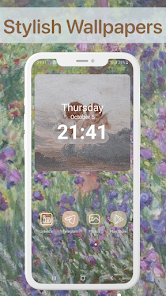
Expert Review
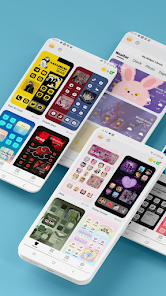
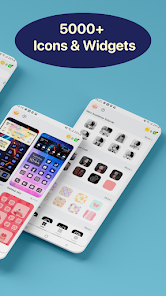
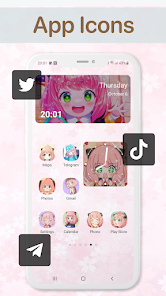
I've been using the Themes app for a while now to give my phone a fresh look. It's basically a one-stop shop for customizing your Android device. The app is all about personalization, letting you change your app icons and wallpapers with just a few taps. I first downloaded it from the Google Play Store a couple of years ago, and it's been regularly updated since. It's completely free to install, which is a huge plus. You don't even need to create an account to start using most of its features, making it super easy to jump right in. While the core download is free, the app does offer some premium icon packs and wallpapers you can buy if you want. You'll also see some ads, but they're not too intrusive.
Using the app is straightforward. After you install it, you browse through collections of icon packs and wallpapers. When you find a set you like, you apply it, and the app guides you through setting it up with your launcher. A handy tip is to make sure your launcher supports icon packs; most popular ones like Nova or Lawnchair do. I often mix and match wallpapers from one theme and icons from another to create a unique combo.
Compared to other similar apps in the personalization genre, like Icon Pack Studio or Backdrops, I keep coming back to Themes. Icon Pack Studio is great for creating custom icons, but it can feel a bit technical. Backdrops has amazing wallpapers, but it's mostly just for backgrounds. Themes strikes a good balance for me. It has a wide variety of both icons and wallpapers in one place, and the quality is consistently good. For someone who likes to change their phone's style often without fussing with multiple apps, this one from Lutech is a solid choice.
Key Functional Highlights
- 🔄 All-in-One Personalization Hub: Unlike many single-focus apps, Themes combines both icon packs and wallpapers. While a popular app like Zedge offers tons of content, it can feel cluttered with ringtones and videos. Themes keeps it clean and focused purely on visual customization, making the browsing experience smoother for what I actually want.
- 🎨 Curated Collections & Easy Application: The app organizes content into well-curated collections (like 'Material You' or 'Dark Minimal'), which helps me discover matching sets quickly. Applying a theme is a streamlined process; it automatically suggests compatible launchers and walks you through the setup, which is simpler than the manual process often required in more powerful but complex apps like Nova Launcher's own theming.
- 📱 Lightweight and No-Registration Needed: One of its best features is that you can download and start using it immediately without signing up. Compared to some wallpaper apps that require an account to sync favorites, this frictionless start is a big win for quick customization.
Advantages & Benefits
- ✅ Great Variety in One App: It saves me from installing separate apps for icons and wallpapers. Compared to using something like Whicons for icons and Walli for art, having both here is more convenient.
- ✅ Frequent New Content: The developers add new theme packs regularly, so there's always something fresh to try without the app feeling stale.
- ✅ User-Friendly for Beginners: The interface is much simpler to navigate than something like KLWP, which has a steep learning curve. It's perfect for quick, aesthetic changes.
Areas for Improvement
- ❌ Ads in the Free Version: The presence of ads can be a slight annoyance. A competitor like Backdrops has a cleaner, ad-free experience for wallpapers, though it lacks icon packs.
- ❌ Premium Content is Locked: Some of the nicest icon packs require a purchase. Other apps, like Icon Pack Studio, offer more freedom to create your own for free, even if it's more work.
- ❌ Dependency on Launcher Support: The icon theming feature doesn't work with every launcher. Stock launchers on some phones have limited support, which isn't the app's fault but is a limitation compared to launcher-specific themes.
Recommended Apps
![]()
ZEPETO: Avatar, Connect & Play
Naver Z Corporation4.3
![]()
Reverse Voice: Flip Singing
NindaFuit0![]()
AI Chat Ask Assistant - NowAI
Now Tech4.3![]()
Lie Detector Test: Prank App
DkTech inc.4.3![]()
Peachy - AI Face & Body Editor
InShot Video Editor4.8
![]()
AI Video Art Creator - Livensa
FERASET4.5![]()
Google Voice
Google LLC4.3![]()
Horoscopes & Tarot
Astrolis Horoscopes4.7![]()
eBay online shopping & selling
eBay Mobile4.6![]()
JPay
Jpay Mobile4.1![]()
Stranger Things 5 Challenges
MVH Entertainment Team5![]()
Chat Master: Prank Story
ABI Game Studio4.8![]()
Google Maps
Google LLC4.2![]()
AI Chat・Ask Chatbot Assistant
AI Chat Studio4.5![]()
Name Meanings with Impact
Alif Innovative Solution3.7















You May Like
-
![]()
True Tarot Card Reading
KaApps4.2 -
![]()
LinkedIn: Jobs & Business News
LinkedIn4.2 -
![]()
iControl: Easy Widgets Themes
Fancy keyboard for theme apps4.6 -
![]()
Duolingo: Language & Chess
Duolingo4.7 -
![]()
Flipped:Chat with AI Character
First Group pte ltd4.1 -
![]()
Hearing Age
Mobile Solutions Tech0 -
![]()
TikTok
TikTok Pte. Ltd.4.4 -
![]()
Pretty Makeup - Beauty Camera
Photo Editor Perfect Corp.4.4 -
![]()
PhotoRoom AI Photo Editor
PhotoRoom Background Editor App4.7 -
![]()
Lightleap by Lightricks
Lightricks Ltd.4.3 -
![]()
Name Meaning
Dexati4.1 -
![]()
Truth Social
T Media Tech LLC3.3 -
![]()
Ace Hardware
Ace Hardware Corporation4.7 -
![]()
Kpop Fans Demon Hunter Wallpap
JHNStudio4.3 -
![]()
Artplay - AI Photo & Video
Hideaway Technology Limited4.5











































