
GPS Navigation Maps Directions
SaaAneeDroid
Installs
10M+
Developer
SaaAneeDroid
-
Category
Productivity
-
Content Rating
Rated for 3+
Developer Email
Privacy Policy
http://saaaneedroid.blogspot.com/2018/07/privacy-policy.html
Screenshots
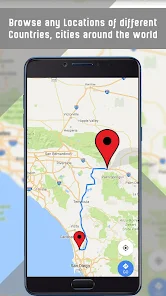
Expert Review
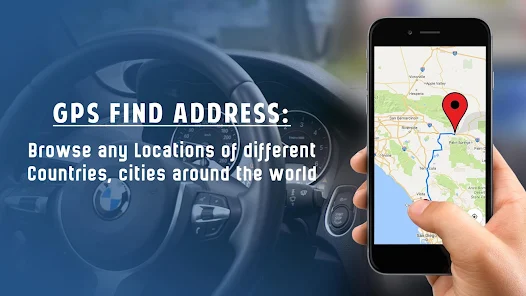
I've been using GPS Navigation Maps Directions for a while now, and it's become my go-to app for getting around. It's a free navigation and mapping app available on the Google Play Store. I first downloaded it a couple of years ago, and it's had several major updates since then. The app is completely free to download and install, with no registration required to start using it. You just open it up and you're ready to go. It does show some banner ads at the bottom of the screen while navigating, but they're not too intrusive. There are no in-app purchases to worry about, which is a big plus for a free navigation tool. It has a huge number of installs on Google Play, which gave me some confidence in its reliability before I even tried it.
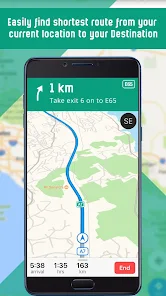
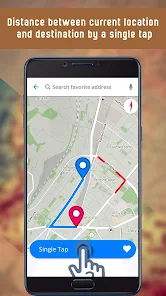
Using the app is pretty straightforward. You type in an address or a point of interest, and it plots the route almost instantly. I use it mostly for driving, but it also has options for walking directions. One tip I found useful is to download offline maps for your area. This saves mobile data and ensures the app still works if you lose signal, which happens sometimes on rural roads. The voice guidance is clear, and you can choose different voices. I also like that it shows current traffic conditions, helping me avoid jams during my commute.
I've tried other popular navigation apps like Google Maps and Waze. While those are great, I often come back to this one. For me, the main reason is its simplicity and speed. It doesn't have all the social features or extensive business reviews of Google Maps, but it loads faster on my older phone and gets me from point A to point B without any fuss. It feels less cluttered. Some similar apps can be overwhelming with notifications and extra features I don't need for basic navigation. This app does one job and does it well, which is why I keep it installed.
Key Functional Highlights
- 🗺️ Offline Functionality: Unlike many basic navigation apps that require a constant connection, this one lets you download entire regional maps. This is a game-changer for road trips through areas with spotty service. A popular similar app might offer offline maps as a premium feature, but here it's completely free.
- 🚗 Lightweight and Fast: The app installs quickly and doesn't take up much storage space. It launches and calculates routes faster on my device compared to some heavier, feature-packed alternatives. For quick, daily navigation, this speed is a significant advantage.
- 🔊 Customizable Voice Guidance: You can choose from several voice packs for turn-by-turn directions. This might seem small, but it makes a long drive much more pleasant. Some other free apps in this genre have very robotic or limited voice options.
- ⚠️ Live Traffic Alerts: Even as a free app, it provides real-time traffic updates and will suggest faster routes to avoid congestion. This core feature works reliably and is on par with what you'd expect from bigger names in the navigation space.
Advantages & Benefits
- ✅ Truly Free Core Features: Many navigation apps lock essential features like offline maps behind a paywall. This app provides them for free after download, which is a major strength over some competitors.
- ✅ Low Data Consumption: By using downloaded maps, the app uses minimal mobile data compared to apps like Google Maps that stream map data constantly, saving on my monthly plan.
- ✅ No Mandatory Account: You can use the app fully without creating an account or logging in, offering more privacy than apps that require a Google or Facebook account.
Areas for Improvement
- ❌ Point of Interest Database: The database for shops, gas stations, and restaurants isn't as comprehensive or up-to-date as in apps like Google Maps or HERE WeGo. You might not find the newest places.
- ❌ Basic Interface: The design feels a bit dated and less polished compared to market leaders. It's functional but not as visually appealing.
- ❌ Ad-Supported: The presence of banner ads, while not blocking the map, can be a distraction and is a weakness compared to ad-free premium apps or even some free alternatives with less obtrusive advertising.
Recommended Apps
![]()
ZEPETO: Avatar, Connect & Play
Naver Z Corporation4.3
![]()
Reverse Voice: Flip Singing
NindaFuit0![]()
AI Chat Ask Assistant - NowAI
Now Tech4.3![]()
Lie Detector Test: Prank App
DkTech inc.4.3![]()
Peachy - AI Face & Body Editor
InShot Video Editor4.8
![]()
AI Video Art Creator - Livensa
FERASET4.5![]()
Google Voice
Google LLC4.3![]()
Horoscopes & Tarot
Astrolis Horoscopes4.7![]()
eBay online shopping & selling
eBay Mobile4.6![]()
JPay
Jpay Mobile4.1![]()
Stranger Things 5 Challenges
MVH Entertainment Team5![]()
Chat Master: Prank Story
ABI Game Studio4.8![]()
Google Maps
Google LLC4.2![]()
AI Chat・Ask Chatbot Assistant
AI Chat Studio4.5![]()
Name Meanings with Impact
Alif Innovative Solution3.7















You May Like
-
![]()
True Tarot Card Reading
KaApps4.2 -
![]()
LinkedIn: Jobs & Business News
LinkedIn4.2 -
![]()
iControl: Easy Widgets Themes
Fancy keyboard for theme apps4.6 -
![]()
Duolingo: Language & Chess
Duolingo4.7 -
![]()
Flipped:Chat with AI Character
First Group pte ltd4.1 -
![]()
Hearing Age
Mobile Solutions Tech0 -
![]()
TikTok
TikTok Pte. Ltd.4.4 -
![]()
Pretty Makeup - Beauty Camera
Photo Editor Perfect Corp.4.4 -
![]()
PhotoRoom AI Photo Editor
PhotoRoom Background Editor App4.7 -
![]()
Lightleap by Lightricks
Lightricks Ltd.4.3 -
![]()
Name Meaning
Dexati4.1 -
![]()
Truth Social
T Media Tech LLC3.3 -
![]()
Ace Hardware
Ace Hardware Corporation4.7 -
![]()
Kpop Fans Demon Hunter Wallpap
JHNStudio4.3 -
![]()
Artplay - AI Photo & Video
Hideaway Technology Limited4.5











































