

Genie: AI Photo Video Editor
AIGX-Studio
Installs
50K+
Developer
AIGX-Studio
-
Category
Generative AI
-
Content Rating
Teen
Developer Email
Privacy Policy
https://home.aigxapp.com/website-cfg/policy
Screenshots
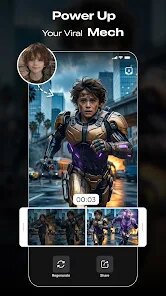





Expert Review
In the crowded space of mobile photo and video editing apps, Genie: AI Photo Video Editor catches the eye by leaning heavily into artificial intelligence-driven tools. Developed by AIGX-Studio, this application can be found on Google Play and offers a solid set of features for anyone looking to quickly enhance their visual content. While installation is straightforward and the free version provides a decent starting point, users should be aware that the app includes both ads and optional in-app purchases for advanced filters and processing tools. These purchases are not intrusive, but they do gate some of the more specialized AI functions. Given its broad approach, Genie manages to feel accessible rather than cluttered, even if the number of buttons on the main screen can feel a bit dense at first glance.
Once you start working with Genie, its primary draw becomes clear: the AI-driven background removal and object editing tools are surprisingly responsive. You simply upload a photo, tap the erase or isolate function, and the app processes the image in a few seconds. The results are often better than what you would get from simple manual selection, especially with portraits or clearly defined objects. Similarly, the AI avatar generator lets you upload a selfie and receive stylized versions in different artistic styles. This process is fairly smooth, though rendering times can fluctuate depending on the style you pick. For video editing, the toolset is more basic, covering trimming, cropping, and applying the same AI filters used in photo mode. It is practical for short social media clips, but not a replacement for more robust video editors.
When compared to other all-in-one editors, Genie stands out for its automated touch. Apps like PicsArt or Snapseed offer more manual control over layers and masks, while Genie prioritizes speed and ease through its AI functions. Where PicsArt feels like a creative workshop, Genie feels more like a finishing tool. The emphasis on one-tap solutions means less room for fine-grained adjustments, but for someone who wants to quickly produce a polished image without steering through complex menus, the trade-off makes sense. The interface could still use some refinement though, as icon labels are sometimes too small to read clearly. Still, the core functionality works well enough to keep the app interesting for casual creators.
Key Functional Highlights
- The AI background removal tool is one of the most reliable implementations I have seen in a mobile editor. It handles hair and fuzzy edges reasonably well, something many other apps struggle with. It is not perfect on every image, but it saves a lot of time compared to manual erasing.
- Genie offers a generative fill feature that blends new content into existing images seamlessly. You can remove unwanted objects or expand a picture's canvas, and the AI will fill in the background in a coherent way. This is the kind of function normally found on desktop software like Photoshop, so seeing it run on a phone is impressive.
- The AI avatar generator produces consistent results, though variety in the output styles is somewhat limited. You get about a dozen distinct artistic filters, from comic book to oil painting, but they all maintain a recognizable likeness to the original photo. That said, the processing queue can be slow during peak hours, which dampens the experience a bit.
- Batch processing for photos is available, allowing you to apply the same filter or adjustment to multiple images at once. This is a time-saver for social media posts that need a uniform look. Compared to similar tools in Adobe Lightroom Mobile, Genie's batch function is more straightforward but offers fewer control options.
Advantages & Benefits
- Quickly removes backgrounds from product photos for online listings, saving time on manual editing and producing clean results on most well-lit images.
- Enhances old or low-resolution photos using its AI upscale feature, which adds detail without making the image look artificial or overly sharp.
- Generates stylized profile pictures or social media avatars from a single selfie, which is a convenient way to refresh your online presence without extra effort.
Areas for Improvement
- Free version includes frequent ads that interrupt the workflow, especially after each processing step. They are skippable but can become annoying during longer editing sessions.
- AI processing is not always accurate with complex backgrounds, such as busy street scenes or overlapping objects, sometimes requiring manual touch-ups.
- Export resolution is limited in the free tier, and upgrading to the premium version costs more than some competing apps, which may not suit casual users on a budget.
Recommended Apps
![]()
ZEPETO: Avatar, Connect & Play
Naver Z Corporation4.3
![]()
Reverse Voice: Flip Singing
NindaFuit0![]()
AI Chat Ask Assistant - NowAI
Now Tech4.3![]()
Lie Detector Test: Prank App
DkTech inc.4.3![]()
Peachy - AI Face & Body Editor
InShot Video Editor4.8
![]()
AI Video Art Creator - Livensa
FERASET4.5![]()
Google Voice
Google LLC4.3![]()
Horoscopes & Tarot
Astrolis Horoscopes4.7![]()
eBay online shopping & selling
eBay Mobile4.6![]()
JPay
Jpay Mobile4.1![]()
Stranger Things 5 Challenges
MVH Entertainment Team5![]()
Chat Master: Prank Story
ABI Game Studio4.8![]()
Google Maps
Google LLC4.2![]()
AI Chat・Ask Chatbot Assistant
AI Chat Studio4.5![]()
Name Meanings with Impact
Alif Innovative Solution3.7















You May Like
-
![]()
True Tarot Card Reading
KaApps4.2 -
![]()
LinkedIn: Jobs & Business News
LinkedIn4.2 -
![]()
iControl: Easy Widgets Themes
Fancy keyboard for theme apps4.6 -
![]()
Duolingo: Language & Chess
Duolingo4.7 -
![]()
Flipped:Chat with AI Character
First Group pte ltd4.1 -
![]()
Hearing Age
Mobile Solutions Tech0 -
![]()
TikTok
TikTok Pte. Ltd.4.4 -
![]()
Pretty Makeup - Beauty Camera
Photo Editor Perfect Corp.4.4 -
![]()
PhotoRoom AI Photo Editor
PhotoRoom Background Editor App4.7 -
![]()
Lightleap by Lightricks
Lightricks Ltd.4.3 -
![]()
Name Meaning
Dexati4.1 -
![]()
Truth Social
T Media Tech LLC3.3 -
![]()
Ace Hardware
Ace Hardware Corporation4.7 -
![]()
Kpop Fans Demon Hunter Wallpap
JHNStudio4.3 -
![]()
Artplay - AI Photo & Video
Hideaway Technology Limited4.5












































