

SafeAllergy - Allergen Scanner
MedCoderX
Installs
Developer
MedCoderX
-
Category
Food & Drink
-
Content Rating
Everyone
Developer Email
Privacy Policy
https://www.safeallergy.app/privacy-policy
Screenshots
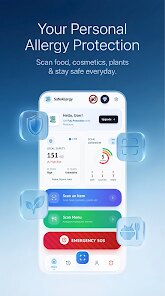
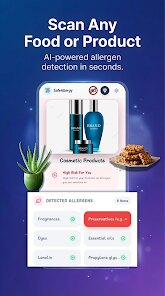
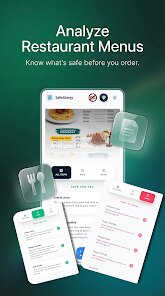
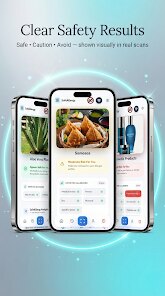
Expert Review
For anyone managing food allergies or dietary restrictions, keeping track of what's really in packaged foods can be surprisingly time-consuming. SafeAllergy - Allergen Scanner, created by MedCoderX, aims to simplify this process by letting users quickly check product ingredients against their personal allergy profile. Available as a free download on Google Play, the app supports a straightforward scanning workflow without demanding a subscription upfront, though it does include optional in-app purchases and occasional ads for those who want to remove them or access additional features. The install base, while not enormous, has been slowly growing, especially among users who need more than just the basic barcode lookup.
Once you open the app, the main screen prompts you to either set up your allergen list or start scanning right away. I found that scanning a product label takes just a few seconds — the camera recognizes barcodes efficiently, and the app pulls up ingredient data almost instantly. If a flagged allergen appears, the interface highlights it in red and provides a short explanation of where it might be hiding in the ingredient list. Beyond simple scanning, SafeAllergy also lets you manually search for products or browse by category, which is useful when you're meal planning at home. Navigating between sections felt smooth enough, though the layout initially took a moment to get used to because the menu is tucked into a corner rather than shown prominently.
Compared to other allergen trackers like Fig or Spoonful, SafeAllergy takes a slightly more minimalist approach — it doesn't try to gamify your diet or offer extensive meal recommendations. Instead, it focuses squarely on the act of checking whether a product is safe for you right now, which I appreciated when I just wanted a quick answer while shopping. Spoonful, for instance, leans harder into community reviews and store recommendations, while SafeAllergy feels more like a personal assistant that stays out of your way once you've configured your settings. That said, if you're looking for deeper nutritional insights or community-driven feedback, this app might feel a bit limited; but for a fast, no-frills allergen check, it does its job well.
Key Functional Highlights
- The barcode scanner works reliably even under store lighting. I tested it on a few dimly lit shelves and only had to retry once.
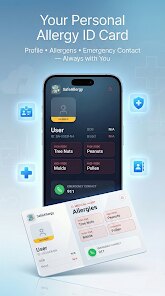
- Setting up your allergen profile is straightforward — you pick from a list that includes common ones like peanuts and gluten, but also less standard items like sulfites.
- Search history is saved locally, so you can refer back to previously scanned items without rescanning, which saves time during repeat shopping trips.
- Unlike Yuka, which emphasizes nutritional scores, SafeAllergy prioritizes allergen detection, making it more focused for users who only need safety checks.
Advantages & Benefits
- It reduces anxiety when trying new products — a quick scan gives me peace of mind before buying.
- The saved history feature helps me remember which brands I've already verified, cutting down on repeat scanning.
- I can share scan results with family members through the app's export function, which is handy for coordinating meals.
Areas for Improvement
- The database occasionally misses newer or regional products, forcing me to rely on manual ingredient reading.
- Ad frequency can be a bit distracting during extended use, though the option to pay for removal exists.
- The interface doesn't automatically update allergen alerts when I modify my profile — I have to rescan or refresh manually.
Recommended Apps
![]()
ZEPETO: Avatar, Connect & Play
Naver Z Corporation4.3
![]()
Reverse Voice: Flip Singing
NindaFuit0![]()
AI Chat Ask Assistant - NowAI
Now Tech4.3![]()
Lie Detector Test: Prank App
DkTech inc.4.3![]()
Peachy - AI Face & Body Editor
InShot Video Editor4.8
![]()
AI Video Art Creator - Livensa
FERASET4.5![]()
Google Voice
Google LLC4.3![]()
Horoscopes & Tarot
Astrolis Horoscopes4.7![]()
eBay online shopping & selling
eBay Mobile4.6![]()
JPay
Jpay Mobile4.1![]()
Stranger Things 5 Challenges
MVH Entertainment Team5![]()
Chat Master: Prank Story
ABI Game Studio4.8![]()
Google Maps
Google LLC4.2![]()
AI Chat・Ask Chatbot Assistant
AI Chat Studio4.5![]()
Name Meanings with Impact
Alif Innovative Solution3.7















You May Like
-
![]()
True Tarot Card Reading
KaApps4.2 -
![]()
LinkedIn: Jobs & Business News
LinkedIn4.2 -
![]()
iControl: Easy Widgets Themes
Fancy keyboard for theme apps4.6 -
![]()
Duolingo: Language & Chess
Duolingo4.7 -
![]()
Flipped:Chat with AI Character
First Group pte ltd4.1 -
![]()
Hearing Age
Mobile Solutions Tech0 -
![]()
TikTok
TikTok Pte. Ltd.4.4 -
![]()
Pretty Makeup - Beauty Camera
Photo Editor Perfect Corp.4.4 -
![]()
PhotoRoom AI Photo Editor
PhotoRoom Background Editor App4.7 -
![]()
Lightleap by Lightricks
Lightricks Ltd.4.3 -
![]()
Name Meaning
Dexati4.1 -
![]()
Truth Social
T Media Tech LLC3.3 -
![]()
Ace Hardware
Ace Hardware Corporation4.7 -
![]()
Kpop Fans Demon Hunter Wallpap
JHNStudio4.3 -
![]()
Artplay - AI Photo & Video
Hideaway Technology Limited4.5











































