

Prisma3D - Animation, Modeling
Prisma3D
Installs
10M+
Developer
Prisma3D
-
Category
Art & Design
-
Content Rating
Everyone
Developer Email
Privacy Policy
https://prisma3d.net/privacy-policy/
Screenshots
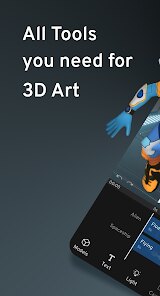
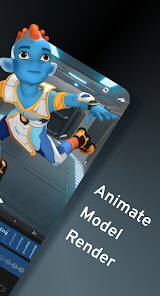
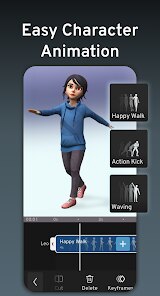
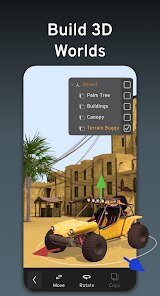
Expert Review
Prisma3D is a 3D modeling and animation app I've been using on my Android tablet for a while now. It's basically a mobile studio for creating 3D stuff right in your hands. The app launched a few years back and you can download it from the Google Play Store. It's got a solid number of installs, which makes sense because it's a pretty powerful tool for a mobile app. The best part is that the core app is free to install and use. You don't need to register an account just to start modeling, which I really appreciate. Of course, like many free apps, it does have some in-app purchases to unlock more advanced features, and you'll see some ads, but they're not too intrusive for the basic workflow.
Using Prisma3D feels surprisingly intuitive once you get the hang of the touch controls. I usually start by sketching out a basic shape and then use the extrusion and sculpting tools to add detail. A good tip is to use the layer system to keep different parts of your model separate; it makes editing so much easier later. For animation, the keyframe timeline is straightforward. You just set your model's position at the start and end points, and the app fills in the motion. It takes some practice to make smooth movements, but there are plenty of tutorial videos from the community that help.
When I was looking for a 3D app on Google Play, I tried a few others like Nomad Sculpt and even some simpler ones. I kept coming back to Prisma3D. Why? For me, it strikes the best balance. Nomad Sculpt is amazing for pure digital sculpting, but Prisma3D feels more like a complete package with better tools for the technical side of modeling and a more robust animation system built right in. It doesn't force me to choose between sculpting or hard-surface modeling; I can do a bit of both in one project. That versatility is what made me choose this app and stick with it.
Key Functional Highlights
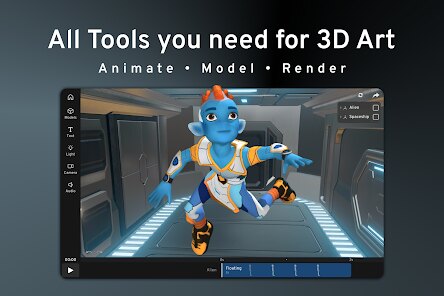
- 🛠️ All-in-One Mobile Workflow: Unlike many apps that focus solely on sculpting or just modeling, Prisma3D combines polygon modeling, sculpting, rigging, and animation in a single package. This means I can go from a basic cube to a fully animated character without ever leaving the app, which is a huge time-saver.
- 🎬 Integrated Animation Suite: The animation tools are built directly into the core experience. Compared to something like the popular 'Sculptura', which is sculpting-focused, Prisma3D's keyframe-based timeline and bone rigging system feel much more deliberate for creating actual movements and scenes.
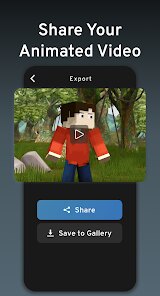
- 📁 Robust Export Options: This is a standout feature for a mobile app. I can export my models in common formats like OBJ or even as animated GIFs/MP4 videos directly. This makes it easy to use my creations in other software or share them online quickly, which isn't always seamless in other mobile 3D apps.
- 🧩 Modular Node System: For more advanced users, the visual node editor for materials and logic is a powerful feature you don't often see on mobile. It allows for creating complex shaders and interactive elements without writing code, giving it an edge over simpler apps in its genre.
Advantages & Benefits
- ✅ Versatility: It handles both organic sculpting and precise polygonal modeling better than most competitors. An app like 'Forger' is a fantastic sculptor, but Prisma3D gives me more control for technical models.
- ✅ No Mandatory Login: I can download, install, and start creating immediately without an account, which is more user-friendly than some cloud-based alternatives.
- ✅ Active Development: The app receives regular updates with new features and improvements, showing the developers are invested, unlike some abandoned apps on Google Play.
Areas for Improvement
- ⚠️ Steep Learning Curve: The interface packs a lot of tools, which can be overwhelming for beginners. Simpler apps like 'Sculptura' are easier to pick up and play with initially.
- ⚠️ Performance on Older Devices: Complex scenes with high polygon counts can slow down or crash on less powerful phones/tablets. More lightweight apps in the genre run smoother on budget hardware.
- ⚠️ Ad-Supported Base Version: The free version includes ads, which can interrupt the workflow. To remove them and access all features, you need an in-app purchase.
Recommended Apps
![]()
ZEPETO: Avatar, Connect & Play
Naver Z Corporation4.3
![]()
Reverse Voice: Flip Singing
NindaFuit0![]()
AI Chat Ask Assistant - NowAI
Now Tech4.3![]()
Lie Detector Test: Prank App
DkTech inc.4.3![]()
Peachy - AI Face & Body Editor
InShot Video Editor4.8
![]()
AI Video Art Creator - Livensa
FERASET4.5![]()
Google Voice
Google LLC4.3![]()
Horoscopes & Tarot
Astrolis Horoscopes4.7![]()
eBay online shopping & selling
eBay Mobile4.6![]()
JPay
Jpay Mobile4.1![]()
Stranger Things 5 Challenges
MVH Entertainment Team5![]()
Chat Master: Prank Story
ABI Game Studio4.8![]()
Google Maps
Google LLC4.2![]()
AI Chat・Ask Chatbot Assistant
AI Chat Studio4.5![]()
Name Meanings with Impact
Alif Innovative Solution3.7















You May Like
-
![]()
True Tarot Card Reading
KaApps4.2 -
![]()
LinkedIn: Jobs & Business News
LinkedIn4.2 -
![]()
iControl: Easy Widgets Themes
Fancy keyboard for theme apps4.6 -
![]()
Duolingo: Language & Chess
Duolingo4.7 -
![]()
Flipped:Chat with AI Character
First Group pte ltd4.1 -
![]()
Hearing Age
Mobile Solutions Tech0 -
![]()
TikTok
TikTok Pte. Ltd.4.4 -
![]()
Pretty Makeup - Beauty Camera
Photo Editor Perfect Corp.4.4 -
![]()
PhotoRoom AI Photo Editor
PhotoRoom Background Editor App4.7 -
![]()
Lightleap by Lightricks
Lightricks Ltd.4.3 -
![]()
Name Meaning
Dexati4.1 -
![]()
Truth Social
T Media Tech LLC3.3 -
![]()
Ace Hardware
Ace Hardware Corporation4.7 -
![]()
Kpop Fans Demon Hunter Wallpap
JHNStudio4.3 -
![]()
Artplay - AI Photo & Video
Hideaway Technology Limited4.5











































