

AI Video - AI Video Generator
HubX
Installs
10M+
Developer
HubX
-
Category
Video Players & Editors
-
Content Rating
Teen
Developer Email
Privacy Policy
https://aivideoart.co/privacy
Screenshots


Expert Review
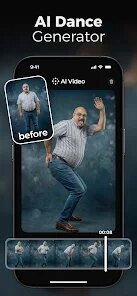
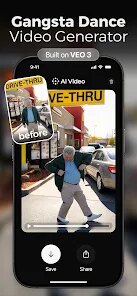
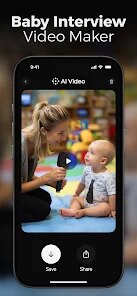
AI Video - AI Video Generator is a mobile application available on the Google Play Store that allows users to create short video content using artificial intelligence. The app is free to download and install, and while it does contain advertisements, it provides a surprisingly accessible entry point into AI-powered media creation. Its core promise is to simplify the video generation process, turning text prompts or basic inputs into visual clips, which is a fascinating prospect for casual creators looking to experiment without professional software.
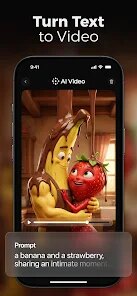
Getting started is straightforward. After installing the app, you're presented with a clean interface where you can type a description of the video you want. For instance, typing “a cat astronaut floating in space” initiates the generation process. The app processes your request and, after a short wait, delivers a several-second clip. The interaction is minimal—input text, wait, and receive a video. You can then edit basic elements like duration or apply simple filters before saving or sharing the output directly to social platforms.
Other similar apps in this genre often focus on more complex editing or specific styles, like turning photos into animations. AI Video - AI Video Generator distinguishes itself by prioritizing the text-to-video function as its main event. The design feels less cluttered than some competitors, which can bundle AI video features into a wider suite of tools. From my experience, this singular focus makes the workflow quicker, though it naturally means fewer auxiliary creative options compared to more comprehensive editors.
Key Functional Highlights
- The text-to-video generation is impressively direct. You describe a scene, and the AI renders a unique, moving clip. The results vary in quality—some are coherent and visually interesting, while others can be abstract—but the speed of creation is a consistent positive.
- Interface simplicity is a notable strength. The app avoids overwhelming users with excessive menus or settings. Core actions like generating, saving, and sharing are always just a tap or two away, which makes the experience feel fluid and unintimidating.
- Output customization is basic but functional. While you can't fine-tune the AI's interpretation deeply, options to trim the clip, adjust speed, or add a music track are available. This places it between a fully automated generator and a manual editor, offering just enough control for quick projects.
- Compared to other AI art apps that generate static images, the moving nature of the output here is its key differentiator. It doesn't just create a picture; it creates a brief, loopable sequence, which adds a dynamic element missing from many similar tools.
Advantages & Benefits
- It dramatically lowers the barrier to creating original video content, requiring no filming, animation skills, or expensive software.
- The quick generation cycle is ideal for brainstorming visual ideas or creating engaging content for social media stories and posts on the fly.
- Having an AI video generator in your pocket encourages spontaneous creativity, allowing you to visualize concepts whenever inspiration strikes.
- It serves as a practical tool for creating unique visual assets for presentations, personal projects, or simple digital greetings without copyright concerns.
Areas for Improvement
- The AI's interpretation of prompts can be inconsistent, sometimes producing visuals that don't quite match the described scene or lack detail.
- Video length is quite limited, typically generating clips that are only a few seconds long, which restricts its use for longer-form content.
- The presence of ads, while understandable for a free app, can interrupt the creative flow, appearing between generation attempts or during editing.
- Output resolution and fluidity of motion aren't always high-definition, so the videos are best suited for casual use rather than professional projects.
Recommended Apps
![]()
ZEPETO: Avatar, Connect & Play
Naver Z Corporation4.3
![]()
Reverse Voice: Flip Singing
NindaFuit0![]()
AI Chat Ask Assistant - NowAI
Now Tech4.3![]()
Lie Detector Test: Prank App
DkTech inc.4.3![]()
Peachy - AI Face & Body Editor
InShot Video Editor4.8
![]()
AI Video Art Creator - Livensa
FERASET4.5![]()
Google Voice
Google LLC4.3![]()
Horoscopes & Tarot
Astrolis Horoscopes4.7![]()
eBay online shopping & selling
eBay Mobile4.6![]()
JPay
Jpay Mobile4.1![]()
Stranger Things 5 Challenges
MVH Entertainment Team5![]()
Chat Master: Prank Story
ABI Game Studio4.8![]()
Google Maps
Google LLC4.2![]()
AI Chat・Ask Chatbot Assistant
AI Chat Studio4.5![]()
Name Meanings with Impact
Alif Innovative Solution3.7















You May Like
-
![]()
True Tarot Card Reading
KaApps4.2 -
![]()
LinkedIn: Jobs & Business News
LinkedIn4.2 -
![]()
iControl: Easy Widgets Themes
Fancy keyboard for theme apps4.6 -
![]()
Duolingo: Language & Chess
Duolingo4.7 -
![]()
Flipped:Chat with AI Character
First Group pte ltd4.1 -
![]()
Hearing Age
Mobile Solutions Tech0 -
![]()
TikTok
TikTok Pte. Ltd.4.4 -
![]()
Pretty Makeup - Beauty Camera
Photo Editor Perfect Corp.4.4 -
![]()
PhotoRoom AI Photo Editor
PhotoRoom Background Editor App4.7 -
![]()
Lightleap by Lightricks
Lightricks Ltd.4.3 -
![]()
Name Meaning
Dexati4.1 -
![]()
Truth Social
T Media Tech LLC3.3 -
![]()
Ace Hardware
Ace Hardware Corporation4.7 -
![]()
Kpop Fans Demon Hunter Wallpap
JHNStudio4.3 -
![]()
Artplay - AI Photo & Video
Hideaway Technology Limited4.5










































