
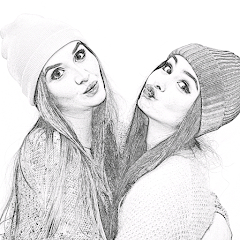
Pencil Photo Sketch : Drawing
Minerva Studios Private Limited
Installs
50M+
Developer
Minerva Studios Private Limited
-
Category
Video Players & Editors
-
Content Rating
Rated for 3+
Developer Email
Privacy Policy
https://www.iubenda.com/privacy-policy/57988305
Screenshots
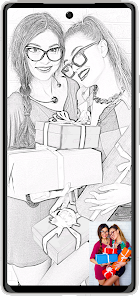
Expert Review
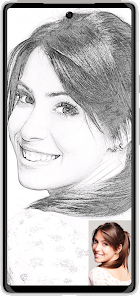
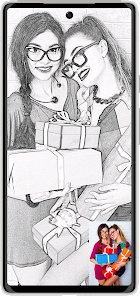
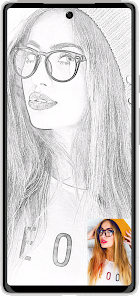
I've been using Pencil Photo Sketch : Drawing for a while now, and it's become my go-to app for turning photos into cool sketches. Basically, it's a photo editing app in the art and design genre that lets you apply various pencil sketch and drawing effects to your pictures. I first downloaded it from the Google Play Store a couple of years ago, and it's been consistently updated since. The app is free to install, and it has a massive number of downloads, which shows how popular it is. You don't need to register an account to start using it, which I really appreciate for quick edits. While the core app is free, there are some in-app purchases to unlock premium filters and remove ads. Speaking of ads, you do see them in the free version, but they're not too intrusive.
Using the app is super straightforward. You just pick a photo from your gallery, and then you can browse through dozens of different sketch styles—charcoal, color pencil, vintage, you name it. My tip is to play with the intensity sliders for each effect; it lets you fine-tune how strong the sketch lines are, which can make a huge difference. I often use it to create unique profile pictures or artistic versions of vacation photos. It's perfect for when you want to post something creative on social media without being a professional artist.
I've tried a few other similar apps like Sketch Photo Editor and Prisma. While Prisma is great for painterly effects, Pencil Photo Sketch really focuses on the pencil-and-paper look, and it does it better, in my opinion. The reason I stuck with this app is its simplicity and the sheer variety of sketch filters. Other apps might have a couple of pencil effects, but this one has a whole library dedicated to them. It feels more specialized, and the results often look more authentic, like something you actually drew by hand.
Key Functional Highlights
- 🎨 Massive Filter Library: Unlike many basic photo editors, this app specializes in pencil art. It offers a huge collection of filters specifically for creating pencil sketches, charcoal drawings, and even colored pencil art, giving you way more creative options than a generic app.
- ⚙️ Detailed Customization: After you apply a filter, you can adjust the intensity, contrast, and grain. This level of control is something I found missing in simpler apps like 'Photo Sketch', allowing me to get the exact hand-drawn look I want.
- 📤 Easy Sharing & Saving: The app saves your creations in high resolution without a watermark in the free version, which is a big plus. Sharing to Instagram or other platforms is seamless, making the whole process from photo to finished sketch really smooth.
Advantages & Benefits
- ✅ Specialized Focus: It does one thing—sketch effects—exceptionally well, unlike broader editors like PicsArt where these filters are just a small part of a huge toolkit.
- ✅ No Account Needed: You can download, install, and start using the app immediately without any sign-up, which is faster and more private than some competitors.
- ✅ Offline Functionality: Once installed, most core features work without an internet connection, which is super handy compared to cloud-based apps.
Areas for Improvement
- ❌ Ad Interruptions: The free version has ads that can pop up between edits. Apps like 'Adobe Photoshop Express' have a cleaner, ad-free experience if you're willing to pay.
- ❌ Premium Features Locked: The very best filters and the ad-free experience require an in-app purchase. Some similar free apps offer a more generous selection without paying.
- ❌ Interface Can Feel Crowded: With so many filter options, the main screen can look a bit busy and overwhelming at first glance compared to more minimalist apps.
Recommended Apps
![]()
ZEPETO: Avatar, Connect & Play
Naver Z Corporation4.3
![]()
Reverse Voice: Flip Singing
NindaFuit0![]()
AI Chat Ask Assistant - NowAI
Now Tech4.3![]()
Lie Detector Test: Prank App
DkTech inc.4.3![]()
Peachy - AI Face & Body Editor
InShot Video Editor4.8
![]()
AI Video Art Creator - Livensa
FERASET4.5![]()
Google Voice
Google LLC4.3![]()
Horoscopes & Tarot
Astrolis Horoscopes4.7![]()
eBay online shopping & selling
eBay Mobile4.6![]()
JPay
Jpay Mobile4.1![]()
Stranger Things 5 Challenges
MVH Entertainment Team5![]()
Chat Master: Prank Story
ABI Game Studio4.8![]()
Google Maps
Google LLC4.2![]()
AI Chat・Ask Chatbot Assistant
AI Chat Studio4.5![]()
Name Meanings with Impact
Alif Innovative Solution3.7















You May Like
-
![]()
True Tarot Card Reading
KaApps4.2 -
![]()
LinkedIn: Jobs & Business News
LinkedIn4.2 -
![]()
iControl: Easy Widgets Themes
Fancy keyboard for theme apps4.6 -
![]()
Duolingo: Language & Chess
Duolingo4.7 -
![]()
Flipped:Chat with AI Character
First Group pte ltd4.1 -
![]()
Hearing Age
Mobile Solutions Tech0 -
![]()
TikTok
TikTok Pte. Ltd.4.4 -
![]()
Pretty Makeup - Beauty Camera
Photo Editor Perfect Corp.4.4 -
![]()
PhotoRoom AI Photo Editor
PhotoRoom Background Editor App4.7 -
![]()
Lightleap by Lightricks
Lightricks Ltd.4.3 -
![]()
Name Meaning
Dexati4.1 -
![]()
Truth Social
T Media Tech LLC3.3 -
![]()
Ace Hardware
Ace Hardware Corporation4.7 -
![]()
Kpop Fans Demon Hunter Wallpap
JHNStudio4.3 -
![]()
Artplay - AI Photo & Video
Hideaway Technology Limited4.5










































