

Home Design 3D
Anuman
Installs
10M+
Developer
Anuman
-
Category
Lifestyle
-
Content Rating
Everyone
Developer Email
Privacy Policy
https://en.homedesign3d.net/privacy-policy/
Screenshots

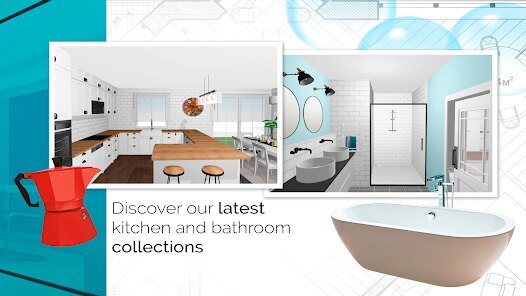
Expert Review
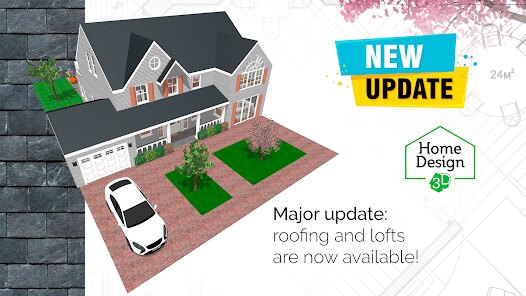
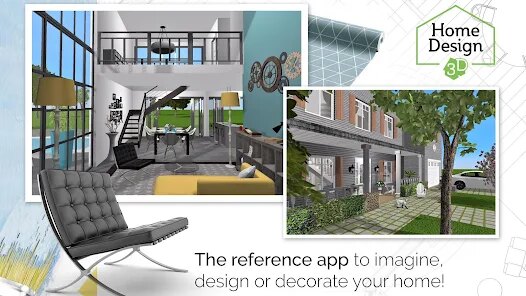
I've been using Home Design 3D for a few years now to plan out room layouts and dream up renovations. It's a home design and interior decorating app that lets you create detailed 2D and 3D floor plans, furnish them, and then take a virtual walkthrough. The app first launched quite a while back and has become a popular choice on the Google Play Store and the App Store. It's racked up millions of downloads, which isn't surprising given how handy it is. You can download and install the base version for free, which is a great way to test the waters. You don't need to register an account just to start playing around with the basic tools, which I really appreciate. Of course, like many free apps, there are in-app purchases to unlock more furniture catalogs and advanced features, and you'll see some ads in the free version.
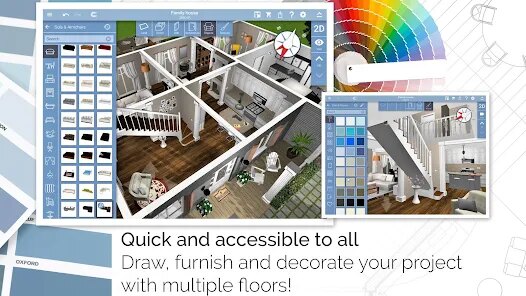
Using the app is pretty intuitive. I usually start by sketching out walls in the 2D plan view, which feels like using a simple drafting tool. Then, with a tap, I can switch to 3D to see the space come to life. The trick is to use the pre-made room shapes when you're starting—it saves a ton of time. I also learned to use the snapshot feature a lot; it's perfect for saving different design ideas for the same room. The catalog has a decent selection of items, but I often find myself browsing the in-app store for specific styles.
Compared to other apps in this genre, like Planner 5D or MagicPlan, I keep coming back to Home Design 3D. Why? For me, it strikes the best balance. It's more powerful and produces nicer-looking 3D renders than many simpler, toy-like decorator apps, but it doesn't have the overwhelming complexity (or high price tag) of professional architectural software. MagicPlan is fantastic for creating plans from photos, but for pure creative interior design from scratch, I find Home Design 3D's workflow smoother. It feels like an app made for regular people who want serious results without a steep learning curve.
Key Functional Highlights
- 🏠 Dual 2D/3D Editing in Real-Time: This is the app's core strength. You draw walls and place furniture in the 2D top-down plan, and you can instantly switch to the 3D view to see your changes. It's seamless and much more integrated than in some competitors where the two modes feel disconnected.
- 📱 Cross-Platform Freedom: Once you create a design, you can access and edit it on your phone, tablet, and even on a PC or Mac. This flexibility is huge. I can start a plan on my iPad and then tweak it later on my Android phone, which isn't always a given with similar design apps.
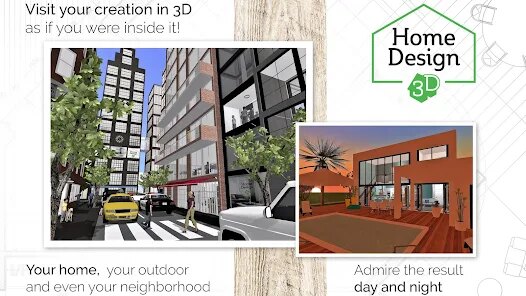
- 👣 Interactive 3D Walkthrough: After you furnish a space, you can switch into a first-person "Visit" mode and literally walk through your virtual home. The sense of scale and space this gives you is incredible and more immersive than just rotating a static 3D model.
- 🛒 Extensive (and Expandable) Catalog: The base app comes with a good variety of furniture and finishes. What's great is the massive in-app store where you can download thousands of additional, highly detailed items for specific styles—something that keeps the app fresh and powerful.
Advantages & Benefits
- ✅ Perfect Learning Curve: It's far more accessible for beginners than complex tools like SketchUp, yet more capable than very basic apps. You get professional-looking results without needing a degree in design.
- ✅ One-Time Purchase Option: Unlike some subscription-based competitors, you can buy the "Gold" version outright. This permanent unlock is a major strength for users who hate recurring fees.
- ✅ Offline Functionality: A huge plus. You can work on your projects anywhere, no internet needed. Apps that are purely cloud-based can leave you stuck.
Areas for Improvement
- ❌ Free Version Limitations: The free app has ads and a limited catalog. To get serious, you need to pay. Some rivals offer a bit more in their free tier to hook you.
- ❌ Texture and Lighting: While good, the 3D rendering isn't as photorealistic as what you might get from a high-end app like Chief Architect. Materials can sometimes look a bit flat.
- ❌ Steep IAP Costs: Buying all the extra furniture packs individually can get very expensive. A competitor like Planner 5D sometimes feels like it offers more bundled content.
Recommended Apps
![]()
ZEPETO: Avatar, Connect & Play
Naver Z Corporation4.3
![]()
Reverse Voice: Flip Singing
NindaFuit0![]()
AI Chat Ask Assistant - NowAI
Now Tech4.3![]()
Lie Detector Test: Prank App
DkTech inc.4.3![]()
Peachy - AI Face & Body Editor
InShot Video Editor4.8
![]()
AI Video Art Creator - Livensa
FERASET4.5![]()
Google Voice
Google LLC4.3![]()
Horoscopes & Tarot
Astrolis Horoscopes4.7![]()
eBay online shopping & selling
eBay Mobile4.6![]()
JPay
Jpay Mobile4.1![]()
Stranger Things 5 Challenges
MVH Entertainment Team5![]()
Chat Master: Prank Story
ABI Game Studio4.8![]()
Google Maps
Google LLC4.2![]()
AI Chat・Ask Chatbot Assistant
AI Chat Studio4.5![]()
Name Meanings with Impact
Alif Innovative Solution3.7















You May Like
-
![]()
True Tarot Card Reading
KaApps4.2 -
![]()
LinkedIn: Jobs & Business News
LinkedIn4.2 -
![]()
iControl: Easy Widgets Themes
Fancy keyboard for theme apps4.6 -
![]()
Duolingo: Language & Chess
Duolingo4.7 -
![]()
Flipped:Chat with AI Character
First Group pte ltd4.1 -
![]()
Hearing Age
Mobile Solutions Tech0 -
![]()
TikTok
TikTok Pte. Ltd.4.4 -
![]()
Pretty Makeup - Beauty Camera
Photo Editor Perfect Corp.4.4 -
![]()
PhotoRoom AI Photo Editor
PhotoRoom Background Editor App4.7 -
![]()
Lightleap by Lightricks
Lightricks Ltd.4.3 -
![]()
Name Meaning
Dexati4.1 -
![]()
Truth Social
T Media Tech LLC3.3 -
![]()
Ace Hardware
Ace Hardware Corporation4.7 -
![]()
Kpop Fans Demon Hunter Wallpap
JHNStudio4.3 -
![]()
Artplay - AI Photo & Video
Hideaway Technology Limited4.5











































