

Translate- Language Translator
Office Lens: Android Tool, Translate, Scanner, PDF
Installs
10,000,000+
Developer
Office Lens: Android Tool, Translate, Scanner, PDF
-
Category
Productivity
-
Content Rating
Rated for 3+
Developer Email
Privacy Policy
https://mindmovertech.blogspot.com/2019/07/privacy-policy.html
Screenshots
Expert Review
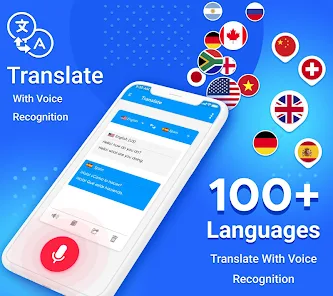
I've been using the Translate app by Office Lens for a while now, and it's become a real go-to tool on my phone. At its core, it's a translation and scanning app. You can use it to instantly translate text from images, documents, or even live through your camera. It's super handy for things like reading foreign menus, understanding instruction manuals, or scanning documents for work. The app launched a few years back and is available for free download on the Google Play Store. It has millions of installs, which shows how popular it is. You don't need to register to start using its basic features, which is great for quick access. While the app itself is free, there are some in-app purchases for advanced features, and you might see occasional ads in the free version.
Using the app is straightforward. I usually just point my camera at the text I need translated, and it overlays the translation right on the screen. For documents, I take a photo, and the app scans and cleans up the image before translating. A good tip is to make sure you have good lighting when scanning for the most accurate text recognition. You can also import PDFs or images from your gallery. After translation, you can copy the text, listen to a pronunciation, or save the translation for later.
There are other translation apps out there, like Google Translate, which is probably the biggest name. I chose this one because it feels more integrated if you use other Microsoft services, and I really like its document scanner. It's not just a translator; it's a scanner and PDF tool all in one. While Google Translate might have more language pairs, this app's strength is in handling documents and images cleanly. For my needs, which often involve translating printed material or signs, the Translate app by Office Lens works perfectly.
Key Functional Highlights
- 📄 All-in-One Document Hub: Unlike basic translators, this app lets you scan, translate, and export documents as PDFs or Word files in one seamless workflow. It's a scanner and translator fused together.
- 🔍 Live Camera Translation: Point your camera at text, and the translation appears overlaid on your screen in real-time. It's faster for signs and menus compared to apps where you have to snap a photo first.
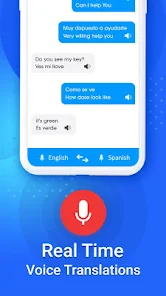
- 🗣️ Listen & Learn: After getting a translation, you can tap to hear the pronunciation. This feature is great for learning correct intonation, something not all similar apps emphasize as well.
- 📁 Cloud Sync & Save: Your scan and translation history can be saved and synced if you log in with a Microsoft account. This makes it easy to pick up where you left off on another device, a step beyond simple in-app storage.
Advantages & Benefits
- ✅ Superior Image Processing: The scanning engine from Office Lens is excellent. It automatically crops, straightens, and enhances document photos, leading to much more accurate text recognition for translation compared to other apps.
- ✅ Seamless Office Integration: If you use Word or OneNote, this app is a dream. Translated text can be sent directly into these apps, which is a huge time-saver over copying and pasting from something like Google Translate.
- ✅ Ad-Free Core Experience: While there are ads, the core translation via camera and image scan works without major interruptions. Some competing apps push ads more aggressively during these basic functions.
Areas for Improvement
- ⚠️ Limited Offline Packs: Compared to Google Translate, which lets you download large language packs for full offline use, this app's offline capabilities are more restricted, mainly for basic phrase translation.
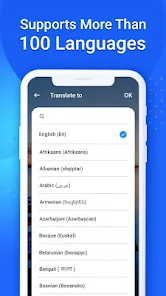
- ⚠️ Fewer Language Pairs: It supports many major languages, but the total number is less than the industry leader. For very rare languages, you might need another app.
- ⚠️ Premium Feature Paywall: Advanced features like translating entire multi-page PDFs or removing watermarks require a subscription or one-time purchase, whereas some features might be free elsewhere.
Recommended Apps
![]()
ZEPETO: Avatar, Connect & Play
Naver Z Corporation4.3
![]()
Reverse Voice: Flip Singing
NindaFuit0![]()
AI Chat Ask Assistant - NowAI
Now Tech4.3![]()
Lie Detector Test: Prank App
DkTech inc.4.3![]()
Peachy - AI Face & Body Editor
InShot Video Editor4.8
![]()
AI Video Art Creator - Livensa
FERASET4.5![]()
Google Voice
Google LLC4.3![]()
Horoscopes & Tarot
Astrolis Horoscopes4.7![]()
eBay online shopping & selling
eBay Mobile4.6![]()
JPay
Jpay Mobile4.1![]()
Stranger Things 5 Challenges
MVH Entertainment Team5![]()
Chat Master: Prank Story
ABI Game Studio4.8![]()
Google Maps
Google LLC4.2![]()
AI Chat・Ask Chatbot Assistant
AI Chat Studio4.5![]()
Name Meanings with Impact
Alif Innovative Solution3.7















You May Like
-
![]()
True Tarot Card Reading
KaApps4.2 -
![]()
LinkedIn: Jobs & Business News
LinkedIn4.2 -
![]()
iControl: Easy Widgets Themes
Fancy keyboard for theme apps4.6 -
![]()
Duolingo: Language & Chess
Duolingo4.7 -
![]()
Flipped:Chat with AI Character
First Group pte ltd4.1 -
![]()
Hearing Age
Mobile Solutions Tech0 -
![]()
TikTok
TikTok Pte. Ltd.4.4 -
![]()
Pretty Makeup - Beauty Camera
Photo Editor Perfect Corp.4.4 -
![]()
PhotoRoom AI Photo Editor
PhotoRoom Background Editor App4.7 -
![]()
Lightleap by Lightricks
Lightricks Ltd.4.3 -
![]()
Name Meaning
Dexati4.1 -
![]()
Truth Social
T Media Tech LLC3.3 -
![]()
Ace Hardware
Ace Hardware Corporation4.7 -
![]()
Kpop Fans Demon Hunter Wallpap
JHNStudio4.3 -
![]()
Artplay - AI Photo & Video
Hideaway Technology Limited4.5










































