

Dola: Smart AI Assistant
SPRING (SG) PTE. LTD.
Installs
100M+
Developer
SPRING (SG) PTE. LTD.
-
Category
Generative AI
-
Content Rating
Rated for 12+
Developer Email
Privacy Policy
Screenshots
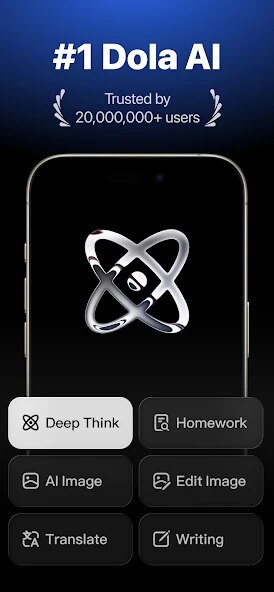
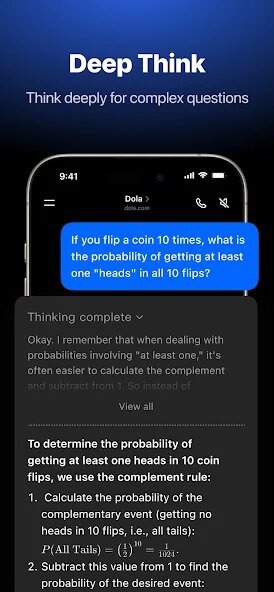

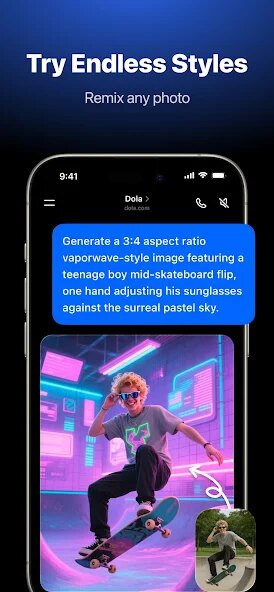
Expert Review
Released by SPRING (SG) PTE. LTD., Dola: Smart AI Assistant distinguishes itself in the crowded digital helper market by focusing on conversational intelligence rather than just task execution. Available as a free download on Google Play, with about 500,000 installs at the time of writing, the app offers a range of features from scheduling and reminders to question-answering and content summarization. It includes occasional ads and optional in-app purchases that unlock more advanced capabilities, such as extended memory and personalized response styles.
Once you get Dola installed, interaction happens primarily through text-based dialogue. You can type requests naturally, such as "Remind me to call the dentist tomorrow at 10 AM" or "Summarize this article about renewable energy," and the assistant interprets and acts on them with reasonable accuracy. Its scheduling tools sync with your phone's calendar, and the question-answering feature pulls from up-to-date web sources. In practice, responses arrive quickly, usually within a couple of seconds, and the interface keeps conversations threaded so you can track previous queries without confusion.
Where Dola stands apart from alternatives like Google Assistant or Microsoft's Copilot is its approach to personality. Instead of a purely transactional exchange, the AI inserts occasional context-aware remarks, making interactions feel slightly more human. Google Assistant excels at device control, and Copilot integrates deeply with Office products, but Dola emphasizes balanced dialogue that blends support with a touch of informality. The trade-off becomes noticeable in complex multi-step tasks, where more established platforms often outperform it in reliability, but for everyday queries and reminders, the experience feels thoughtfully crafted rather than generic.
Key Functional Highlights
- Conversational memory is one of Dola's stronger features. The assistant retains context from earlier parts of a conversation, so you can ask follow-up questions without restating details. In use, this reduces repetition considerably compared to simpler assistants like Siri, which tend to treat each request as isolated.
- Its scheduling integration works smoothly with Google Calendar and default phone reminders. You can say "Set a recurring reminder every Monday for grocery shopping," and the app handles date parsing accurately most of the time. The occasional hiccup occurs with vague phrasing like "sometime next week," but precise commands rarely cause issues.
- Content summarization handles articles and emails efficiently, condensing them into a few bullet points. I found it especially useful for long news pieces, though accuracy drops slightly with highly technical or niche material. The feature is comparable to what ChatGPT offers in its free tier, but Dola processes text more quickly.
- Customization options let you adjust response tone from formal to casual, and you can set specific preferences for how the assistant addresses you. This level of flexibility isn't common in most free AI assistants, giving Dola a slight edge in personalization without requiring a paid subscription.
Advantages & Benefits
- Getting reminders set up by voice or text is faster than manually entering them into a calendar app, saving a few seconds each time.
- The assistant can answer factual questions on the fly, reducing the need to open a browser and search manually for quick information.
- Summarizing long articles or emails helps you grasp key points without reading everything in full, useful for staying productive during busy days.
- Conversational memory means you can ask clarifying questions without re-explaining your context, which streamlines multi-step inquiries.
Areas for Improvement
- Occasionally, the assistant misinterprets vague or complex requests, requiring you to rephrase them for a correct response.
- The inclusion of ads can feel mildly intrusive, especially when they appear between conversation threads in the interface.
- Multi-step tasks, like setting a reminder based on a condition from an earlier query, sometimes fail or produce unexpected results.
- Advanced features locked behind in-app purchases may frustrate users who expect full functionality from a free download.
Recommended Apps
![]()
ZEPETO: Avatar, Connect & Play
Naver Z Corporation4.3
![]()
Reverse Voice: Flip Singing
NindaFuit0![]()
AI Chat Ask Assistant - NowAI
Now Tech4.3![]()
Lie Detector Test: Prank App
DkTech inc.4.3![]()
Peachy - AI Face & Body Editor
InShot Video Editor4.8
![]()
AI Video Art Creator - Livensa
FERASET4.5![]()
Google Voice
Google LLC4.3![]()
Horoscopes & Tarot
Astrolis Horoscopes4.7![]()
eBay online shopping & selling
eBay Mobile4.6![]()
JPay
Jpay Mobile4.1![]()
Stranger Things 5 Challenges
MVH Entertainment Team5![]()
Chat Master: Prank Story
ABI Game Studio4.8![]()
Google Maps
Google LLC4.2![]()
AI Chat・Ask Chatbot Assistant
AI Chat Studio4.5![]()
Name Meanings with Impact
Alif Innovative Solution3.7















You May Like
-
![]()
True Tarot Card Reading
KaApps4.2 -
![]()
LinkedIn: Jobs & Business News
LinkedIn4.2 -
![]()
iControl: Easy Widgets Themes
Fancy keyboard for theme apps4.6 -
![]()
Duolingo: Language & Chess
Duolingo4.7 -
![]()
Flipped:Chat with AI Character
First Group pte ltd4.1 -
![]()
Hearing Age
Mobile Solutions Tech0 -
![]()
TikTok
TikTok Pte. Ltd.4.4 -
![]()
Pretty Makeup - Beauty Camera
Photo Editor Perfect Corp.4.4 -
![]()
PhotoRoom AI Photo Editor
PhotoRoom Background Editor App4.7 -
![]()
Lightleap by Lightricks
Lightricks Ltd.4.3 -
![]()
Name Meaning
Dexati4.1 -
![]()
Truth Social
T Media Tech LLC3.3 -
![]()
Ace Hardware
Ace Hardware Corporation4.7 -
![]()
Kpop Fans Demon Hunter Wallpap
JHNStudio4.3 -
![]()
Artplay - AI Photo & Video
Hideaway Technology Limited4.5












































