

Version AI: AI Photo Generator
Apptribe Dijital
Installs
100K+
Developer
Apptribe Dijital
-
Category
Generative AI
-
Content Rating
Everyone
Developer Email
Privacy Policy
https://sites.google.com/view/version-ai-privacy-policy/home
Screenshots
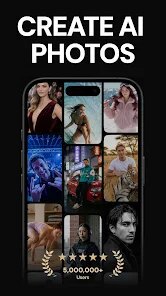


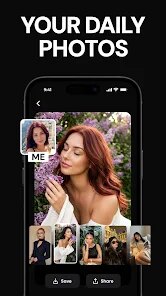


Expert Review
For anyone exploring creative AI tools on mobile, Version AI: AI Photo Generator by Apptribe Dijital provides a straightforward option for generating images from text descriptions. Available on Google Play, this app focuses on transforming written prompts into visual content without requiring any design background. It is free to download and install, though like many in this category, it includes ads and offers in-app purchases for additional features. The app handles a respectable range of styles from realistic portraits to more artistic renditions, making it a practical choice for casual users who want to experiment with AI-generated imagery.
Getting started with the app is fairly simple. After you download and install it from Google Play, you type a description of the image you want, select the style you prefer, and the generation process begins. The interface keeps things clean with clearly labeled buttons and minimal clutter. I found that the quality of the output varies depending on how detailed my input was. More specific prompts tended to produce better results, while vague descriptions sometimes led to unexpected interpretations. The processing time is reasonable, usually completing within twenty to thirty seconds, which feels acceptable for a free mobile application running complex AI computations.
When placed next to similar apps like Dream by WOMBO or Midjourney's mobile interface, Version AI takes a more balanced approach. It doesn't push heavily toward cartoonish or hyper-realistic results but instead offers multiple style presets to choose from. Dream by WOMBO leans more into artistic abstraction, while Version AI tries to maintain more fidelity to the original description. The tradeoff is that its creative interpretations sometimes feel less adventurous, but the results are more predictable for users who want a specific look. In my experience, this makes the app a better fit for practical image creation rather than purely experimental art generation.
Key Functional Highlights
- The style selection system is thoughtfully organized with clear preview thumbnails, so you can see what each option roughly looks like before committing. This removes much of the guesswork compared to apps that only provide style names without visual examples.
- Text-to-image processing maintains consistent quality across different categories. Whether I requested landscapes, portraits, or abstract designs, the app handled each with similar attention to detail, avoiding the uneven results some alternatives show when switching between subjects.
- Unlike several competitors that obscure their full feature set behind paywalls, Version AI keeps core generation freely accessible. The paid tiers mainly add higher resolution exports and priority processing rather than locking essential functionality, which feels more user-friendly.
- The save and share options integrate smoothly with standard Android sharing menus, making it easy to move images to other apps or social platforms without extra steps. This simple convenience is something I noticed missing in other AI photo generators I have tried.
Advantages & Benefits
- Quick turnaround time for generating images means I can iterate on ideas without long waits, which keeps the creative flow going during brainstorming sessions.
- The free tier provides enough functionality for regular use, so I never felt pushed to upgrade unless I wanted specific premium features like commercial usage rights.
- No complicated learning curve involved. Within minutes of installation, I was creating usable images without reading tutorials or watching guides, which is rare for AI tools of this capability.
Areas for Improvement
- The free version displays ads between generations, which occasionally interrupts the creative process, though they are not excessively intrusive.
- Some style presets produce surprisingly similar results despite having different names, reducing the perceived variety in output options.
- Image resolution in the free tier is adequate for social media but noticeably lower than what paid alternatives offer, which may matter for users needing print-quality results.
- The app occasionally misinterprets spatial relationships in complex prompts, placing objects in odd positions relative to each other, which requires multiple attempts to correct.
Recommended Apps
![]()
ZEPETO: Avatar, Connect & Play
Naver Z Corporation4.3
![]()
Reverse Voice: Flip Singing
NindaFuit0![]()
AI Chat Ask Assistant - NowAI
Now Tech4.3![]()
Lie Detector Test: Prank App
DkTech inc.4.3![]()
Peachy - AI Face & Body Editor
InShot Video Editor4.8
![]()
AI Video Art Creator - Livensa
FERASET4.5![]()
Google Voice
Google LLC4.3![]()
Horoscopes & Tarot
Astrolis Horoscopes4.7![]()
eBay online shopping & selling
eBay Mobile4.6![]()
JPay
Jpay Mobile4.1![]()
Stranger Things 5 Challenges
MVH Entertainment Team5![]()
Chat Master: Prank Story
ABI Game Studio4.8![]()
Google Maps
Google LLC4.2![]()
AI Chat・Ask Chatbot Assistant
AI Chat Studio4.5![]()
Name Meanings with Impact
Alif Innovative Solution3.7















You May Like
-
![]()
True Tarot Card Reading
KaApps4.2 -
![]()
LinkedIn: Jobs & Business News
LinkedIn4.2 -
![]()
iControl: Easy Widgets Themes
Fancy keyboard for theme apps4.6 -
![]()
Duolingo: Language & Chess
Duolingo4.7 -
![]()
Flipped:Chat with AI Character
First Group pte ltd4.1 -
![]()
Hearing Age
Mobile Solutions Tech0 -
![]()
TikTok
TikTok Pte. Ltd.4.4 -
![]()
Pretty Makeup - Beauty Camera
Photo Editor Perfect Corp.4.4 -
![]()
PhotoRoom AI Photo Editor
PhotoRoom Background Editor App4.7 -
![]()
Lightleap by Lightricks
Lightricks Ltd.4.3 -
![]()
Name Meaning
Dexati4.1 -
![]()
Truth Social
T Media Tech LLC3.3 -
![]()
Ace Hardware
Ace Hardware Corporation4.7 -
![]()
Kpop Fans Demon Hunter Wallpap
JHNStudio4.3 -
![]()
Artplay - AI Photo & Video
Hideaway Technology Limited4.5










































