

Future Self Face Aging Changer
AMOBEAR TECHNOLOGY GROUP
Installs
10M+
Developer
AMOBEAR TECHNOLOGY GROUP
-
Category
Generative AI
-
Content Rating
Everyone
Developer Email
Privacy Policy
https://sites.google.com/view/pp-face-changer
Screenshots
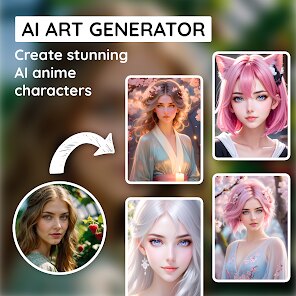
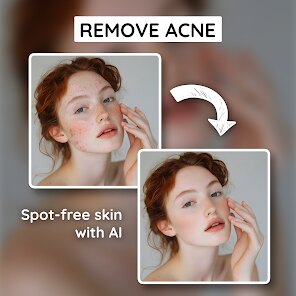
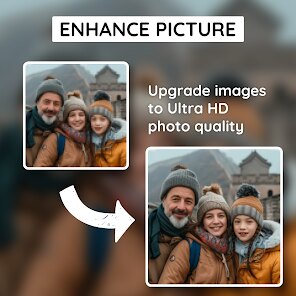
Expert Review
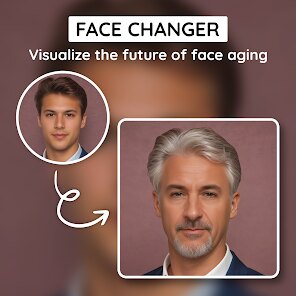
I've been using the Future Self Face Aging Changer app for a while now, and it's a pretty fun tool to play with. It's a photo editing app, specifically in the 'entertainment' and 'photo & video' genre, that uses AI to show you what you might look like as you get older. You can find it on the Google Play Store, and it's completely free to download and install. I don't remember exactly when it first launched, but it's been around for a few years. You don't need to register an account to use most of its features, which is nice. The app does show ads, and there are optional in-app purchases if you want to remove them or unlock some extra filters.
Using the app is straightforward. You just take a selfie or pick a photo from your gallery, and the app does its magic. It gives you different age projections, like at 40, 60, or even 80 years old. A tip I found is to use a clear, well-lit front-facing photo for the best results. The aging effects can look surprisingly realistic sometimes, and other times they're just for a good laugh. It's a fun thing to do with friends when you're bored.
There are a few other similar aging apps out there, like FaceApp, which is probably the most famous one. I chose to download this particular app because it was one of the first free ones I found on Google Play that didn't require a sign-up right away. While FaceApp might have more polished filters overall, this Future Self app gets the job done for a quick, no-fuss aging simulation. It's a lighter install and perfect for those moments when you just want to see a future version of yourself without any complications.
Key Functional Highlights
- 🔮 Instant Age Simulation: The core feature is its fast AI processing. You pick a photo, and within seconds, you see multiple aged versions. It's simpler and quicker for a single purpose compared to more complex editors like FaceApp.
- 🎭 Variety of Aging Filters: Beyond just getting older, the app offers filters for different styles, like adding gray hair, wrinkles, or even a vintage look. This gives you more creative options than some basic aging apps.
- 📱 Lightweight and Accessible: The app is a relatively small download from Google Play and runs smoothly on most phones. You can install it and start playing immediately without a tutorial, which is great for casual users.
Advantages & Benefits
- 👍 Truly Free to Try: Unlike some apps that lock basic features behind a paywall, you can use the main aging function here without paying a cent. This beats apps that require a subscription just to see one result.
- 👍 No Account Needed: The fact that you don't have to register makes it super convenient and private for a quick experiment, setting it apart from many social or editing apps that demand your email.
- 👍 Focused Fun: It doesn't try to do too much. It's specifically for face aging, which makes it less cluttered than a Swiss Army knife app like FaceApp.
Areas for Improvement
- 👎 Ad Interruptions: The free version has frequent video and banner ads, which can be annoying. Paid apps or ones like the premium version of FaceApp offer an ad-free experience.
- 👎 Result Inconsistency: The aging effect can sometimes look artificial or glitchy compared to the more refined and realistic outputs from top competitors in the same genre.
- 👎 Limited Editing Tools: Once you have your aged photo, there are very few tools to adjust or fine-tune it. Other photo apps provide more control over the final image.
Recommended Apps
![]()
ZEPETO: Avatar, Connect & Play
Naver Z Corporation4.3
![]()
Reverse Voice: Flip Singing
NindaFuit0![]()
AI Chat Ask Assistant - NowAI
Now Tech4.3![]()
Lie Detector Test: Prank App
DkTech inc.4.3![]()
Peachy - AI Face & Body Editor
InShot Video Editor4.8
![]()
AI Video Art Creator - Livensa
FERASET4.5![]()
Google Voice
Google LLC4.3![]()
Horoscopes & Tarot
Astrolis Horoscopes4.7![]()
eBay online shopping & selling
eBay Mobile4.6![]()
JPay
Jpay Mobile4.1![]()
Stranger Things 5 Challenges
MVH Entertainment Team5![]()
Chat Master: Prank Story
ABI Game Studio4.8![]()
Google Maps
Google LLC4.2![]()
AI Chat・Ask Chatbot Assistant
AI Chat Studio4.5![]()
Name Meanings with Impact
Alif Innovative Solution3.7















You May Like
-
![]()
True Tarot Card Reading
KaApps4.2 -
![]()
LinkedIn: Jobs & Business News
LinkedIn4.2 -
![]()
iControl: Easy Widgets Themes
Fancy keyboard for theme apps4.6 -
![]()
Duolingo: Language & Chess
Duolingo4.7 -
![]()
Flipped:Chat with AI Character
First Group pte ltd4.1 -
![]()
Hearing Age
Mobile Solutions Tech0 -
![]()
TikTok
TikTok Pte. Ltd.4.4 -
![]()
Pretty Makeup - Beauty Camera
Photo Editor Perfect Corp.4.4 -
![]()
PhotoRoom AI Photo Editor
PhotoRoom Background Editor App4.7 -
![]()
Lightleap by Lightricks
Lightricks Ltd.4.3 -
![]()
Name Meaning
Dexati4.1 -
![]()
Truth Social
T Media Tech LLC3.3 -
![]()
Ace Hardware
Ace Hardware Corporation4.7 -
![]()
Kpop Fans Demon Hunter Wallpap
JHNStudio4.3 -
![]()
Artplay - AI Photo & Video
Hideaway Technology Limited4.5










































