

AI Voice Changer - Prankster
Vasundhara Infotech LLC
Installs
1M+
Developer
Vasundhara Infotech LLC
-
Category
Entertainment
-
Content Rating
Everyone
Developer Email
Privacy Policy
https://aiprankster.com/terms-of-use
Screenshots
Expert Review
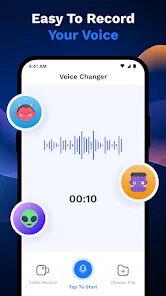
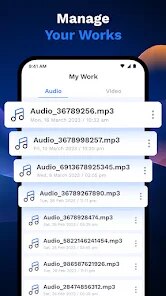
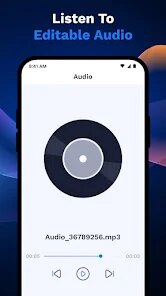
AI Voice Changer - Prankster is a fun entertainment app that lets you modify your voice in real-time or from recordings. It uses AI to apply various voice filters and effects, turning your normal speech into something completely different. You can sound like a robot, a chipmunk, a giant, or even a celebrity. It's perfect for creating funny prank calls, spicing up videos, or just having a laugh with friends. The app first launched a few years back and is available for download on the Google Play Store. It has racked up millions of installs, which shows how popular it is for a quick bit of fun.
Getting started is super simple. You just download the app from Google Play, install it, and you're ready to go. No registration is needed, which I really appreciate. You open it up and can immediately start playing with the live voice changer or record something to edit later. A good tip is to test the effects in a quiet room first, as background noise can sometimes make the results sound weird. Also, if you're planning a prank call, maybe do a quick test record to make sure the effect sounds convincing and not too robotic!
There are a bunch of similar voice changer apps out there, like Voice Changer with Effects or MagicMic. I've tried a few, but I keep coming back to this one. The main reason is its simplicity and the quality of the AI effects. Some other apps feel clunky or have effects that sound really fake and distorted. With AI Voice Changer - Prankster, the voices often sound smoother and more believable, which is key for a good prank. It's also completely free to download and use, though you will see some ads. There are in-app purchases if you want to remove ads or unlock extra voice packs, but the free version has plenty to play with.
Key Functional Highlights
- 🎤 Real-Time & Recorded Fun: This app works both ways. You can speak into your phone and hear the changed voice instantly, which is great for live pranks. Or, you can record a clip first, apply the effect, and save or share it. It's more flexible than some apps that only do one or the other.
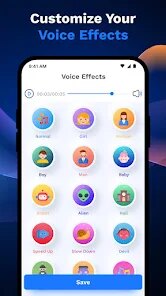
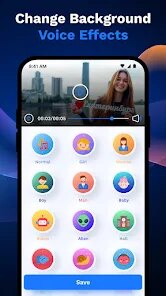
- 🤖 Wide Range of AI Voices: The selection of voices is its biggest draw. It goes beyond basic pitch shifts to include specific characters and celebrities, all powered by AI for a more unique output. Compared to a popular app like 'Voice Changer', which has many standard effects, this app's AI-generated options feel more novel and entertaining.
- 📤 Easy Sharing: Once you've created a hilarious voice clip, sharing it is a breeze. The app lets you send your creations directly to social media, messaging apps, or save them to your device. The process is integrated and smooth, encouraging you to show off your work.
Advantages & Benefits
- 👍 User-Friendly Design: The interface is clean and intuitive. You don't need to fiddle with complicated settings; just tap an effect and start. Apps like 'Voice Mod' can sometimes be overwhelming with sliders and knobs, but this one keeps it simple and fun.
- 👍 Good Free Tier: You get a solid collection of voices without paying anything. While apps like 'Celebrity Voice Changer' might lock the best features behind a paywall immediately, this app lets you have genuine fun for free, which is a huge strength.
- 👍 Reliable Performance: The app rarely crashes or lags during use. The live changing feature has minimal delay, making it feel responsive. Some similar apps I've tried would stutter or freeze, breaking the immersion of a prank call.
Areas for Improvement
- 👎 Ad Interruptions: The free version is ad-supported, and the ads can pop up quite frequently, sometimes right after you finish recording. It can be a bit annoying compared to some competing apps that have a less intrusive ad placement.
- 👎 Voice Quality Variance: While many effects are great, some can sound a bit metallic or unnatural, especially on lower-quality phone microphones. An app like 'Voloco' might offer slightly cleaner vocal processing for music, but that's a different genre focus.
- 👎 Limited Editing Tools: Once you apply an effect, there's not much you can do to fine-tune it. You can't adjust the pitch or add reverb separately. If you want more control, you'd need a more professional audio app, but that defeats the quick-and-easy purpose of this one.
Recommended Apps
![]()
ZEPETO: Avatar, Connect & Play
Naver Z Corporation4.3
![]()
Reverse Voice: Flip Singing
NindaFuit0![]()
AI Chat Ask Assistant - NowAI
Now Tech4.3![]()
Lie Detector Test: Prank App
DkTech inc.4.3![]()
Peachy - AI Face & Body Editor
InShot Video Editor4.8
![]()
AI Video Art Creator - Livensa
FERASET4.5![]()
Google Voice
Google LLC4.3![]()
Horoscopes & Tarot
Astrolis Horoscopes4.7![]()
eBay online shopping & selling
eBay Mobile4.6![]()
JPay
Jpay Mobile4.1![]()
Stranger Things 5 Challenges
MVH Entertainment Team5![]()
Chat Master: Prank Story
ABI Game Studio4.8![]()
Google Maps
Google LLC4.2![]()
AI Chat・Ask Chatbot Assistant
AI Chat Studio4.5![]()
Name Meanings with Impact
Alif Innovative Solution3.7















You May Like
-
![]()
True Tarot Card Reading
KaApps4.2 -
![]()
LinkedIn: Jobs & Business News
LinkedIn4.2 -
![]()
iControl: Easy Widgets Themes
Fancy keyboard for theme apps4.6 -
![]()
Duolingo: Language & Chess
Duolingo4.7 -
![]()
Flipped:Chat with AI Character
First Group pte ltd4.1 -
![]()
Hearing Age
Mobile Solutions Tech0 -
![]()
TikTok
TikTok Pte. Ltd.4.4 -
![]()
Pretty Makeup - Beauty Camera
Photo Editor Perfect Corp.4.4 -
![]()
PhotoRoom AI Photo Editor
PhotoRoom Background Editor App4.7 -
![]()
Lightleap by Lightricks
Lightricks Ltd.4.3 -
![]()
Name Meaning
Dexati4.1 -
![]()
Truth Social
T Media Tech LLC3.3 -
![]()
Ace Hardware
Ace Hardware Corporation4.7 -
![]()
Kpop Fans Demon Hunter Wallpap
JHNStudio4.3 -
![]()
Artplay - AI Photo & Video
Hideaway Technology Limited4.5









































