

Zipper Lock Screen - ZippyLock
EZProducts
Installs
1M+
Developer
EZProducts
-
Category
Productivity
-
Content Rating
Everyone
Developer Email
Privacy Policy
https://docs.google.com/document/d/1gBhOi9vlYuUpJBFl5gvLZAzYQ5KQxvnkclaZBttZNvo/edit?usp=sharing
Screenshots
Expert Review
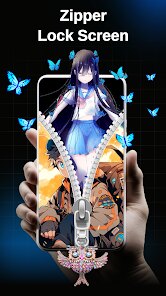
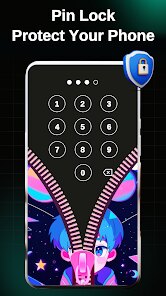
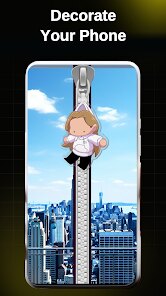
I've been using Zipper Lock Screen - ZippyLock for a while now, and it's become my go-to app for customizing my phone's lock screen. This app, which falls into the personalization genre, lets you replace your standard lock screen with a fun, interactive zipper that you pull down to unlock your device. It first launched a few years back, and you can easily find and download it from the Google Play Store. It has a solid number of installs, showing it's pretty popular among users looking for something different. The app itself is free to download and install, and you don't need to register an account to start using it, which I really appreciate for quick setup. While using the app, you will encounter some ads, and there are optional in-app purchases if you want to remove those ads or access some extra themes.
Using the app is straightforward. After you install it and set it as your default lock screen method, you just pull the virtual zipper down with your finger to unlock your phone. It feels surprisingly satisfying. A good tip is to explore the settings within the app to adjust the zipper's sensitivity and sound effects to match your preference. You can also set it to show notifications or a clock on the lock screen, making it both stylish and functional.
I've tried a few other lock screen replacement apps from the Google Play Store, like Next Lock Screen or CM Locker. While they offer more features sometimes, ZippyLock's charm is in its simplicity and unique core idea. The others can feel a bit bloated or complicated. I chose this app because it does one thing—the zipper unlock—really well and with a lot of personality. It's a fun conversation starter when someone sees my phone, and it just makes the mundane act of unlocking my device a little more enjoyable without getting in the way.
Key Functional Highlights
- 🔓 The core zipper mechanic is incredibly unique and well-executed. Pulling down the zipper to unlock is tactile and fun, setting it apart from any standard pattern, PIN, or even other novelty lock screen apps on Google Play.
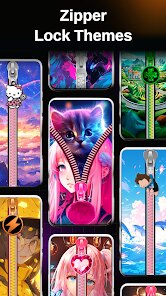
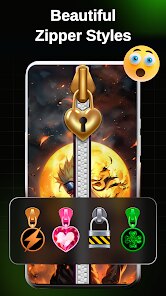
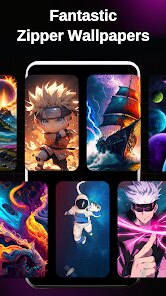
- 🎨 The app offers a variety of themes to change the look of your zipper and background. From metallic finishes to colorful designs, you can find something that fits your style without the app feeling overly complex.
- ⚙️ It includes useful customization like adjusting zipper pull sensitivity, adding a clock widget, and showing notification icons. This balances its novelty with practical lock screen functions you'd actually use daily.
- 📱 The installation and setup process is very quick. You download the app, grant a few permissions, and you're ready to go. It doesn't require a lengthy sign-up, making the initial experience hassle-free.
Advantages & Benefits
- 👍 Pure, focused fun. Unlike feature-heavy apps like CM Locker, ZippyLock's strength is its singular, engaging gimmick that it perfects.
- 👍 Lightweight performance. It doesn't seem to drain my battery or slow down my phone like some other lock screen replacements I've tested.
- 👍 Instant appeal. The concept is so immediately understandable and cool that it makes you want to show it off.
- 👍 No account needed. You can download, install, and use the app fully without creating a profile, which is a big plus for privacy and convenience.
Areas for Improvement
- 👎 The ads can be intrusive. Compared to some similar free apps, the ad frequency and placement can be a bit annoying during theme selection or settings changes.
- 👎 Limited functionality beyond the gimmick. If you need advanced security features or deep notification interaction, apps like Next Lock Screen are far more capable.
- 👎 Theme variety feels limited after a while. While there are options, the catalog isn't as vast or frequently updated as in some other personalization apps.
- 👎 Occasional compatibility glitches. On some phone models or Android versions, the app might not work perfectly with all native features, a common issue with third-party lock screens.
Recommended Apps
![]()
ZEPETO: Avatar, Connect & Play
Naver Z Corporation4.3
![]()
Reverse Voice: Flip Singing
NindaFuit0![]()
AI Chat Ask Assistant - NowAI
Now Tech4.3![]()
Lie Detector Test: Prank App
DkTech inc.4.3![]()
Peachy - AI Face & Body Editor
InShot Video Editor4.8
![]()
AI Video Art Creator - Livensa
FERASET4.5![]()
Google Voice
Google LLC4.3![]()
Horoscopes & Tarot
Astrolis Horoscopes4.7![]()
eBay online shopping & selling
eBay Mobile4.6![]()
JPay
Jpay Mobile4.1![]()
Stranger Things 5 Challenges
MVH Entertainment Team5![]()
Chat Master: Prank Story
ABI Game Studio4.8![]()
Google Maps
Google LLC4.2![]()
AI Chat・Ask Chatbot Assistant
AI Chat Studio4.5![]()
Name Meanings with Impact
Alif Innovative Solution3.7















You May Like
-
![]()
True Tarot Card Reading
KaApps4.2 -
![]()
LinkedIn: Jobs & Business News
LinkedIn4.2 -
![]()
iControl: Easy Widgets Themes
Fancy keyboard for theme apps4.6 -
![]()
Duolingo: Language & Chess
Duolingo4.7 -
![]()
Flipped:Chat with AI Character
First Group pte ltd4.1 -
![]()
Hearing Age
Mobile Solutions Tech0 -
![]()
TikTok
TikTok Pte. Ltd.4.4 -
![]()
Pretty Makeup - Beauty Camera
Photo Editor Perfect Corp.4.4 -
![]()
PhotoRoom AI Photo Editor
PhotoRoom Background Editor App4.7 -
![]()
Lightleap by Lightricks
Lightricks Ltd.4.3 -
![]()
Name Meaning
Dexati4.1 -
![]()
Truth Social
T Media Tech LLC3.3 -
![]()
Ace Hardware
Ace Hardware Corporation4.7 -
![]()
Kpop Fans Demon Hunter Wallpap
JHNStudio4.3 -
![]()
Artplay - AI Photo & Video
Hideaway Technology Limited4.5










































