
My Cartoon Character
Andromeda App
Installs
5M+
Developer
Andromeda App
-
Category
Generative AI
-
Content Rating
Rated for 3+
Developer Email
Privacy Policy
https://sites.google.com/view/andromedalab/home
Screenshots
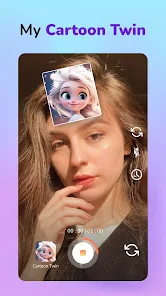
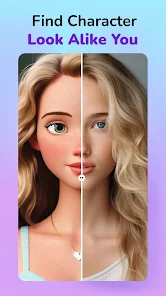
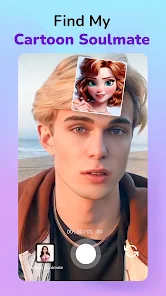
Expert Review
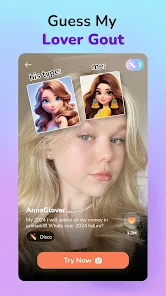
My Cartoon Character is a fun and creative app that lets you design your own cartoon avatar from scratch. It's a character creation tool, perfect for making personalized icons for social media, gaming profiles, or just for fun. The app was first launched a few years back and you can easily find it on the Google Play Store. It's racked up millions of downloads, which shows how popular it is. The best part? You can download and install it for free. You don't even need to register an account to start playing around with it, which makes jumping in super quick. While the core app is free, there are some in-app purchases for extra hairstyles, outfits, or accessories. You might also see a few ads here and there, but they're usually not too intrusive.
Using the app is pretty straightforward. You start by picking a base face shape, then you just tap through menus to add eyes, noses, mouths, and hairstyles. You can change colors with sliders and layer on clothes and backgrounds. A cool tip is to use the 'randomize' button if you're feeling stuck – it can give you some wild and funny combinations that you can then tweak to your liking. Another tip is to save multiple versions of your character as you go, so you don't lose a design you might want to come back to.
Compared to other avatar makers like 'Zepeto' or 'Bitmoji', I keep coming back to My Cartoon Character. Zepeto feels more focused on social interaction and 3D models, while Bitmoji ties directly into Snapchat and has a very specific, branded style. This app feels more like a pure digital art tool. I chose it because it gives me more control over the tiny details, like the exact spacing of the eyes or the gradient in the hair. It doesn't try to make a perfect replica of my face, which I actually prefer – it's more about creating a cool, original cartoon character. For someone who just wants to craft a unique icon without a lot of fuss, this app on Google Play is a great pick.
Key Functional Highlights
- 🎨 Deep Customization: Unlike many similar apps that offer pre-set packs, My Cartoon Character lets you adjust almost every element individually. You can tweak the size, position, and color of features layer by layer, which is something you don't always get in more social-focused apps like Zepeto.
- 📁 Offline Creation: A huge plus is that you can design characters without an internet connection once the app is installed. This is perfect for killing time on a commute, whereas some other apps in this genre require a constant online check-in.
- 🔄 Unlimited Saves: The app allows you to save an unlimited number of character designs locally on your device. Compared to some freemium apps that limit your saves unless you pay, this feature offers great value right after you download it.
- 🎭 Genre Flexibility: Whether you're going for an anime look, a chibi style, or something more realistic, the toolset supports it. This versatility sets it apart from apps that lock you into one specific cartoon genre.
Advantages & Benefits
- 👍 No Forced Account: You can jump right into creating without signing up, which is much faster than apps like Bitmoji that require a login from the start.
- 👍 One-Time Purchases: Many extra item packs are available as one-time buys, not recurring subscriptions. This is a clearer model than some competitors' vague premium tiers.
- 👍 Lightweight App: The install size is small compared to heavy 3D avatar apps, so it doesn't eat up much phone storage.
Areas for Improvement
- 👎 Ad Frequency: The free version shows ads between major actions (like saving or opening a new category), which can feel more disruptive than the banner ads in similar free apps.
- 👎 Limited Sharing Options: While you can save images, direct sharing to some platforms isn't as seamless as with Bitmoji's keyboard integration.
- 👎 Occasional Bugs: Sometimes, after an update, custom color palettes might reset. It's a known minor bug that similar, more polished apps have mostly ironed out.
Recommended Apps
![]()
ZEPETO: Avatar, Connect & Play
Naver Z Corporation4.3
![]()
Reverse Voice: Flip Singing
NindaFuit0![]()
AI Chat Ask Assistant - NowAI
Now Tech4.3![]()
Lie Detector Test: Prank App
DkTech inc.4.3![]()
Peachy - AI Face & Body Editor
InShot Video Editor4.8
![]()
AI Video Art Creator - Livensa
FERASET4.5![]()
Google Voice
Google LLC4.3![]()
Horoscopes & Tarot
Astrolis Horoscopes4.7![]()
eBay online shopping & selling
eBay Mobile4.6![]()
JPay
Jpay Mobile4.1![]()
Stranger Things 5 Challenges
MVH Entertainment Team5![]()
Chat Master: Prank Story
ABI Game Studio4.8![]()
Google Maps
Google LLC4.2![]()
AI Chat・Ask Chatbot Assistant
AI Chat Studio4.5![]()
Name Meanings with Impact
Alif Innovative Solution3.7















You May Like
-
![]()
True Tarot Card Reading
KaApps4.2 -
![]()
LinkedIn: Jobs & Business News
LinkedIn4.2 -
![]()
iControl: Easy Widgets Themes
Fancy keyboard for theme apps4.6 -
![]()
Duolingo: Language & Chess
Duolingo4.7 -
![]()
Flipped:Chat with AI Character
First Group pte ltd4.1 -
![]()
Hearing Age
Mobile Solutions Tech0 -
![]()
TikTok
TikTok Pte. Ltd.4.4 -
![]()
Pretty Makeup - Beauty Camera
Photo Editor Perfect Corp.4.4 -
![]()
PhotoRoom AI Photo Editor
PhotoRoom Background Editor App4.7 -
![]()
Lightleap by Lightricks
Lightricks Ltd.4.3 -
![]()
Name Meaning
Dexati4.1 -
![]()
Truth Social
T Media Tech LLC3.3 -
![]()
Ace Hardware
Ace Hardware Corporation4.7 -
![]()
Kpop Fans Demon Hunter Wallpap
JHNStudio4.3 -
![]()
Artplay - AI Photo & Video
Hideaway Technology Limited4.5









































