
AI Art Image Generator – GoArt
AI Art Photo Editor | Everimaging Ltd.
Installs
1M+
Developer
AI Art Photo Editor | Everimaging Ltd.
-
Category
Generative AI
-
Content Rating
Rated for 3+
Developer Email
Privacy Policy
https://nuls-mobile.fotor.com/mobile/goArt/privacy_en
Screenshots
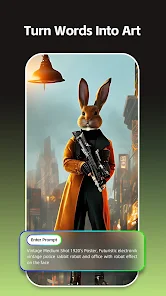
Expert Review
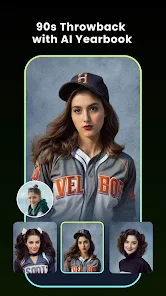
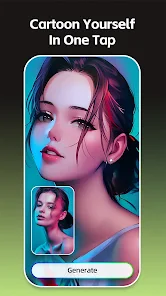
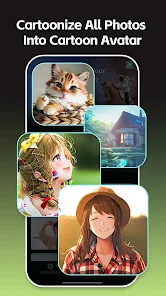
I've been using the GoArt app for a while now to turn my photos into cool AI art. It's an AI art generator app that lets you apply different artistic styles to your pictures, like turning a portrait into a Van Gogh painting or a landscape into a digital anime scene. The app was first launched a few years back, and you can easily find and download it from the Google Play Store. It's also available on the App Store for iPhone users. I remember seeing it had millions of installs on Google Play, which gave me some confidence to try it out. The app itself is free to download and install, which is great for just testing the waters. You don't need to register an account to start using its basic features, which I really appreciate for quick edits. However, to unlock all the styles and remove watermarks, there are in-app purchases. You'll also see some ads in the free version, but they're not too intrusive.
Using the app is pretty straightforward. You just pick a photo from your gallery, and then browse through a huge library of art filters. My tip is to experiment with different styles on the same photo; sometimes a style you didn't expect works perfectly. The processing is done on their servers, so you need an internet connection, but it's usually fast. Another handy feature is the ability to adjust the intensity of the effect before generating the final image, which gives you more control over the final look.
I've tried a few other similar apps in this genre, like Prisma and Dream by WOMBO. While Prisma has some fantastic filters, I often find GoArt's styles to be more varied and sometimes more dramatic. Dream is awesome for its abstract and dreamlike results, but GoArt feels like it has a better balance between recognizable artistic styles and creative AI interpretation. For me, the main reason I keep GoArt installed is its consistency. The results are reliably good, the interface is less cluttered than some others, and the free tier is generous enough for my casual use. It just gets the job done without overcomplicating things.
Key Functional Highlights
- 🎨 Massive Style Library: GoArt boasts a truly extensive collection of art filters, from classical oil paintings and famous artist styles (think Starry Night) to modern digital art, anime, and even fantasy themes. This variety far exceeds what I've seen in many basic photo editors and gives you endless creative possibilities for a single photo.
- ⚡ Quick Cloud Processing: Once you select a style, the app sends your image to the cloud for AI processing. Compared to running heavy AI models directly on your phone, this means the app itself stays lightweight to download and install, and the generation is usually completed in just a few seconds, depending on your connection.
- 🛠️ Pre-Generation Adjustments: A feature I find super useful is the ability to tweak the style intensity before the AI does its work. This slider lets you decide how strongly you want the artistic effect applied, giving you control over whether the original photo is just hinted at or completely transformed, something not all similar apps offer.
- 📤 Easy Sharing & Export: After your AI artwork is ready, the app makes it simple to save the high-resolution image directly to your gallery or share it on social platforms. The export process is clean and quick, without forcing you through multiple unnecessary steps, which is great when you're excited to show off your creation.
Advantages & Benefits
- ✅ Generous Free Tier: Unlike some competitors that lock most styles behind a paywall immediately, GoArt lets you try a solid number of filters for free. You can fully use the app and get great results without paying, though with a watermark.
- ✅ Style Diversity & Quality: The artistic output from GoArt often feels more polished and true-to-style than results from apps like DeepArt or some basic filter apps. The AI seems better at understanding the photo's composition when applying complex textures.
- ✅ User-Friendly Interface: The design is intuitive. From selecting a photo to choosing a style and generating, the flow is smooth. It's less confusing for beginners compared to the sometimes-busy interface of an app like Prisma.
Areas for Improvement
- ❌ Internet Dependency: Every AI generation requires an online connection. You can't pre-download styles for offline use, which is a limitation compared to some apps that offer on-device processing for a few filters.
- ❌ Ads in Free Version: The presence of ads, while not overwhelming, can interrupt the creative flow. Other apps, like Dream by WOMBO, handle their free version with a simple watermark instead of frequent ad interruptions.
- ❌ Watermark on Free Outputs: All images generated with the free version carry a GoArt watermark. To remove it, you need to subscribe or make a one-time purchase. Some competing apps offer watermark-free saves at lower resolutions for free.
Recommended Apps
![]()
ZEPETO: Avatar, Connect & Play
Naver Z Corporation4.3
![]()
Reverse Voice: Flip Singing
NindaFuit0![]()
AI Chat Ask Assistant - NowAI
Now Tech4.3![]()
Lie Detector Test: Prank App
DkTech inc.4.3![]()
Peachy - AI Face & Body Editor
InShot Video Editor4.8
![]()
AI Video Art Creator - Livensa
FERASET4.5![]()
Google Voice
Google LLC4.3![]()
Horoscopes & Tarot
Astrolis Horoscopes4.7![]()
eBay online shopping & selling
eBay Mobile4.6![]()
JPay
Jpay Mobile4.1![]()
Stranger Things 5 Challenges
MVH Entertainment Team5![]()
Chat Master: Prank Story
ABI Game Studio4.8![]()
Google Maps
Google LLC4.2![]()
AI Chat・Ask Chatbot Assistant
AI Chat Studio4.5![]()
Name Meanings with Impact
Alif Innovative Solution3.7















You May Like
-
![]()
True Tarot Card Reading
KaApps4.2 -
![]()
LinkedIn: Jobs & Business News
LinkedIn4.2 -
![]()
iControl: Easy Widgets Themes
Fancy keyboard for theme apps4.6 -
![]()
Duolingo: Language & Chess
Duolingo4.7 -
![]()
Flipped:Chat with AI Character
First Group pte ltd4.1 -
![]()
Hearing Age
Mobile Solutions Tech0 -
![]()
TikTok
TikTok Pte. Ltd.4.4 -
![]()
Pretty Makeup - Beauty Camera
Photo Editor Perfect Corp.4.4 -
![]()
PhotoRoom AI Photo Editor
PhotoRoom Background Editor App4.7 -
![]()
Lightleap by Lightricks
Lightricks Ltd.4.3 -
![]()
Name Meaning
Dexati4.1 -
![]()
Truth Social
T Media Tech LLC3.3 -
![]()
Ace Hardware
Ace Hardware Corporation4.7 -
![]()
Kpop Fans Demon Hunter Wallpap
JHNStudio4.3 -
![]()
Artplay - AI Photo & Video
Hideaway Technology Limited4.5












































