

PicSo – Customize Your AI Girl
Meta Insight
Installs
1M+
Developer
Meta Insight
-
Category
Generative AI
-
Content Rating
Rated for 18+
Developer Email
Privacy Policy
https://picso.ai/agreement?type=privacy
Screenshots
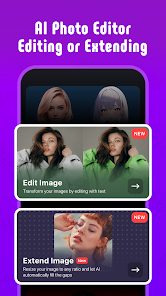
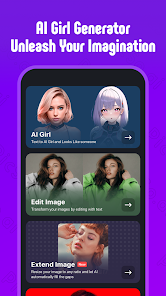
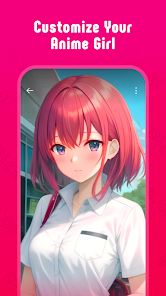
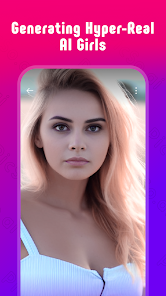
Expert Review
PicSo is this AI art generator app I've been using for a while now. It's basically a tool that lets you create all sorts of digital artwork, especially anime-style characters and portraits, just by typing in what you want. You can customize your own 'AI girl' or any other character with crazy detail. I first heard about it when it launched a couple of years back, and you can easily download it from the Google Play Store or the Apple App Store. It's got millions of installs, which shows how popular it's become. The app itself is free to install, and you can start generating images without even signing up, which is super convenient for just trying things out. Of course, if you want to save your creations or use more features, you'll need to make an account. There are in-app purchases for more credits or a subscription, and you do see some ads, but they're not too intrusive.
Using PicSo is pretty straightforward. You just type a description into the text box, like "a warrior princess with silver hair in a neon city," pick an art style, and hit generate. The real trick is learning how to write good prompts; the more specific you are, the better the results. I spend a lot of time experimenting with different combinations of words. You can also use an existing image as a base to guide the AI, which is great for refining a concept. My tip is to start simple, see what the app gives you, and then add more details to your prompt for the next round. It's a fun, iterative process.
Compared to other AI art apps like WOMBO Dream or StarryAI, I keep coming back to PicSo. For me, it just seems to handle anime and character-focused art better. The output feels more polished and consistent for that specific genre. While other apps might be great for abstract landscapes or different styles, PicSo's strength is really in creating those detailed, customizable characters. It feels like the app was built with that purpose in mind, so if you're into designing original characters or fan art, this is the one I'd recommend trying first from the Google Play store.
Key Functional Highlights
- 🎨 Deep Customization for Characters: Unlike some broader AI art apps, PicSo really shines in character design. You have fine-grained control over facial features, hairstyles, clothing, and even accessories through detailed text prompts, making it perfect for bringing original characters to life.
- ⚡ Rapid Generation and Iteration: The speed of this app is a major plus. You get your initial results quickly, allowing you to tweak your prompt and generate new variations in minutes. This fast workflow is ideal for brainstorming and exploring different visual ideas.
- 🖼️ Image-to-Image Guidance: A standout feature is the ability to upload a reference image. The AI then uses it as a style or composition guide while following your new text prompt. This is incredibly useful for iterating on a sketch or merging concepts.
- 📱 Optimized Mobile Experience: The app is genuinely designed for on-the-go creation. The interface is clean and intuitive on a phone, making the whole process of downloading, installing, and using a powerful AI art tool surprisingly smooth compared to some clunkier alternatives.
Advantages & Benefits
- 👍 Superior Anime-Style Output: For anime and manga-style art, PicSo consistently delivers higher quality and more authentic-looking results than competitors like WOMBO Dream, which can sometimes look more generic or distorted.
- 👍 Free Tier is Actually Usable: You can create a fair number of images without paying, which isn't always the case. Apps like StarryAI can be more restrictive from the start, making PicSo a better choice for casual testing.
- 👍 Focused on a Niche: Instead of being a jack-of-all-trades, it masters the character art genre. This focus means the AI is better trained for this specific task compared to broader platforms.
Areas for Improvement
- 👎 Credit System Can Feel Limiting: The free credits run out fast if you're actively creating. Heavy users will feel pushed toward subscriptions, which can be a downside compared to some apps with more generous daily free allowances.
- 👎 Struggles with Complex Scenes: While great for characters, the app can get confused with detailed background scenes or multiple interacting subjects. Other tools might handle complex environmental prompts better.
- 👎 In-App Ads in Free Version: The presence of ads, even if not overwhelming, can break the creative flow. Some similar apps offer a completely ad-free experience in their basic version.
Recommended Apps
![]()
ZEPETO: Avatar, Connect & Play
Naver Z Corporation4.3
![]()
Reverse Voice: Flip Singing
NindaFuit0![]()
AI Chat Ask Assistant - NowAI
Now Tech4.3![]()
Lie Detector Test: Prank App
DkTech inc.4.3![]()
Peachy - AI Face & Body Editor
InShot Video Editor4.8
![]()
AI Video Art Creator - Livensa
FERASET4.5![]()
Google Voice
Google LLC4.3![]()
Horoscopes & Tarot
Astrolis Horoscopes4.7![]()
eBay online shopping & selling
eBay Mobile4.6![]()
JPay
Jpay Mobile4.1![]()
Stranger Things 5 Challenges
MVH Entertainment Team5![]()
Chat Master: Prank Story
ABI Game Studio4.8![]()
Google Maps
Google LLC4.2![]()
AI Chat・Ask Chatbot Assistant
AI Chat Studio4.5![]()
Name Meanings with Impact
Alif Innovative Solution3.7















You May Like
-
![]()
True Tarot Card Reading
KaApps4.2 -
![]()
LinkedIn: Jobs & Business News
LinkedIn4.2 -
![]()
iControl: Easy Widgets Themes
Fancy keyboard for theme apps4.6 -
![]()
Duolingo: Language & Chess
Duolingo4.7 -
![]()
Flipped:Chat with AI Character
First Group pte ltd4.1 -
![]()
Hearing Age
Mobile Solutions Tech0 -
![]()
TikTok
TikTok Pte. Ltd.4.4 -
![]()
Pretty Makeup - Beauty Camera
Photo Editor Perfect Corp.4.4 -
![]()
PhotoRoom AI Photo Editor
PhotoRoom Background Editor App4.7 -
![]()
Lightleap by Lightricks
Lightricks Ltd.4.3 -
![]()
Name Meaning
Dexati4.1 -
![]()
Truth Social
T Media Tech LLC3.3 -
![]()
Ace Hardware
Ace Hardware Corporation4.7 -
![]()
Kpop Fans Demon Hunter Wallpap
JHNStudio4.3 -
![]()
Artplay - AI Photo & Video
Hideaway Technology Limited4.5









































