
Manco - Cartoon Avatar Maker
Jessica Rendon
Installs
100K+
Developer
Jessica Rendon
-
Category
Generative AI
-
Content Rating
Rated for 3+
Developer Email
Privacy Policy
https://sites.google.com/view/cartoon-avatar-maker2
Screenshots
Expert Review
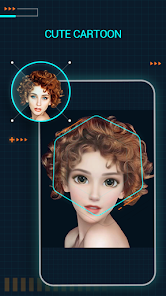
Manco - Cartoon Avatar Maker is a fun and creative app that lets you design personalized cartoon avatars. It's perfect for making a unique profile picture for social media, gaming profiles, or just for fun. The app was first launched a few years back and you can easily find it on Google Play. It's free to download and install, and it has racked up a solid number of installs, showing it's pretty popular. You don't need to register an account to start playing around with it, which is great for jumping right in. While the core app is free, there are some in-app purchases for extra hairstyles, outfits, and accessories if you want to expand your options. You might also see some ads, but they're usually not too intrusive.
Using the app is super straightforward. You start with a basic face shape and then just tap through different categories like eyes, noses, mouths, and hairstyles. You can mix and match to create something that really looks like you, or go wild and make a completely fictional character. A good tip is to use the color picker for hair and eye colors to get a perfect match. Also, don't forget to explore the accessory sections for glasses, hats, and jewelry to add those finishing touches. Once you're done, you can save your creation directly to your phone's gallery.
There are a bunch of other avatar maker apps out there, like Bitmoji or Zepeto. I've tried a few, but I keep coming back to Manco. For one, it feels less cluttered and complicated than some of the bigger names. Zepeto, for example, is more about a 3D social world, which can be overwhelming if you just want a simple cartoon pic. Manco stays focused on the avatar creation itself. The art style in this app is also really charming and has a hand-drawn feel that I prefer over the more polished, generic look of some others. It just feels more personal and creative, which is why I chose it for my main profiles.
Key Functional Highlights
- 🎨 Vast Customization Library: Right after you install the app, you get access to a huge collection of facial features, hairstyles, and outfits. The genre of avatar customization is done really well here, with more unique and artistic options compared to standard offerings.
- 🤏 Intuitive Layer Editing: This is a standout feature. You can easily adjust the size, position, and rotation of every single element you add, like moving an earring or tilting a hat. This level of control is something I haven't seen as easily in other similar apps on Google Play.
- 📁 Project Save & Multiple Avatars: Unlike some apps that only let you save the final image, Manco lets you save your entire project. You can create a whole family of avatars and go back to edit any of them later, which is super convenient.
Advantages & Benefits
- 👍 Artistic Style: The hand-drawn, illustrative art style sets it apart from apps like 'Bitmoji' which have a more standardized cartoon look. It allows for more expressive and unique avatars.
- 👍 One-Time Purchases: While there are in-app purchases, many are one-time unlocks for specific item packs. This can be better value than the subscription models common in apps like 'Zepeto'.
- 👍 No Forced Account: You can download, install, and use the app fully without being pushed to create an account or social profile, respecting your privacy.
Areas for Improvement
- 👎 Ad Frequency: The free version shows ads quite frequently between menu changes or after saving, which can disrupt the creative flow. Other apps might have longer intervals.
- 👎 Limited Free Updates: New content packs are often locked behind purchases. Compared to some competitors that add more free items regularly, the free catalog here can feel static after a while.
- 👎 Sharing Options: Sharing directly to some platforms isn't as seamless as in dedicated social apps. You often save to your gallery first, then share from there.
Recommended Apps
![]()
ZEPETO: Avatar, Connect & Play
Naver Z Corporation4.3
![]()
Reverse Voice: Flip Singing
NindaFuit0![]()
AI Chat Ask Assistant - NowAI
Now Tech4.3![]()
Lie Detector Test: Prank App
DkTech inc.4.3![]()
Peachy - AI Face & Body Editor
InShot Video Editor4.8
![]()
AI Video Art Creator - Livensa
FERASET4.5![]()
Google Voice
Google LLC4.3![]()
Horoscopes & Tarot
Astrolis Horoscopes4.7![]()
eBay online shopping & selling
eBay Mobile4.6![]()
JPay
Jpay Mobile4.1![]()
Stranger Things 5 Challenges
MVH Entertainment Team5![]()
Chat Master: Prank Story
ABI Game Studio4.8![]()
Google Maps
Google LLC4.2![]()
AI Chat・Ask Chatbot Assistant
AI Chat Studio4.5![]()
Name Meanings with Impact
Alif Innovative Solution3.7















You May Like
-
![]()
True Tarot Card Reading
KaApps4.2 -
![]()
LinkedIn: Jobs & Business News
LinkedIn4.2 -
![]()
iControl: Easy Widgets Themes
Fancy keyboard for theme apps4.6 -
![]()
Duolingo: Language & Chess
Duolingo4.7 -
![]()
Flipped:Chat with AI Character
First Group pte ltd4.1 -
![]()
Hearing Age
Mobile Solutions Tech0 -
![]()
TikTok
TikTok Pte. Ltd.4.4 -
![]()
Pretty Makeup - Beauty Camera
Photo Editor Perfect Corp.4.4 -
![]()
PhotoRoom AI Photo Editor
PhotoRoom Background Editor App4.7 -
![]()
Lightleap by Lightricks
Lightricks Ltd.4.3 -
![]()
Name Meaning
Dexati4.1 -
![]()
Truth Social
T Media Tech LLC3.3 -
![]()
Ace Hardware
Ace Hardware Corporation4.7 -
![]()
Kpop Fans Demon Hunter Wallpap
JHNStudio4.3 -
![]()
Artplay - AI Photo & Video
Hideaway Technology Limited4.5










































