
ToonMe - Cartoon Face Maker
Otis Clare
Installs
1M+
Developer
Otis Clare
-
Category
Video Players & Editors
-
Content Rating
Rated for 3+
Developer Email
Privacy Policy
https://sites.google.com/view/toonme--portrait-comic-style
Screenshots
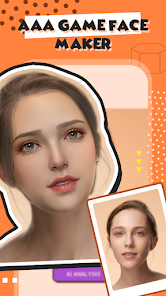
Expert Review
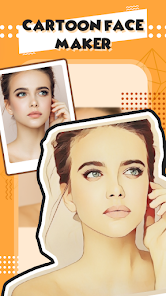
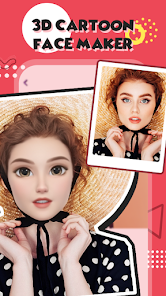
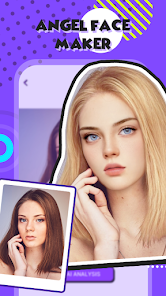
ToonMe - Cartoon Face Maker is a fun photo editing app that turns your selfies into cool cartoon characters. It's basically a digital artist in your pocket. I use it all the time to make unique profile pictures for my social media or just to have a laugh with friends. The app was first launched a few years back and you can easily find and download it on the Google Play Store. It's got millions of installs, which shows how popular it is. The best part? You can install the app for free and start playing with it right away. You don't even need to register an account to use the basic features, which is super convenient. Of course, like many free apps, it does have some in-app purchases if you want to unlock all the fancy filters and styles, and you'll see some ads while using it, but they're not too intrusive.
Using ToonMe is pretty straightforward. You just open the app, take a new photo or pick one from your gallery, and then swipe through the different cartoon styles. It works best with a clear, front-facing selfie. A little tip: make sure your face is well-lit and not in shadow for the best results. The app processes the image almost instantly, giving you a bunch of different cartoon versions to choose from. You can then save your favorites or share them directly to other apps.
There are a few other apps in the same genre, like Cartoon Face and Cartoon Photo Editor, but I keep coming back to ToonMe. The main reason is the quality and variety of the cartoon effects. Some other apps make your face look weird or distorted, but ToonMe's filters seem to keep your likeness while giving you that animated look. It just feels more polished. When I was looking for a cartoon maker on Google Play, I tried a couple, but ToonMe had the most natural-looking results, so I stuck with it. It's my go-to app for a quick and fun photo transformation.
Key Functional Highlights
- 🎨 Instant AI Cartoonization: The core feature is its speed and AI-powered transformation. You pick a photo, and in seconds, you have multiple high-quality cartoon styles to browse, from classic Disney-esque looks to modern graphic novel styles. This is much faster and offers more artistic variety than manually applying filters in a standard photo editor.
- 📁 Huge Style Library: Unlike some basic cartoon apps with a handful of filters, ToonMe boasts a massive and constantly updated library of styles. You can find everything from 3D Pixar-like renders to pencil sketches and pop art portraits, all within the same app.
- ✂️ Smart Face Detection & Editing: The app excels at isolating and transforming just your face. Compared to a similar popular app like 'Cartoon Yourself,' which sometimes struggles with complex backgrounds or glasses, ToonMe's face detection is more reliable, giving cleaner results that focus on turning you into a cartoon.
- 🔗 Seamless Social Sharing: Once you've created your cartoon avatar, sharing it is built right in. With one tap, you can post your new cartoon face to Instagram, Facebook, or set it as your profile picture elsewhere. This integrated workflow is smoother than saving and then manually uploading from your gallery.
Advantages & Benefits
- 👍 Superior Output Quality: The cartoon results simply look better and more detailed than those from apps like 'Cartoon Photo Editor.' The lines are cleaner, the colors are more vibrant, and it feels less like a cheap filter and more like a digital illustration.
- 👍 User-Friendly Interface: It's incredibly easy to use. The process from photo selection to final save is intuitive and fast, making it accessible for everyone, unlike some professional editing apps that have a steep learning curve.
- 👍 Regular New Content: The developers frequently add new cartoon styles and themes, so the app doesn't get stale. You get more long-term value compared to a static app that never updates its filter pack.
Areas for Improvement
- 👎 Premium Wall: Many of the best and newest styles are locked behind a paywall or require watching ads to unlock individually. While the free version is fun, to get the full experience of apps like this, you often need to subscribe or make purchases.
- 👎 Ad Interruptions: The free version is supported by ads that can pop up between transformations or when selecting styles. It can break the creative flow, especially when compared to a paid, ad-free alternative.
- 👎 Watermarks on Free Saves: Some exported images from the free version come with a ToonMe watermark. To remove it, you need to go premium. Other free apps might have smaller or no watermarks, making this a noticeable downside for casual sharing.
Recommended Apps
![]()
ZEPETO: Avatar, Connect & Play
Naver Z Corporation4.3
![]()
Reverse Voice: Flip Singing
NindaFuit0![]()
AI Chat Ask Assistant - NowAI
Now Tech4.3![]()
Lie Detector Test: Prank App
DkTech inc.4.3![]()
Peachy - AI Face & Body Editor
InShot Video Editor4.8
![]()
AI Video Art Creator - Livensa
FERASET4.5![]()
Google Voice
Google LLC4.3![]()
Horoscopes & Tarot
Astrolis Horoscopes4.7![]()
eBay online shopping & selling
eBay Mobile4.6![]()
JPay
Jpay Mobile4.1![]()
Stranger Things 5 Challenges
MVH Entertainment Team5![]()
Chat Master: Prank Story
ABI Game Studio4.8![]()
Google Maps
Google LLC4.2![]()
AI Chat・Ask Chatbot Assistant
AI Chat Studio4.5![]()
Name Meanings with Impact
Alif Innovative Solution3.7















You May Like
-
![]()
True Tarot Card Reading
KaApps4.2 -
![]()
LinkedIn: Jobs & Business News
LinkedIn4.2 -
![]()
iControl: Easy Widgets Themes
Fancy keyboard for theme apps4.6 -
![]()
Duolingo: Language & Chess
Duolingo4.7 -
![]()
Flipped:Chat with AI Character
First Group pte ltd4.1 -
![]()
Hearing Age
Mobile Solutions Tech0 -
![]()
TikTok
TikTok Pte. Ltd.4.4 -
![]()
Pretty Makeup - Beauty Camera
Photo Editor Perfect Corp.4.4 -
![]()
PhotoRoom AI Photo Editor
PhotoRoom Background Editor App4.7 -
![]()
Lightleap by Lightricks
Lightricks Ltd.4.3 -
![]()
Name Meaning
Dexati4.1 -
![]()
Truth Social
T Media Tech LLC3.3 -
![]()
Ace Hardware
Ace Hardware Corporation4.7 -
![]()
Kpop Fans Demon Hunter Wallpap
JHNStudio4.3 -
![]()
Artplay - AI Photo & Video
Hideaway Technology Limited4.5










































