
Time Warp Scan - Face Scanner
Braly JSC
Installs
10M+
Developer
Braly JSC
-
Category
Video Players & Editors
-
Content Rating
Rated for 3+
Developer Email
Privacy Policy
https://www.privacypolicies.com/privacy/view/acf4b0e59ea80d4fa73f167b4a219b25
Screenshots
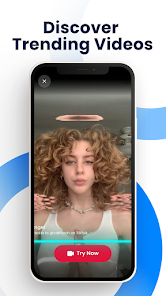
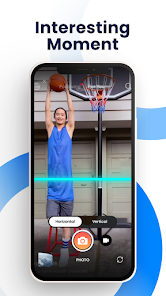
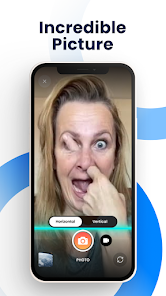
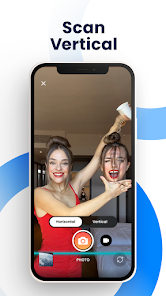
Expert Review
Time Warp Scan - Face Scanner is a fun photo editing app that lets you see how you might look at different ages. It's a face aging app, a popular genre for entertainment. I first downloaded it from the Google Play Store a while back. The app is free to install and has a pretty high download count, which made me feel it was worth trying. You don't need to register to use its core features, which is great for a quick play. However, like many free apps, it does show ads, and there are optional in-app purchases if you want to remove them or access some extra filters.
Using the app is straightforward. You just take a selfie or pick a photo from your gallery, and the app's AI does its magic. It shows you a younger and an older version of yourself. The key is to use a clear, well-lit photo facing the camera for the best results. I've found it works better with recent photos rather than old ones. It's a fun thing to do with friends, guessing how we'll all look in the future. The app saves the processed images, so you can easily share them on social media.
I've tried a few similar face aging apps before, but I keep coming back to Time Warp Scan. Some other apps in this genre feel a bit gimmicky or produce unrealistic results. This one seems to strike a better balance between being entertaining and somewhat believable, which makes the experience more engaging. While no app is perfect, the simplicity and the 'wow' factor of the initial result made me choose this one over others I've tested. It's a solid choice if you're just looking for some lighthearted fun without too much complexity.
Key Functional Highlights
- 🔄 Realistic Age Progression: The AI in Time Warp Scan generates surprisingly nuanced older versions. Compared to some competitors that just add wrinkles and grey hair, this app considers changes in skin texture and facial structure more carefully, making the result less cartoonish.
- 🔄 Simple, No-Fuss Interface: From download to final result, the process is incredibly quick. You install the app, open it, and you're taking a photo within seconds. There's no complicated tutorial or maze of menus, which is a relief compared to some photo editors that overwhelm you with options.
- 🔄 Instant Side-by-Side Comparison: After processing, the app neatly displays your current photo alongside the young and old versions. This immediate visual comparison is its core appeal and is executed better here than in apps that make you swipe or tap through different screens to see each version.
Advantages & Benefits
- 👍 Better Free Tier: Unlike some similar apps that heavily watermark free results or limit the number of scans per day, Time Warp Scan lets you generate and save full-quality images without a daily cap, making the free version genuinely usable.
- 👍 Faster Processing: The AI works noticeably quicker than in apps like 'AgingBooth'. You get your aged face in just a few seconds, which keeps the fun momentum going, especially when using it in a group.
- 👍 Shareability: The app optimizes the final images perfectly for sharing directly to Instagram, Facebook, or WhatsApp. Other apps sometimes output oddly sized or low-resolution files, but this one gets it right.
Areas for Improvement
- 👎 Intrusive Ad Placement: The ads can be quite disruptive, popping up right after you generate a photo. Apps like 'FaceApp' handle ads more gracefully, usually placing them in less intrusive areas of the screen during editing.
- 👎 Limited Customization: You get what the AI gives you. Compared to more advanced apps, there's no way to manually adjust the intensity of aging, add specific accessories, or tweak the background, which limits creative control.
- 👎 Privacy Grey Area: The app's privacy policy regarding face data is a bit vague. While most apps in this genre have similar issues, it's a point of caution compared to using a purely offline photo editor on your device.
Recommended Apps
![]()
ZEPETO: Avatar, Connect & Play
Naver Z Corporation4.3
![]()
Reverse Voice: Flip Singing
NindaFuit0![]()
AI Chat Ask Assistant - NowAI
Now Tech4.3![]()
Lie Detector Test: Prank App
DkTech inc.4.3![]()
Peachy - AI Face & Body Editor
InShot Video Editor4.8
![]()
AI Video Art Creator - Livensa
FERASET4.5![]()
Google Voice
Google LLC4.3![]()
Horoscopes & Tarot
Astrolis Horoscopes4.7![]()
eBay online shopping & selling
eBay Mobile4.6![]()
JPay
Jpay Mobile4.1![]()
Stranger Things 5 Challenges
MVH Entertainment Team5![]()
Chat Master: Prank Story
ABI Game Studio4.8![]()
Google Maps
Google LLC4.2![]()
AI Chat・Ask Chatbot Assistant
AI Chat Studio4.5![]()
Name Meanings with Impact
Alif Innovative Solution3.7















You May Like
-
![]()
True Tarot Card Reading
KaApps4.2 -
![]()
LinkedIn: Jobs & Business News
LinkedIn4.2 -
![]()
iControl: Easy Widgets Themes
Fancy keyboard for theme apps4.6 -
![]()
Duolingo: Language & Chess
Duolingo4.7 -
![]()
Flipped:Chat with AI Character
First Group pte ltd4.1 -
![]()
Hearing Age
Mobile Solutions Tech0 -
![]()
TikTok
TikTok Pte. Ltd.4.4 -
![]()
Pretty Makeup - Beauty Camera
Photo Editor Perfect Corp.4.4 -
![]()
PhotoRoom AI Photo Editor
PhotoRoom Background Editor App4.7 -
![]()
Lightleap by Lightricks
Lightricks Ltd.4.3 -
![]()
Name Meaning
Dexati4.1 -
![]()
Truth Social
T Media Tech LLC3.3 -
![]()
Ace Hardware
Ace Hardware Corporation4.7 -
![]()
Kpop Fans Demon Hunter Wallpap
JHNStudio4.3 -
![]()
Artplay - AI Photo & Video
Hideaway Technology Limited4.5










































