

HD Camera for Android
Mobile_V5
Installs
50M+
Developer
Mobile_V5
-
Category
Video Players & Editors
-
Content Rating
Rated for 3+
Developer Email
Privacy Policy
https://mobv5privacy.ijoysoftconnect.com/camera/AppPrivacy.html
Screenshots
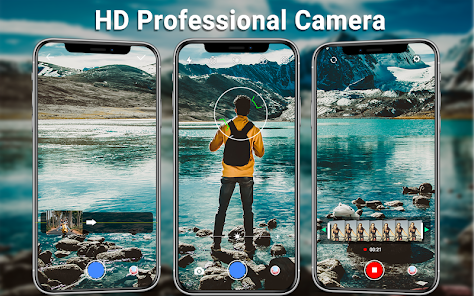
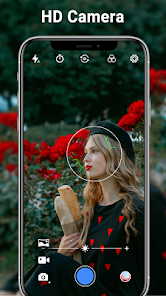
Expert Review
I've been using the HD Camera for Android app for a while now, and it's become my go-to camera app on my phone. It's a photography app designed to give you more control and better quality photos than the default camera that comes with your Android device. The app launched a few years back and you can easily find and download it from the Google Play Store. It's got millions of installs, which tells you a lot of people are using it. The best part is, it's completely free to download and install. You don't need to register an account to start using it right away, which is super convenient. While the core app is free, there are some optional in-app purchases if you want to unlock extra filters or tools. You'll also see some ads, but they're usually not too intrusive.
Using the app is pretty straightforward. After you install it, it opens up looking a lot like your phone's normal camera, but with more buttons and sliders. I mostly use it for manual mode when I want to take a really specific shot. You can adjust the ISO, shutter speed, and focus manually, which is great for low-light situations or capturing motion. A good tip is to use the grid overlay to help with composition – it makes a big difference in getting your horizons straight and framing your subject well. The burst shot mode is also handy for action shots; you just hold down the shutter button.
I've tried a few other camera apps from the Google Play Store, like Open Camera and Camera FV-5. They're all in the same genre of advanced camera apps. I stuck with HD Camera for Android because it strikes the best balance for me. It has the powerful manual controls I wanted, but the interface feels cleaner and less cluttered than some of the others. Open Camera is powerful but can feel a bit technical, and Camera FV-5 is great but has a more complex layout. This app just feels more intuitive while still giving me all the control I need for better photos.
Key Functional Highlights
- 🔧 Granular Manual Controls: Unlike many basic camera apps, this one lets you tweak every setting. You can manually set the ISO, white balance, shutter speed, and focus point. This level of control is perfect for when the auto mode just isn't cutting it, especially in tricky lighting.
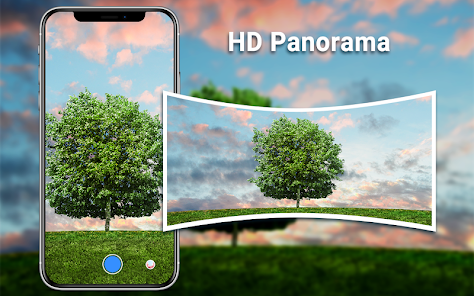
- 🎞️ Versatile Shooting Modes: The app isn't just about manual photos. It includes a solid selection of modes like panorama, time-lapse, and a surprisingly effective night mode. Compared to a popular app like Google Camera (GCam), which relies heavily on computational photography, this app gives you more direct, traditional tools to work with.
- 📁 Simple Media Management: Once you take a photo or video, the in-app gallery lets you quickly review, share, or delete your shots. It's a small but thoughtful feature that keeps you from jumping back and forth to your phone's main gallery app.
- ⚙️ Highly Customizable Interface: You can rearrange the on-screen buttons and choose which controls are visible. This is a standout feature that lets you tailor the app to fit exactly how you shoot, something not all similar apps offer to this degree.
Advantages & Benefits
- ✅ User-Friendly for Its Power: It packs advanced features into an interface that's easier to navigate than rivals like ProShot or Camera FV-5, making pro-level photography more accessible.
- ✅ Completely Free Core Features: You can download and use all the essential manual controls without paying, whereas many apps in this genre lock key features behind a paywall immediately.
- ✅ Wide Device Compatibility: It seems to work well on a huge range of Android phones, reducing the compatibility headaches you sometimes get with other camera apps.
Areas for Improvement
- ❌ Presence of Ads: The free version shows ads, which can be distracting. Apps like Open Camera are completely ad-free and open-source, which some users might prefer.
- ❌ HDR Processing: Its HDR mode isn't as seamless or powerful as the computational HDR found in apps like Google Camera. Results can sometimes look a bit artificial or take longer to process.
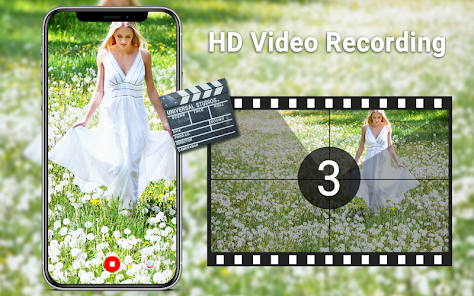
- ❌ Video Features are Basic: While photo controls are great, the video recording options are pretty standard. It lacks advanced video features like log profiles or high bitrate recording that you'd find in more specialized apps.
Recommended Apps
![]()
ZEPETO: Avatar, Connect & Play
Naver Z Corporation4.3
![]()
Reverse Voice: Flip Singing
NindaFuit0![]()
AI Chat Ask Assistant - NowAI
Now Tech4.3![]()
Lie Detector Test: Prank App
DkTech inc.4.3![]()
Peachy - AI Face & Body Editor
InShot Video Editor4.8
![]()
AI Video Art Creator - Livensa
FERASET4.5![]()
Google Voice
Google LLC4.3![]()
Horoscopes & Tarot
Astrolis Horoscopes4.7![]()
eBay online shopping & selling
eBay Mobile4.6![]()
JPay
Jpay Mobile4.1![]()
Stranger Things 5 Challenges
MVH Entertainment Team5![]()
Chat Master: Prank Story
ABI Game Studio4.8![]()
Google Maps
Google LLC4.2![]()
AI Chat・Ask Chatbot Assistant
AI Chat Studio4.5![]()
Name Meanings with Impact
Alif Innovative Solution3.7















You May Like
-
![]()
True Tarot Card Reading
KaApps4.2 -
![]()
LinkedIn: Jobs & Business News
LinkedIn4.2 -
![]()
iControl: Easy Widgets Themes
Fancy keyboard for theme apps4.6 -
![]()
Duolingo: Language & Chess
Duolingo4.7 -
![]()
Flipped:Chat with AI Character
First Group pte ltd4.1 -
![]()
Hearing Age
Mobile Solutions Tech0 -
![]()
TikTok
TikTok Pte. Ltd.4.4 -
![]()
Pretty Makeup - Beauty Camera
Photo Editor Perfect Corp.4.4 -
![]()
PhotoRoom AI Photo Editor
PhotoRoom Background Editor App4.7 -
![]()
Lightleap by Lightricks
Lightricks Ltd.4.3 -
![]()
Name Meaning
Dexati4.1 -
![]()
Truth Social
T Media Tech LLC3.3 -
![]()
Ace Hardware
Ace Hardware Corporation4.7 -
![]()
Kpop Fans Demon Hunter Wallpap
JHNStudio4.3 -
![]()
Artplay - AI Photo & Video
Hideaway Technology Limited4.5












































