
Themepack - App Icons, Widgets
YoloTech
Installs
10M+
Developer
YoloTech
-
Category
Productivity
-
Content Rating
Rated for 12+
Developer Email
Privacy Policy
https://www.themer-iconwidgets.com/privacy_policy.html
Screenshots
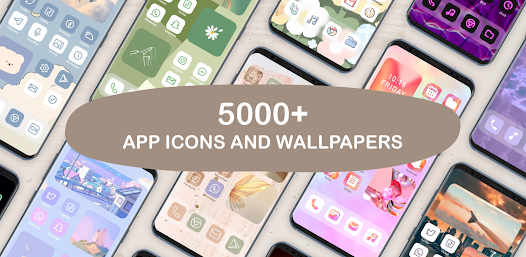
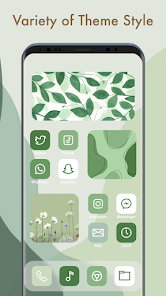
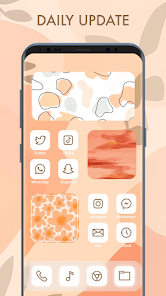
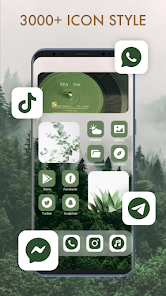
Expert Review
I've been using the Themepack app for a while now to give my phone a fresh look without going through a complicated rooting process. This app, which falls into the personalization genre, is basically a one-stop shop for changing your app icons and adding cool widgets to your home screen. It first launched a few years back, and you can easily find and download it from the Google Play Store. It's got millions of installs, which shows how popular it is. The best part? The core app is free to download and install. You don't even need to register an account to start using most of its features, which is great for privacy. Of course, being a free app, you will see some ads, and there are premium icon packs and widgets locked behind in-app purchases if you want the full experience.
Using the app is pretty straightforward. After you install it, you browse through hundreds of icon packs, pick one you like, and apply it. A neat tip is to use the 'Icon Request' feature if your favorite app's icon doesn't get themed – sometimes the designers update packs based on user feedback. For widgets, you just long-press on your home screen, select 'Widgets,' and then choose from the Themepack options. It does require you to use a supported launcher like Nova or Lawnchair for the icon changes to work, but that's common for most theming apps.
Compared to other similar apps like Icon Pack Studio or CandyCons, I keep coming back to Themepack. Why? For one, the sheer variety. While Icon Pack Studio is great for creating your own, Themepack has a massive, constantly updated library of professionally designed packs ready to go. CandyCons has a cute style, but Themepack covers everything from minimalist to detailed artistic themes. The integration between icons and matching widgets within the same pack is also smoother here. It just feels more complete. When I want to quickly transform my phone's entire vibe, this is the app I open first.
Key Functional Highlights
- 🎨 Massive, Curated Library: Unlike some apps that rely on user-generated content, Themepack offers a huge, professionally designed collection of icon packs and widgets. You can find styles for every taste, from sleek monochrome to vibrant gradients, all within the same app.
- 🔄 Seamless Icon & Widget Pairs: Many packs include not just icons but perfectly matching widgets (like clocks, calendars, and music players). This creates a cohesive look that's harder to achieve by mixing elements from different sources, which you often have to do with more basic theming tools.
- ⚡ One-Tap Apply: The process of applying a whole new theme is incredibly fast. You select a pack, tap 'Apply,' and the app guides you through the simple steps with your launcher. It's much more streamlined than manually changing each icon, a tedious process in some other icon changer apps.
- 📤 Regular Cloud Updates: The app frequently adds new, trendy packs to its cloud library. This means you always have fresh options without needing to download a whole new version of the app from Google Play, keeping your customization possibilities endless.
Advantages & Benefits
- 👍 All-in-One Hub: It combines icon packs and widgets in a single, well-organized app. Competitors like 'KWGT' are powerful for widgets but don't provide icons, forcing you to use multiple apps.
- 👍 Quality Over Quantity: While 'Icon Pack Studio' allows creation, the pre-made designs in Themepack often have more polish and consistent art styles, resulting in a more premium look on your home screen.
- 👍 Ease of Use: It's significantly more beginner-friendly than advanced tools like 'KLWP'. You get great results without learning a complex editor, lowering the barrier to high-quality theming.
Areas for Improvement
- 👎 Launcher Dependency: Like most icon themers, it requires a compatible third-party launcher (Nova, Lawnchair) to work fully. Stock launcher users on some phones can't use the icon changing feature, which is a limitation apps like 'Shortcut Maker' try to bypass.
- 👎 Ads in Free Version: The ad frequency in the free version can be intrusive during browsing. Some similar apps, after an initial download, have a less aggressive ad model for basic browsing.
- 👎 Premium Paywall for Best Designs: The most unique and intricate packs are premium. While understandable, apps like 'Wallpaper' or basic icon pack apps on Google Play sometimes offer entire beautiful packs for free without in-app purchases.
Recommended Apps
![]()
ZEPETO: Avatar, Connect & Play
Naver Z Corporation4.3
![]()
Reverse Voice: Flip Singing
NindaFuit0![]()
AI Chat Ask Assistant - NowAI
Now Tech4.3![]()
Lie Detector Test: Prank App
DkTech inc.4.3![]()
Peachy - AI Face & Body Editor
InShot Video Editor4.8
![]()
AI Video Art Creator - Livensa
FERASET4.5![]()
Google Voice
Google LLC4.3![]()
Horoscopes & Tarot
Astrolis Horoscopes4.7![]()
eBay online shopping & selling
eBay Mobile4.6![]()
JPay
Jpay Mobile4.1![]()
Stranger Things 5 Challenges
MVH Entertainment Team5![]()
Chat Master: Prank Story
ABI Game Studio4.8![]()
Google Maps
Google LLC4.2![]()
AI Chat・Ask Chatbot Assistant
AI Chat Studio4.5![]()
Name Meanings with Impact
Alif Innovative Solution3.7















You May Like
-
![]()
True Tarot Card Reading
KaApps4.2 -
![]()
LinkedIn: Jobs & Business News
LinkedIn4.2 -
![]()
iControl: Easy Widgets Themes
Fancy keyboard for theme apps4.6 -
![]()
Duolingo: Language & Chess
Duolingo4.7 -
![]()
Flipped:Chat with AI Character
First Group pte ltd4.1 -
![]()
Hearing Age
Mobile Solutions Tech0 -
![]()
TikTok
TikTok Pte. Ltd.4.4 -
![]()
Pretty Makeup - Beauty Camera
Photo Editor Perfect Corp.4.4 -
![]()
PhotoRoom AI Photo Editor
PhotoRoom Background Editor App4.7 -
![]()
Lightleap by Lightricks
Lightricks Ltd.4.3 -
![]()
Name Meaning
Dexati4.1 -
![]()
Truth Social
T Media Tech LLC3.3 -
![]()
Ace Hardware
Ace Hardware Corporation4.7 -
![]()
Kpop Fans Demon Hunter Wallpap
JHNStudio4.3 -
![]()
Artplay - AI Photo & Video
Hideaway Technology Limited4.5











































