

QR Code Reader: QR Scanner
WECHOICE MOBILE
Installs
5,000,000+
Developer
WECHOICE MOBILE
-
Category
Productivity
-
Content Rating
Rated for 3+
Developer Email
Privacy Policy
https://sites.google.com/view/qrcodebygomin
Screenshots
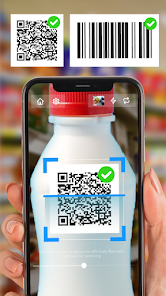

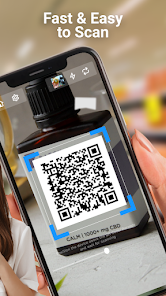
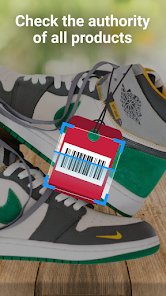
Expert Review
QR Code Reader: QR Scanner is a straightforward app for scanning QR codes and barcodes. I use it all the time to quickly open website links, connect to Wi-Fi networks, or check product details. The app was first launched a while back and you can easily find it on the Google Play Store. It has a huge number of downloads, which shows how many people trust it. The best part is it's completely free to download and install. You don't even need to register or create an account to start scanning right away. While the app itself is free, you might see some ads, but they're usually not too intrusive. There are also some optional in-app purchases if you want to remove those ads or unlock extra features, but the core scanning function works perfectly without spending a dime.
Using the app is super simple. After you install it, you just open it and point your camera at a QR code. It scans almost instantly. A handy tip is to make sure you have good lighting, especially for older or faded codes. The app also keeps a history of your recent scans, which is great if you need to go back and check a link you opened earlier. You can also generate your own QR codes for text or URLs directly within the app, which is a neat bonus feature I use sometimes.
I've tried a few other scanner apps from the Google Play store, like 'Barcode Scanner' or some built-in camera apps. What made me stick with this QR Code Reader app is its reliability and speed. Some other apps can be slow or fail to read codes on the first try. This one just works, every time. It feels lightweight and doesn't bog down my phone. For a free tool that does one job really well, it's hard to beat. I chose it over others because it delivers exactly what it promises without any unnecessary clutter or complicated settings.
Key Functional Highlights
- 🚀 Lightning-Fast Scanning: The core feature is its incredible scan speed. Compared to the popular 'Scan' app, which sometimes hesitates, this QR Code Reader app decodes codes almost the moment the camera sees them. It's perfect for quick interactions at stores or events.
- 📚 Built-in Code Generator: Unlike many basic scanners, this app lets you create your own QR codes. You can generate codes for websites, plain text, or contact details right inside the app, a feature that apps like 'Quick Scan' often lack or hide behind a paywall.
- 🕒 Scan History Log: Every code you scan is automatically saved in a history list. This is super useful for finding that restaurant menu link you scanned last week or revisiting a Wi-Fi password. It's a simple but practical feature not all apps in this genre offer.
- 🔧 Minimalist & Ad-Free Option: The app interface is clean and focused. While there are ads in the free version, a one-time in-app purchase removes them completely, giving you a pristine scanning tool. This is a more straightforward model than some apps that push recurring subscriptions.
Advantages & Benefits
- ✅ Zero Friction Setup: You download, install, and scan. No account, no registration. It's more accessible than apps like 'QR & Barcode Scanner' which sometimes prompt for sign-ins.
- ✅ Consistent Reliability: It reads damaged or poorly printed codes better than many competitors I've tried, including the scanner in 'Google Lens', which can be hit-or-miss with barcodes.
- ✅ Truly Free Core: The essential scanning function is 100% free forever, unlike some apps that limit scans per day or require payment for standard formats.
Areas for Improvement
- ❌ Ad-Supported Free Version: The free version displays banner ads. While not excessive, apps like 'Simple Scan' offer a completely ad-free experience from the start.
- ❌ Basic Feature Set: It's a great scanner, but lacks advanced tools like batch scanning or detailed product database lookups that you might find in dedicated apps like 'ScanLife'.
- ❌ Occasional Prompts: Sometimes, after an update, the app might nudge you towards the premium version or other apps from the developer, which can feel slightly pushy.
Recommended Apps
![]()
ZEPETO: Avatar, Connect & Play
Naver Z Corporation4.3
![]()
Reverse Voice: Flip Singing
NindaFuit0![]()
AI Chat Ask Assistant - NowAI
Now Tech4.3![]()
Lie Detector Test: Prank App
DkTech inc.4.3![]()
Peachy - AI Face & Body Editor
InShot Video Editor4.8
![]()
AI Video Art Creator - Livensa
FERASET4.5![]()
Google Voice
Google LLC4.3![]()
Horoscopes & Tarot
Astrolis Horoscopes4.7![]()
eBay online shopping & selling
eBay Mobile4.6![]()
JPay
Jpay Mobile4.1![]()
Stranger Things 5 Challenges
MVH Entertainment Team5![]()
Chat Master: Prank Story
ABI Game Studio4.8![]()
Google Maps
Google LLC4.2![]()
AI Chat・Ask Chatbot Assistant
AI Chat Studio4.5![]()
Name Meanings with Impact
Alif Innovative Solution3.7















You May Like
-
![]()
True Tarot Card Reading
KaApps4.2 -
![]()
LinkedIn: Jobs & Business News
LinkedIn4.2 -
![]()
iControl: Easy Widgets Themes
Fancy keyboard for theme apps4.6 -
![]()
Duolingo: Language & Chess
Duolingo4.7 -
![]()
Flipped:Chat with AI Character
First Group pte ltd4.1 -
![]()
Hearing Age
Mobile Solutions Tech0 -
![]()
TikTok
TikTok Pte. Ltd.4.4 -
![]()
Pretty Makeup - Beauty Camera
Photo Editor Perfect Corp.4.4 -
![]()
PhotoRoom AI Photo Editor
PhotoRoom Background Editor App4.7 -
![]()
Lightleap by Lightricks
Lightricks Ltd.4.3 -
![]()
Name Meaning
Dexati4.1 -
![]()
Truth Social
T Media Tech LLC3.3 -
![]()
Ace Hardware
Ace Hardware Corporation4.7 -
![]()
Kpop Fans Demon Hunter Wallpap
JHNStudio4.3 -
![]()
Artplay - AI Photo & Video
Hideaway Technology Limited4.5











































