

Google Drive
Google LLC
Installs
5,000,000,000+
Developer
Google LLC
-
Category
Productivity
-
Content Rating
Rated for 3+
Developer Email
Privacy Policy
http://www.google.com/policies/privacy
Screenshots
Expert Review
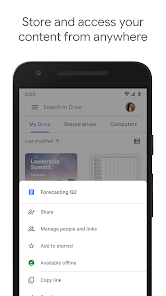
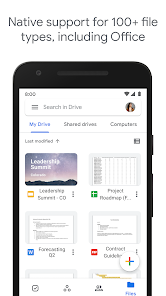
Google Drive is a cloud storage and file synchronization service that lets you store your photos, documents, videos, and other files securely online. You can access them from any phone, tablet, or computer. The app is essential for backing up important stuff and sharing large files easily. It first launched back in 2012 and is available on both the Google Play Store and the App Store. On Google Play alone, it has over five billion downloads, which is just insane. The app is free to download and install, and you get 15GB of storage space to start with, which is shared across your Google account with Gmail and Google Photos. You don't need a separate registration if you already have a Google account. There are in-app purchases if you need more space, like upgrading to 100GB or more. You might see some ads for Google's other services within the app, but they're not intrusive.
Using Google Drive is pretty straightforward. After you install it, it just sits there and syncs your files. I use it mostly to automatically back up photos from my phone and to keep a folder of work documents that I can pull up on any device. A great tip is to use the 'Starred' feature for your most important files so you can find them instantly. Also, the 'Offline' mode is a lifesaver when you're traveling without good internet; you can mark files to be available offline ahead of time.
Compared to other similar apps like Dropbox or OneDrive, I stick with Google Drive. The main reason is how deeply it's integrated with everything else I use. My Gmail attachments are right there, and editing a Google Doc or Sheet feels seamless because it's all part of the same ecosystem. While Dropbox is great for simple file sharing and OneDrive is tight with Windows, Google Drive feels like the central hub for my digital life, especially on Android. The free storage tier is also quite generous when you stack it against others.
Key Functional Highlights
- 🔗 Seamless Google Integration: This is the killer feature. Any photo I take is automatically backed up, any document I create in Google Docs is saved instantly, and any email attachment from Gmail is instantly accessible. It doesn't feel like a separate app; it feels like the backbone of all my Google services.
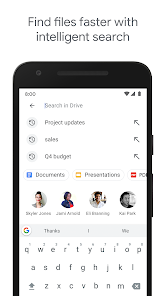
- 📁 Powerful Search & Organization: You can search for anything, even text inside scanned PDFs or images. The ability to color-code folders and use the 'Priority' workspace to surface relevant files makes managing thousands of files less of a nightmare compared to more basic apps like Dropbox.
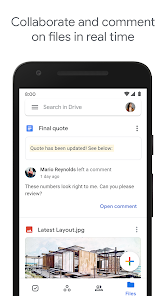
- 👥 Real-time Collaboration: Working on a presentation or a spreadsheet with a team is where Drive shines. Multiple people can edit a Google Doc simultaneously, with changes showing in real-time. Comments and suggestion modes are built right in, making it far more collaborative than just using it as a simple file storage app.
- 🔒 Robust Security & Sharing Controls: Sharing a file is easy, but the level of control is impressive. You can share a link with specific people, set expiration dates for access, or make files view-only. For personal use, features like 2-step verification for your Google account add a strong layer of security for all your stored data.
Advantages & Benefits
- ✅ Generous Free Tier: Compared to Dropbox's basic 2GB, Google Drive's 15GB free storage is a massive advantage for most users starting out.
- ✅ Superior Search: Its AI-powered search can find content inside files, which often beats the simpler filename-based search in apps like OneDrive.
- ✅ Ecosystem Lock-in: If you use Android, Gmail, or Chrome, the integration is so smooth that switching to another service involves significant hassle.
- ✅ Reliability & Uptime: Being a Google service, it's incredibly reliable with minimal downtime compared to some smaller cloud storage providers.
Areas for Improvement
- ❌ Storage Policy Changes: The 15GB free storage is shared with Gmail and Google Photos. If your inbox or photo library is large, your Drive fills up fast, pushing you towards a paid plan more aggressively than some competitors.
- ❌ Desktop App Can Be Heavy: The Backup and Sync/Drive for Desktop app can sometimes be a resource hog on older computers, more so than the lightweight Dropbox desktop client.
- ❌ Privacy Concerns: As with any free service from a major ad company, some users are wary of Google's data policies compared to a service like Sync.com or Tresorit that focuses on privacy.
- ❌ Interface Clutter: The web and mobile interfaces can feel busy with promotions for other Google services, unlike the cleaner, more focused interface of an app like Dropbox.
Recommended Apps
![]()
ZEPETO: Avatar, Connect & Play
Naver Z Corporation4.3
![]()
Reverse Voice: Flip Singing
NindaFuit0![]()
AI Chat Ask Assistant - NowAI
Now Tech4.3![]()
Lie Detector Test: Prank App
DkTech inc.4.3![]()
Peachy - AI Face & Body Editor
InShot Video Editor4.8
![]()
AI Video Art Creator - Livensa
FERASET4.5![]()
Google Voice
Google LLC4.3![]()
Horoscopes & Tarot
Astrolis Horoscopes4.7![]()
eBay online shopping & selling
eBay Mobile4.6![]()
JPay
Jpay Mobile4.1![]()
Stranger Things 5 Challenges
MVH Entertainment Team5![]()
Chat Master: Prank Story
ABI Game Studio4.8![]()
Google Maps
Google LLC4.2![]()
AI Chat・Ask Chatbot Assistant
AI Chat Studio4.5![]()
Name Meanings with Impact
Alif Innovative Solution3.7















You May Like
-
![]()
True Tarot Card Reading
KaApps4.2 -
![]()
LinkedIn: Jobs & Business News
LinkedIn4.2 -
![]()
iControl: Easy Widgets Themes
Fancy keyboard for theme apps4.6 -
![]()
Duolingo: Language & Chess
Duolingo4.7 -
![]()
Flipped:Chat with AI Character
First Group pte ltd4.1 -
![]()
Hearing Age
Mobile Solutions Tech0 -
![]()
TikTok
TikTok Pte. Ltd.4.4 -
![]()
Pretty Makeup - Beauty Camera
Photo Editor Perfect Corp.4.4 -
![]()
PhotoRoom AI Photo Editor
PhotoRoom Background Editor App4.7 -
![]()
Lightleap by Lightricks
Lightricks Ltd.4.3 -
![]()
Name Meaning
Dexati4.1 -
![]()
Truth Social
T Media Tech LLC3.3 -
![]()
Ace Hardware
Ace Hardware Corporation4.7 -
![]()
Kpop Fans Demon Hunter Wallpap
JHNStudio4.3 -
![]()
Artplay - AI Photo & Video
Hideaway Technology Limited4.5











































