

Anime Avatar: Couple Maker
MegaMod Studio
Installs
1M+
Developer
MegaMod Studio
-
Category
Art & Design
-
Content Rating
Everyone
Developer Email
Privacy Policy
https://sites.google.com/andesgroup.app/anime-avatar-couple-maker/home
Screenshots



Expert Review
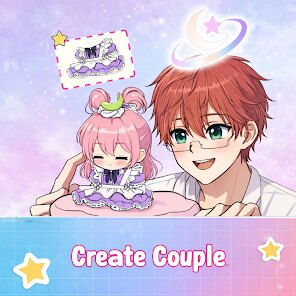
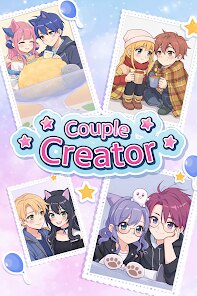
Anime Avatar: Couple Maker, created by MegaMod Studio, offers a character customization tool focused on building matching anime-style avatars for two people. Available for free download on Google Play, the app presents a broad selection of visual options without requiring any upfront payment. It does include advertisements and offers optional in-app purchases for those who want additional content, though the base experience remains fully usable without spending anything. Since its release, it has accumulated a moderate number of installations, suggesting steady interest among users who enjoy personalized anime aesthetics.
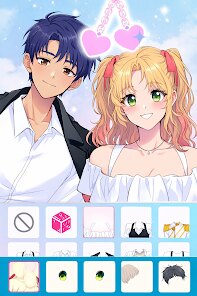
The main interaction revolves around selecting and combining facial features, hairstyles, outfits, and accessories for both avatars simultaneously. Users start by choosing a base face shape, then layer on elements like eye styles, hair colors, and clothing themes until both characters match or complement each other. The interface keeps both avatars visible side by side during the entire process, which makes coordination fairly straightforward. While the controls respond smoothly, navigating between the numerous categories sometimes requires extra tapping, as the layout prioritizes visual space over minimalistic menu design.
Other apps in this genre often focus on single-avatar creation or offer much larger asset libraries, but Anime Avatar: Couple Maker distinguishes itself through its paired design workflow. Compared to standalone character creators, this approach simplifies making two consistent avatars without switching between profiles or manually copying settings. On the downside, the available options feel less extensive than what some competing tools provide, particularly for clothing variety. Still, for someone who wants a quick and cohesive couple set without jumping through extra steps, the app delivers a more streamlined experience than most alternatives.
Key Functional Highlights
- The app lets users style both avatars in real time, which makes matching outfits and expressions feel intuitive. Watching changes apply instantly to both characters helps avoid the guesswork that often comes with creating separate profiles in other tools.
- Asset categories cover a decent range, though some sections like hairstyles offer more depth than others. Eye shapes and color palettes feel particularly well-stocked, while accessory options could benefit from additional variety.
- Saving and exporting completed avatars works without issues, and the image quality remains crisp on most devices. Compared to similar apps that compress output heavily, this one preserves cleaner lines and color gradients.
- Navigating back to edit a previous selection sometimes resets unrelated settings, which interrupts the flow. Other customization apps handle this more gracefully by preserving choices until users explicitly change them.
Advantages & Benefits
- Creating matching profile pictures for social media or messaging apps takes only a few minutes, thanks to the paired editing view.
- No account registration is required to use the main features, so new users can jump straight into customization without friction.
- The free version provides enough assets to make distinct avatars without feeling locked behind paywalls, which is rare in this category.
Areas for Improvement
- The ad placement occasionally interrupts the customization flow, especially after saving an avatar. Some ads play with sound enabled, which can be startling if not muted beforehand.
- Clothing and accessory options feel limited compared to similar apps, particularly for male avatars where the selection is noticeably smaller.
- Undoing a selection requires navigating back through menus rather than using a simple undo button, which slows down experimentation.
Recommended Apps
![]()
ZEPETO: Avatar, Connect & Play
Naver Z Corporation4.3
![]()
Reverse Voice: Flip Singing
NindaFuit0![]()
AI Chat Ask Assistant - NowAI
Now Tech4.3![]()
Lie Detector Test: Prank App
DkTech inc.4.3![]()
Peachy - AI Face & Body Editor
InShot Video Editor4.8
![]()
AI Video Art Creator - Livensa
FERASET4.5![]()
Google Voice
Google LLC4.3![]()
Horoscopes & Tarot
Astrolis Horoscopes4.7![]()
eBay online shopping & selling
eBay Mobile4.6![]()
JPay
Jpay Mobile4.1![]()
Stranger Things 5 Challenges
MVH Entertainment Team5![]()
Chat Master: Prank Story
ABI Game Studio4.8![]()
Google Maps
Google LLC4.2![]()
AI Chat・Ask Chatbot Assistant
AI Chat Studio4.5![]()
Name Meanings with Impact
Alif Innovative Solution3.7















You May Like
-
![]()
True Tarot Card Reading
KaApps4.2 -
![]()
LinkedIn: Jobs & Business News
LinkedIn4.2 -
![]()
iControl: Easy Widgets Themes
Fancy keyboard for theme apps4.6 -
![]()
Duolingo: Language & Chess
Duolingo4.7 -
![]()
Flipped:Chat with AI Character
First Group pte ltd4.1 -
![]()
Hearing Age
Mobile Solutions Tech0 -
![]()
TikTok
TikTok Pte. Ltd.4.4 -
![]()
Pretty Makeup - Beauty Camera
Photo Editor Perfect Corp.4.4 -
![]()
PhotoRoom AI Photo Editor
PhotoRoom Background Editor App4.7 -
![]()
Lightleap by Lightricks
Lightricks Ltd.4.3 -
![]()
Name Meaning
Dexati4.1 -
![]()
Truth Social
T Media Tech LLC3.3 -
![]()
Ace Hardware
Ace Hardware Corporation4.7 -
![]()
Kpop Fans Demon Hunter Wallpap
JHNStudio4.3 -
![]()
Artplay - AI Photo & Video
Hideaway Technology Limited4.5












































