

NAMA: Flower language keyboard
Andromeda App
Installs
10K+
Developer
Andromeda App
-
Category
Productivity
-
Content Rating
Rated for 3+
Developer Email
Privacy Policy
https://sites.google.com/view/andromedalab/home
Screenshots
Expert Review
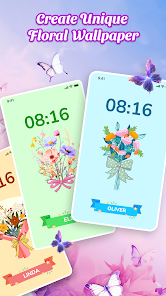
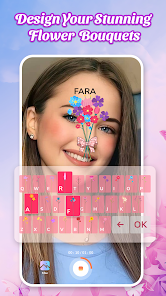
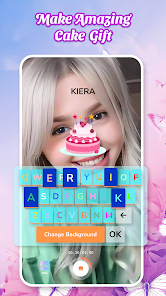
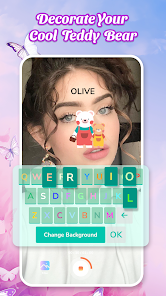
Flower Language Keyboard is a fun little app that lets you decorate your messages with flower-themed stickers and fonts. It's basically a custom keyboard you can install on your phone. I think it first popped up on the Google Play Store a few years back. You can download it for free, and it's got a pretty decent number of installs, showing it's popular with folks who like to personalize their chats. You don't need to register an account to use it, which is nice and simple. The app itself is free to download and use, but you'll see some ads inside it. There are also in-app purchases if you want to unlock more sticker packs or remove the ads entirely.
Using the app is straightforward. After you download and install it, you go into your phone's settings to enable it as a keyboard. Then, in any messaging app, you just switch to the Flower Language Keyboard. I like to use it when I'm texting friends or posting on social media to make my messages a bit prettier. A good tip is to explore all the different flower categories it has – some are cute, some are elegant, so you can pick the right vibe for your message. Remember to check the app's settings too; you can sometimes adjust the keyboard height or vibration feedback to your liking.
I've tried a few other keyboard apps that offer themes, like Gboard or SwiftKey. They're great for general use and predictions, but for pure, flowery decoration, this app is more focused. I chose Flower Language Keyboard because it's dedicated to this one genre of aesthetic. Other similar apps might mix flowers with animals or other patterns, but this one has a huge collection just for flowers. It feels more complete for what I want. While the big-name keyboards are more powerful, for adding a specific, pretty touch to my texts, this specialized app does the job better.
Key Functional Highlights
- 🌸 Massive Flower Library: Unlike general theme keyboards, this app is packed with hundreds of stickers and fonts all centered around flowers. You get roses, sunflowers, cherry blossoms – you name it. It's a one-stop shop for floral decoration, which apps like Gboard don't offer in such depth.
- 🌸 Easy Theme Switching: Once installed, switching between different flower themes is super quick. You don't have to dig through complicated menus. It's much more streamlined for visual customization compared to some other decorative keyboard apps I've tried, which can feel clunky.
- 🌸 Lightweight and Simple: The app doesn't try to do everything. It focuses on being a beautiful, decorative keyboard. This makes it feel lighter and faster to use than some feature-bloated alternatives. You download it for the flowers, and that's exactly what you get.
Advantages & Benefits
- 💐 Specialized Content: Its biggest strength is specialization. While apps like 'FancyKey' have various themes, Flower Language Keyboard's entire library is floral, offering more variety and depth within that single genre.
- 💐 Instant Aesthetic Upgrade: It transforms your typing experience immediately. Compared to the plain look of a standard keyboard, this app makes every message feel more personal and visually appealing with minimal effort.
- 💐 No Account Needed: You can download, install, and start using it right away without signing up. Many similar apps require registration, so this hassle-free approach is a definite plus.
Areas for Improvement
- 🥀 Ad-Supported Model: The free version shows ads, which can be intrusive. Other free keyboard apps also have ads, but here they sometimes pop up when you're trying to select a sticker, which can interrupt the flow.
- 🥀 Limited Functionality: It's purely for decoration. Don't expect advanced features like great swipe-typing or AI predictions that you'd find in Gboard or SwiftKey. As a tool for fast, efficient typing, it falls short compared to those.
- 🥀 Occasional Bugs: Sometimes, after an Android update, the keyboard might need re-enabling in settings. I've had fewer stability issues with more established keyboard apps from big developers.
Recommended Apps
![]()
ZEPETO: Avatar, Connect & Play
Naver Z Corporation4.3
![]()
Reverse Voice: Flip Singing
NindaFuit0![]()
AI Chat Ask Assistant - NowAI
Now Tech4.3![]()
Lie Detector Test: Prank App
DkTech inc.4.3![]()
Peachy - AI Face & Body Editor
InShot Video Editor4.8
![]()
AI Video Art Creator - Livensa
FERASET4.5![]()
Google Voice
Google LLC4.3![]()
Horoscopes & Tarot
Astrolis Horoscopes4.7![]()
eBay online shopping & selling
eBay Mobile4.6![]()
JPay
Jpay Mobile4.1![]()
Stranger Things 5 Challenges
MVH Entertainment Team5![]()
Chat Master: Prank Story
ABI Game Studio4.8![]()
Google Maps
Google LLC4.2![]()
AI Chat・Ask Chatbot Assistant
AI Chat Studio4.5![]()
Name Meanings with Impact
Alif Innovative Solution3.7















You May Like
-
![]()
True Tarot Card Reading
KaApps4.2 -
![]()
LinkedIn: Jobs & Business News
LinkedIn4.2 -
![]()
iControl: Easy Widgets Themes
Fancy keyboard for theme apps4.6 -
![]()
Duolingo: Language & Chess
Duolingo4.7 -
![]()
Flipped:Chat with AI Character
First Group pte ltd4.1 -
![]()
Hearing Age
Mobile Solutions Tech0 -
![]()
TikTok
TikTok Pte. Ltd.4.4 -
![]()
Pretty Makeup - Beauty Camera
Photo Editor Perfect Corp.4.4 -
![]()
PhotoRoom AI Photo Editor
PhotoRoom Background Editor App4.7 -
![]()
Lightleap by Lightricks
Lightricks Ltd.4.3 -
![]()
Name Meaning
Dexati4.1 -
![]()
Truth Social
T Media Tech LLC3.3 -
![]()
Ace Hardware
Ace Hardware Corporation4.7 -
![]()
Kpop Fans Demon Hunter Wallpap
JHNStudio4.3 -
![]()
Artplay - AI Photo & Video
Hideaway Technology Limited4.5










































