
Screen Recorder Video Recorder
Video Screen Recorder, Voice Audio Editor, Cut MP3
Installs
10M+
Developer
Video Screen Recorder, Voice Audio Editor, Cut MP3
-
Category
Video Players & Editors
-
Content Rating
Everyone
Developer Email
Privacy Policy
https://v2.static.superlabs.info/recorder/privacy/gp_index.html?lang=en
Screenshots
Expert Review
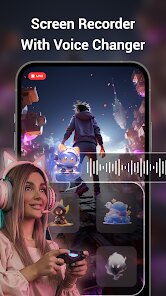
Screen Recorder Video Recorder is a utility app available on Google Play that captures device display activity along with internal or external audio. Developed by Video Screen Recorder, Voice Audio Editor, Cut MP3, it offers both free and premium versions, with the free tier supported by advertisements and optional in-app purchases to remove them or unlock extra features. The app has accumulated over 10 million downloads, reflecting its popularity among users who need quick recording solutions without requiring root access.
Getting started is straightforward. After downloading and installing the app, you can adjust video resolution, bit rate, and frame rate to balance file size and quality. A floating control button appears on screen, letting you start, pause, or stop recording without leaving your current app or game. I found the interface clean enough, though the abundance of settings on the main screen could be slightly overwhelming at first. One feature that stood out was the ability to record internal audio separately, which many budget screen recorders omit. The editor within the app also lets you trim clips, though it is fairly basic and not designed for complex post-production.
Compared to AZ Screen Recorder or Mobizen, this app offers more granular control over recording parameters upfront rather than burying them in a settings menu several layers deep. However, AZ feels slightly more polished in terms of interface design and stability. Molizen, on the other hand, leans heavily into social sharing features, which this app does not emphasize. The simple feature set here may actually appeal to those who just want to record and edit without extra distractions, though the trade-off is a less refined user experience.
Key Functional Highlights
- The floating control button remains responsive even during heavy gaming sessions, and it does not freeze or lag when toggling recording modes in my experience, which was a pleasant surprise compared to some alternatives I have tested.
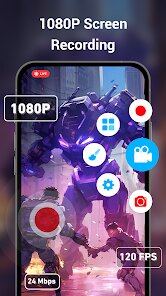
- Customizable recording resolution up to 1080p at 60 fps delivers smooth output suitable for gameplay tutorials, though achieving higher frame rates requires lowering resolution, which is typical for devices without hardware encoding support.
- The built-in trim tool, while simple, handles basic cuts reliably without re-encoding the entire file, saving time when all you need is to remove the first few seconds of unnecessary footage. Other apps like ADV Screen Recorder force full re-encoding during edits.
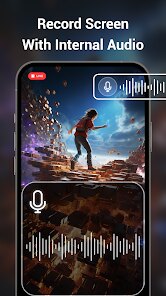
- Audio source selection includes mic, internal, or both simultaneously, which is handy for voiceovers, but I noticed a slight delay in mic audio sync when recording longer clips, something that does not occur with the app's internal-only option.
Advantages & Benefits
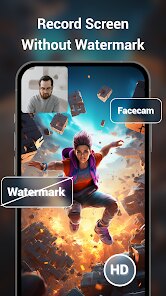
- Recording game highlights without watermarks is possible in the free version, as long as you do not mind the occasional short ad banner appearing before recording starts.
- The automatic orientation lock prevents accidental landscape switching when recording vertically-oriented apps, which is not always available in competing recorders by default.
- Low storage mode compresses recordings efficiently, making it easier to capture longer sessions on devices with limited free space.
Areas for Improvement
- The built-in video player sometimes stutters when previewing high-bitrate recordings, forcing me to use a separate player for smooth playback.
- Advertisements appear unpredictably, even between short recording sessions, which can interrupt workflow when trying to capture multiple takes quickly.
- Audio sync drift becomes noticeable on recordings longer than 15 minutes, particularly when using both internal and external audio sources simultaneously.
Recommended Apps
![]()
ZEPETO: Avatar, Connect & Play
Naver Z Corporation4.3
![]()
Reverse Voice: Flip Singing
NindaFuit0![]()
AI Chat Ask Assistant - NowAI
Now Tech4.3![]()
Lie Detector Test: Prank App
DkTech inc.4.3![]()
Peachy - AI Face & Body Editor
InShot Video Editor4.8
![]()
AI Video Art Creator - Livensa
FERASET4.5![]()
Google Voice
Google LLC4.3![]()
Horoscopes & Tarot
Astrolis Horoscopes4.7![]()
eBay online shopping & selling
eBay Mobile4.6![]()
JPay
Jpay Mobile4.1![]()
Stranger Things 5 Challenges
MVH Entertainment Team5![]()
Chat Master: Prank Story
ABI Game Studio4.8![]()
Google Maps
Google LLC4.2![]()
AI Chat・Ask Chatbot Assistant
AI Chat Studio4.5![]()
Name Meanings with Impact
Alif Innovative Solution3.7















You May Like
-
![]()
True Tarot Card Reading
KaApps4.2 -
![]()
LinkedIn: Jobs & Business News
LinkedIn4.2 -
![]()
iControl: Easy Widgets Themes
Fancy keyboard for theme apps4.6 -
![]()
Duolingo: Language & Chess
Duolingo4.7 -
![]()
Flipped:Chat with AI Character
First Group pte ltd4.1 -
![]()
Hearing Age
Mobile Solutions Tech0 -
![]()
TikTok
TikTok Pte. Ltd.4.4 -
![]()
Pretty Makeup - Beauty Camera
Photo Editor Perfect Corp.4.4 -
![]()
PhotoRoom AI Photo Editor
PhotoRoom Background Editor App4.7 -
![]()
Lightleap by Lightricks
Lightricks Ltd.4.3 -
![]()
Name Meaning
Dexati4.1 -
![]()
Truth Social
T Media Tech LLC3.3 -
![]()
Ace Hardware
Ace Hardware Corporation4.7 -
![]()
Kpop Fans Demon Hunter Wallpap
JHNStudio4.3 -
![]()
Artplay - AI Photo & Video
Hideaway Technology Limited4.5











































