
Magnifier Plus with Flashlight
Digitalchemy, LLC
Installs
10M+
Developer
Digitalchemy, LLC
-
Category
Video Players & Editors
-
Content Rating
Rated for 3+
Developer Email
Privacy Policy
https://www.digitalchemy.us/magnifier-plus/privacy-policy
Screenshots

Expert Review
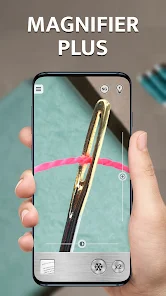
I've been using Magnifier Plus with Flashlight on my phone for a while now, and it's become one of those handy tools I didn't know I needed. This app is exactly what it sounds like – a digital magnifier that also includes a bright flashlight. It's perfect for reading tiny print on medicine bottles, restaurant menus, or product labels. The app first launched a good few years back, and you can easily find it on the Google Play Store. It's racked up millions of downloads, which tells you a lot of people find it useful. Best part? It's completely free to download and install. You don't even need to register or create an account to start using it right away. While the core functions are free, there are optional in-app purchases if you want to remove ads or unlock some extra features, but the ads aren't too intrusive.
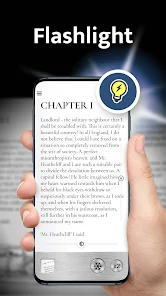
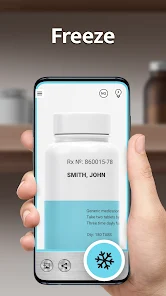
Using the app is super straightforward. After you install it, you just open it and point your camera at whatever you want to see better. You can pinch to zoom in and out smoothly, and there's a focus lock so the image doesn't keep jumping around. A little tip I found helpful is using the flashlight feature in tandem with the magnifier in dimly lit areas – it makes a huge difference for clarity. The app also lets you freeze a frame to take a closer look, and you can adjust the contrast and color filters, which is great for people with low vision.
I've tried a few other magnifier apps from the Google Play Store, like 'Magnifying Glass' or 'Super Vision Magnifier', but I keep coming back to Magnifier Plus. The main reason is its simplicity and reliability. Some other apps feel clunky or are packed with unnecessary permissions. This one just works without fuss. The flashlight integration feels more seamless here than in other apps where it's a separate, weaker tool. For a free app that does its job well without complicating things, Magnifier Plus is my go-to choice.
Key Functional Highlights
- 🔍 Seamless Magnification & Flashlight Combo: Unlike many standalone magnifier apps, this one brilliantly combines a powerful zoom lens with an incredibly bright LED flashlight. You can toggle the light on/off instantly while zoomed in, which is perfect for peering into dark corners, reading in low light, or just finding something you dropped under the couch.
- 🎨 Useful Visual Aids: The app offers more than just zoom. It includes color filters (like inverse, grayscale, and yellow-tint) and contrast adjustments. This feature is a standout compared to basic competitors, as it can significantly enhance readability for users with visual impairments, making text pop against backgrounds.
- 📸 Frame Freeze & Capture: You can freeze the live camera feed with a tap, allowing you to examine a stable image in detail without your hand shaking. You can also take a snapshot of the magnified view. While similar apps might have this, the implementation here is snappy and reliable, which isn't always the case elsewhere.
- ⚙️ Clean, No-Nonsense Interface: Compared to a popular app like 'Magnifying Glass + Flashlight', which can feel ad-heavy and cluttered, Magnifier Plus presents a cleaner, more intuitive layout. The zoom slider and main controls are large and easy to use, reducing the learning curve for less tech-savvy users.
Advantages & Benefits
- 👍 All-in-One Reliability: It reliably combines two essential tools (magnifier and a very bright flashlight) in one stable app. Other apps, like 'Super Bright Flashlight', might have a brighter light but lack a good magnifier, forcing you to switch between apps.
- 👍 Superior Low-Light Performance: The integrated flashlight is genuinely useful for the magnifier function, outperforming similar apps where the light is weak or poorly synchronized with the camera zoom.
- 👍 Truly Free Core Features: You can download, install, and use the primary magnifying and lighting functions without paying a cent or registering, which is more generous than some competitors that severely limit free zoom levels or time of use.
Areas for Improvement
- 👎 Ad Presence in Free Version: While the ads aren't overwhelming, they are present at the bottom of the screen. Apps like 'Simple Magnifier' offer a completely ad-free experience, which can be less distracting for prolonged use.
- 👎 Limited Advanced Features for Free: Some neat features, like a ruler overlay or a completely ad-free experience, are locked behind a paywall. A competing app, 'Magnifying Glass', includes a measurement tool in its free version.
- 👎 Occasional Performance Hiccups: On older phone models, the app can sometimes lag or struggle to focus quickly compared to more lightweight alternatives. It's generally smooth, but not always the fastest option available.
Recommended Apps
![]()
ZEPETO: Avatar, Connect & Play
Naver Z Corporation4.3
![]()
Reverse Voice: Flip Singing
NindaFuit0![]()
AI Chat Ask Assistant - NowAI
Now Tech4.3![]()
Lie Detector Test: Prank App
DkTech inc.4.3![]()
Peachy - AI Face & Body Editor
InShot Video Editor4.8
![]()
AI Video Art Creator - Livensa
FERASET4.5![]()
Google Voice
Google LLC4.3![]()
Horoscopes & Tarot
Astrolis Horoscopes4.7![]()
eBay online shopping & selling
eBay Mobile4.6![]()
JPay
Jpay Mobile4.1![]()
Stranger Things 5 Challenges
MVH Entertainment Team5![]()
Chat Master: Prank Story
ABI Game Studio4.8![]()
Google Maps
Google LLC4.2![]()
AI Chat・Ask Chatbot Assistant
AI Chat Studio4.5![]()
Name Meanings with Impact
Alif Innovative Solution3.7















You May Like
-
![]()
True Tarot Card Reading
KaApps4.2 -
![]()
LinkedIn: Jobs & Business News
LinkedIn4.2 -
![]()
iControl: Easy Widgets Themes
Fancy keyboard for theme apps4.6 -
![]()
Duolingo: Language & Chess
Duolingo4.7 -
![]()
Flipped:Chat with AI Character
First Group pte ltd4.1 -
![]()
Hearing Age
Mobile Solutions Tech0 -
![]()
TikTok
TikTok Pte. Ltd.4.4 -
![]()
Pretty Makeup - Beauty Camera
Photo Editor Perfect Corp.4.4 -
![]()
PhotoRoom AI Photo Editor
PhotoRoom Background Editor App4.7 -
![]()
Lightleap by Lightricks
Lightricks Ltd.4.3 -
![]()
Name Meaning
Dexati4.1 -
![]()
Truth Social
T Media Tech LLC3.3 -
![]()
Ace Hardware
Ace Hardware Corporation4.7 -
![]()
Kpop Fans Demon Hunter Wallpap
JHNStudio4.3 -
![]()
Artplay - AI Photo & Video
Hideaway Technology Limited4.5











































