

Photo Editor - Lumii
InShot Video Editor
Installs
50M+
Developer
InShot Video Editor
-
Category
Video Players & Editors
-
Content Rating
Rated for 3+
Developer Email
Privacy Policy
http://inshotapp.com/lumii/website/privacypolicy.html
Screenshots
Expert Review
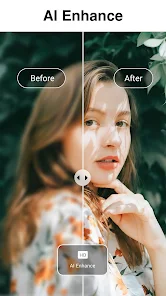
I've been using the Photo Editor - Lumii app for a while now, and it's become my go-to tool for quick photo edits on my phone. This app is a photo editing application that lets you apply filters, adjust lighting, and add text or stickers to your pictures. It's developed by the same team behind the popular InShot Video Editor, which gives you an idea of the quality. You can download Lumii for free from the Google Play Store or the Apple App Store. Since its launch, it's racked up millions of installs, which shows how popular it is. You don't need to register to start using it, which I really appreciate for a quick edit. The core app is free, but it does have in-app purchases for premium filters and tools, and you'll see some ads in the free version.
Using the app is pretty straightforward. I usually open a photo, pick a filter I like from their huge collection, and then fine-tune things like brightness or contrast. A good tip is to use the 'adjust' tools before applying a filter, as it gives you a cleaner base to work with. The interface is clean, so you're not overwhelmed with options. For someone who isn't a pro, it's perfect for making social media pics look great in just a few taps.
There are tons of similar photo editing apps out there, like VSCO or Snapseed. I tried a few, but I keep coming back to Lumii. The main reason is its balance of simplicity and power. Some apps feel too basic, while others are so complex they're intimidating. Lumii sits right in the middle. Its filters have a distinct, modern look that I prefer over the more vintage styles in other apps. Also, being from the InShot developers, the overall feel is very polished and reliable. For everyday photo tweaks, this app just gets the job done faster and with results I consistently like.
Key Functional Highlights
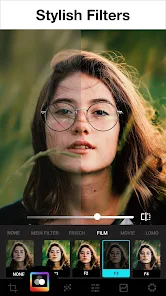
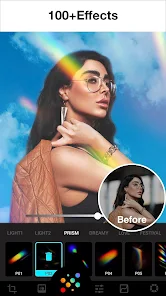
- 🎨 Massive Filter Library: The sheer variety of filters is Lumii's standout feature. Compared to a popular app like VSCO, which has a more curated, signature set, Lumii offers an enormous range of styles—from subtle color grades to bold artistic effects. This gives you way more creative freedom right out of the gate without needing to purchase additional packs immediately.
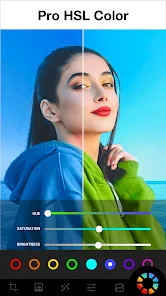
- ✂️ Integrated Editing Suite: Unlike some apps that are just filter machines, Lumii bundles a full set of adjustment tools. You have precise control over curves, color balance, and sharpness, which are features often found in more 'pro' apps like Lightroom. Having these advanced tools within a simple app is a huge advantage.
- 🖼️ One-Tap Background Change: This is a fun and unique feature I haven't seen as easily executed elsewhere. You can quickly remove or replace a photo's background with solid colors, gradients, or even other images, which is perfect for creating profile pictures or creative collages without needing a separate, complicated app.
- 📱 Optimized for Mobile Workflow: The app's design feels built for phone use. Tools are large and easy to slide, and edits apply in real-time without lag. This makes the editing process much smoother and faster compared to some other editors that can feel clunky on a touchscreen.
Advantages & Benefits
- 👍 User-Friendly Interface: It's incredibly intuitive. Jumping between filters, tools, and saving is seamless, which isn't always the case in apps like Snapseed where the navigation can be less obvious for beginners.
- 👍 Quality of Free Content: The number of high-quality filters and tools available without any purchase is generous. Many competing apps lock their best features behind a paywall much sooner.
- 👍 Regular Updates with New Filters: The developers frequently add new filter packs and features, keeping the app fresh. Some similar apps have a static set of tools that haven't changed in years.
- 👍 No Mandatory Account: You can install and use the app immediately without creating a profile, which is great for privacy and convenience.
Areas for Improvement
- 👎 Persistent Ads in Free Version: The ads can be intrusive, often appearing as full-screen videos between edits. This disrupts the workflow more than the banner ads found in many other free editors.
- 👎 Premium Features Are Pricey: While the free version is good, the one-time cost to remove ads and unlock all premium filters is quite high compared to subscription models offered by apps like VSCO.
- 👎 Limited Advanced Retouching: For detailed blemish removal or complex object erasing, it falls short. You'd still need an app like TouchRetouch for those specific jobs.
- 👎 Occasional Stability Issues: On older phones, the app can sometimes crash when applying multiple complex edits, a problem I've encountered less with more lightweight apps.
Recommended Apps
![]()
ZEPETO: Avatar, Connect & Play
Naver Z Corporation4.3
![]()
Reverse Voice: Flip Singing
NindaFuit0![]()
AI Chat Ask Assistant - NowAI
Now Tech4.3![]()
Lie Detector Test: Prank App
DkTech inc.4.3![]()
Peachy - AI Face & Body Editor
InShot Video Editor4.8
![]()
AI Video Art Creator - Livensa
FERASET4.5![]()
Google Voice
Google LLC4.3![]()
Horoscopes & Tarot
Astrolis Horoscopes4.7![]()
eBay online shopping & selling
eBay Mobile4.6![]()
JPay
Jpay Mobile4.1![]()
Stranger Things 5 Challenges
MVH Entertainment Team5![]()
Chat Master: Prank Story
ABI Game Studio4.8![]()
Google Maps
Google LLC4.2![]()
AI Chat・Ask Chatbot Assistant
AI Chat Studio4.5![]()
Name Meanings with Impact
Alif Innovative Solution3.7















You May Like
-
![]()
True Tarot Card Reading
KaApps4.2 -
![]()
LinkedIn: Jobs & Business News
LinkedIn4.2 -
![]()
iControl: Easy Widgets Themes
Fancy keyboard for theme apps4.6 -
![]()
Duolingo: Language & Chess
Duolingo4.7 -
![]()
Flipped:Chat with AI Character
First Group pte ltd4.1 -
![]()
Hearing Age
Mobile Solutions Tech0 -
![]()
TikTok
TikTok Pte. Ltd.4.4 -
![]()
Pretty Makeup - Beauty Camera
Photo Editor Perfect Corp.4.4 -
![]()
PhotoRoom AI Photo Editor
PhotoRoom Background Editor App4.7 -
![]()
Lightleap by Lightricks
Lightricks Ltd.4.3 -
![]()
Name Meaning
Dexati4.1 -
![]()
Truth Social
T Media Tech LLC3.3 -
![]()
Ace Hardware
Ace Hardware Corporation4.7 -
![]()
Kpop Fans Demon Hunter Wallpap
JHNStudio4.3 -
![]()
Artplay - AI Photo & Video
Hideaway Technology Limited4.5










































