

Canva: AI Photo & Video Editor
Canva
Installs
500M+
Developer
Canva
-
Category
Art & Design
-
Content Rating
Everyone 10+
Developer Email
Privacy Policy
https://about.canva.com/privacy-policy/
Screenshots


Expert Review
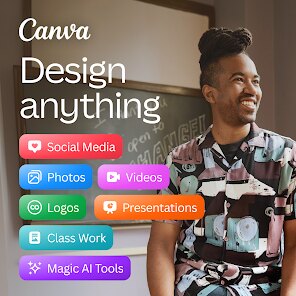
Canva: AI Photo & Video Editor, developed by the design platform Canva, brings a substantial portion of its popular graphic design toolkit to mobile devices. Available for free on the Google Play Store, the app has amassed over 100 million downloads, reflecting its widespread appeal. While the core functionality is accessible without charge, it does incorporate in-app purchases for premium assets and features, and occasional ads appear for non-subscribers, which is a standard model for freemium creative software.
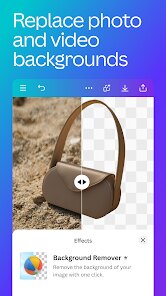
At its heart, the application streamlines the creation of social media posts, presentations, posters, and short videos through a vast library of templates. You can start from a blank canvas or modify a pre-designed layout, and the interface is surprisingly intuitive given its depth. Arriving from a desktop background, the mobile adaptation feels thoughtfully executed; drag-and-drop actions translate well to touch, and the AI-powered tools, such as background removal and the magic resize function, operate with impressive speed. It does not feel like a stripped-down version, rather a focused companion that understands its environment.
Compared to other mobile editing suites like Adobe Express or Picsart, Canva distinguishes itself through its cohesive design ecosystem and template quality. Where some rivals push a more chaotic, sticker-heavy approach, Canva maintains a sense of order, making it more approachable for users tackling professional-looking projects. A mild point of observation is that while Adobe offers more granular control for photo manipulation, Canva wins on sheer ease of use and the organizational consistency it provides for brand kits, which is a significant draw for small business owners.
Key Functional Highlights
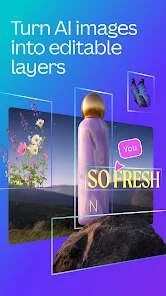
- The AI-powered ‘Magic Design' is arguably the standout addition. You provide an image or a basic text prompt, and the app generates several complete, well-structured design concepts in seconds. It is less of a gimmick and more of a genuine time-saver, functioning as a springboard when you are facing a blank screen, although the results still benefit from a human eye for fine-tuning.
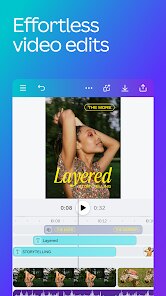
- Its video editing capabilities are surprisingly robust for a mobile app. Trimming, splitting, and adding transitions occur on a timeline that remains responsive even on mid-range devices. The library of stock video clips and audio tracks integrated directly into the editor reduces the need to switch between applications, creating a smoother workflow than what you typically find in slide-based design tools.
- The brand kit feature stands out when measured against rivals. Uploading logos, choosing color palettes, and setting font styles once allows for consistent application across all future projects. It offers a degree of organizational foresight that is rarely executed this well in a consumer app, positioning it closer to professional tools without the associated learning curve.
Advantages & Benefits
- Exports are clean and quick, with formats like PNG, JPG, and MP4, and resizing for different social channels is a single tap operation.
- Collaboration is streamlined; sharing a link generates a project that multiple people can comment on and edit simultaneously, which has made group assignments considerably less painful.
- Searching for specific elements is reliable, and the upload history is well categorized, so frequently used graphics and photos are never buried or lost.
Areas for Improvement
- Some of the most useful templates and premium photos are locked behind the Pro subscription, and the paywall prompts can occasionally interrupt creative flow when exploring new categories.
- Performing precise, pixel-level adjustments on photos remains cumbersome; the app is best suited for composition rather than detailed retouching, as there are no curves or channel mixer tools.
- The offline experience is practically nonexistent; without a network connection, accessing your previously created projects or essential assets often fails, which is a significant shortcoming for a mobile tool.
Recommended Apps
![]()
ZEPETO: Avatar, Connect & Play
Naver Z Corporation4.3
![]()
Reverse Voice: Flip Singing
NindaFuit0![]()
AI Chat Ask Assistant - NowAI
Now Tech4.3![]()
Lie Detector Test: Prank App
DkTech inc.4.3![]()
Peachy - AI Face & Body Editor
InShot Video Editor4.8
![]()
AI Video Art Creator - Livensa
FERASET4.5![]()
Google Voice
Google LLC4.3![]()
Horoscopes & Tarot
Astrolis Horoscopes4.7![]()
eBay online shopping & selling
eBay Mobile4.6![]()
JPay
Jpay Mobile4.1![]()
Stranger Things 5 Challenges
MVH Entertainment Team5![]()
Chat Master: Prank Story
ABI Game Studio4.8![]()
Google Maps
Google LLC4.2![]()
AI Chat・Ask Chatbot Assistant
AI Chat Studio4.5![]()
Name Meanings with Impact
Alif Innovative Solution3.7















You May Like
-
![]()
True Tarot Card Reading
KaApps4.2 -
![]()
LinkedIn: Jobs & Business News
LinkedIn4.2 -
![]()
iControl: Easy Widgets Themes
Fancy keyboard for theme apps4.6 -
![]()
Duolingo: Language & Chess
Duolingo4.7 -
![]()
Flipped:Chat with AI Character
First Group pte ltd4.1 -
![]()
Hearing Age
Mobile Solutions Tech0 -
![]()
TikTok
TikTok Pte. Ltd.4.4 -
![]()
Pretty Makeup - Beauty Camera
Photo Editor Perfect Corp.4.4 -
![]()
PhotoRoom AI Photo Editor
PhotoRoom Background Editor App4.7 -
![]()
Lightleap by Lightricks
Lightricks Ltd.4.3 -
![]()
Name Meaning
Dexati4.1 -
![]()
Truth Social
T Media Tech LLC3.3 -
![]()
Ace Hardware
Ace Hardware Corporation4.7 -
![]()
Kpop Fans Demon Hunter Wallpap
JHNStudio4.3 -
![]()
Artplay - AI Photo & Video
Hideaway Technology Limited4.5










































