
Facemoji:Emoji Keyboard&ASK AI
EKATOX APPS
Installs
100M+
Developer
EKATOX APPS
-
Category
Productivity
-
Content Rating
Rated for 12+
Developer Email
Privacy Policy
https://www.facemojikeyboard.com/page/privacy/googleplay/privacy.html
Screenshots
Expert Review
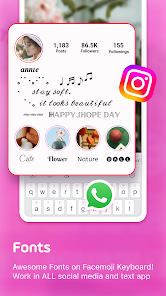
I've been using the Facemoji app for a few months now, and it's become my go-to keyboard. It's an emoji and GIF keyboard app that lets you spice up your chats with tons of expressive content, stickers, and even has a built-in AI assistant. I first heard about it when a friend sent me a cool animated sticker, and I had to download it myself. The app is available for free on the Google Play Store, and it's super easy to install. It has over 100 million downloads, which shows how popular it is. You don't need to register to start using most features, which I really like—no lengthy sign-up process. Of course, being a free app, there are some ads and in-app purchases for premium sticker packs or to remove ads, but the free version is already packed with enough fun stuff.
Using the app is straightforward. After you download and install it, you just enable it in your phone's settings as your default keyboard. My favorite tip is to use the search bar right on the keyboard to find the perfect GIF or emoji without switching apps. I use it all the time in WhatsApp and Instagram DMs. The AI feature is handy for quick translations or coming up with witty replies when I'm stuck. It feels like having a creative assistant right in my chat window.
I've tried other keyboard apps like Gboard and SwiftKey before settling on Facemoji. While Gboard is great for general typing, Facemoji just wins in the fun and customization department. Other similar apps often have a smaller, more static collection of emojis. I chose this app because it feels more vibrant and updated. The sticker library is massive and always has new, trendy packs. For someone who communicates a lot with visuals, this app makes conversations way more engaging than just plain text.
Key Functional Highlights
- 🎨 Endless Customization: Unlike many standard keyboards, Facemoji lets you create your own emoji avatars that look just like you. You can customize hair, eyes, outfits—everything. It's a feature I haven't seen done as well in other popular apps like Gboard.
- 🤖 Integrated AI Assistant (ASK AI): This is its standout feature. Right from the keyboard, you can ask the AI to translate sentences, recommend stickers based on your chat, or even help you write a message. It's like having a smart helper embedded directly in your typing experience.
- 📈 Trend-Driven Content: The app's content library is constantly updated with new GIFs, stickers, and emojis based on the latest internet trends and memes. This keeps your chats feeling fresh and relevant, something more generic apps lag behind on.
- 🔍 Superior Search: Finding the right GIF or emoji is incredibly fast. The search function on the keyboard is powerful and understands casual terms, so you can type "happy dance" or "facepalm" and get perfect results instantly.
Advantages & Benefits
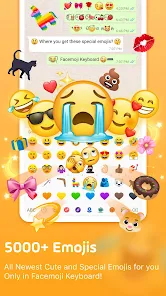
- ✨ Sheer Volume of Content: The library of emojis, GIFs, and stickers is simply larger and more diverse than in competitors like SwiftKey. There's always something new to express exactly what you mean.
- 🚀 Lightweight and Responsive: Despite being feature-rich, the app installs quickly and doesn't slow down my phone like some other heavily themed keyboards I've tried.
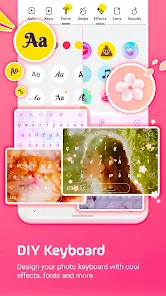
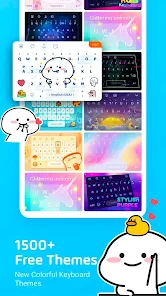
- 🎭 Unique Themed Keyboards: You can change the entire look of your keyboard with beautiful, artistic themes. This level of aesthetic personalization goes beyond what most similar apps offer.
Areas for Improvement
- 🛒 Persistent Ads/Up-Sells: The free version shows ads, and there are frequent prompts to buy premium packs. Apps like Gboard feel cleaner in comparison with fewer interruptions.
- ⚙️ Occasional Glitches: Sometimes, especially after a phone update, the keyboard might disappear and need a re-enable in settings. It's a minor but occasional hassle.
- 📱 Battery Usage: With all its active features and content, I've noticed it uses a bit more battery than a minimalist keyboard, which is a typical trade-off for such a feature-packed app.
Recommended Apps
![]()
ZEPETO: Avatar, Connect & Play
Naver Z Corporation4.3
![]()
Reverse Voice: Flip Singing
NindaFuit0![]()
AI Chat Ask Assistant - NowAI
Now Tech4.3![]()
Lie Detector Test: Prank App
DkTech inc.4.3![]()
Peachy - AI Face & Body Editor
InShot Video Editor4.8
![]()
AI Video Art Creator - Livensa
FERASET4.5![]()
Google Voice
Google LLC4.3![]()
Horoscopes & Tarot
Astrolis Horoscopes4.7![]()
eBay online shopping & selling
eBay Mobile4.6![]()
JPay
Jpay Mobile4.1![]()
Stranger Things 5 Challenges
MVH Entertainment Team5![]()
Chat Master: Prank Story
ABI Game Studio4.8![]()
Google Maps
Google LLC4.2![]()
AI Chat・Ask Chatbot Assistant
AI Chat Studio4.5![]()
Name Meanings with Impact
Alif Innovative Solution3.7















You May Like
-
![]()
True Tarot Card Reading
KaApps4.2 -
![]()
LinkedIn: Jobs & Business News
LinkedIn4.2 -
![]()
iControl: Easy Widgets Themes
Fancy keyboard for theme apps4.6 -
![]()
Duolingo: Language & Chess
Duolingo4.7 -
![]()
Flipped:Chat with AI Character
First Group pte ltd4.1 -
![]()
Hearing Age
Mobile Solutions Tech0 -
![]()
TikTok
TikTok Pte. Ltd.4.4 -
![]()
Pretty Makeup - Beauty Camera
Photo Editor Perfect Corp.4.4 -
![]()
PhotoRoom AI Photo Editor
PhotoRoom Background Editor App4.7 -
![]()
Lightleap by Lightricks
Lightricks Ltd.4.3 -
![]()
Name Meaning
Dexati4.1 -
![]()
Truth Social
T Media Tech LLC3.3 -
![]()
Ace Hardware
Ace Hardware Corporation4.7 -
![]()
Kpop Fans Demon Hunter Wallpap
JHNStudio4.3 -
![]()
Artplay - AI Photo & Video
Hideaway Technology Limited4.5











































