
Recovery Pro - File Recovery
Makes Your Life Easier
Installs
1M+
Developer
Makes Your Life Easier
-
Category
Productivity
-
Content Rating
Everyone
Developer Email
Privacy Policy
https://sites.google.com/supernovajsc.com/privacy-policy-makes-easier
Screenshots


Expert Review
Recovery Pro - File Recovery is a data recovery tool for Android devices, published on Google Play by the developer Makes Your Life Easier. Its main purpose is to help users locate and restore files that have been deleted, lost after a system update, or wiped during a factory reset. The app can be downloaded for free from Google Play, and it has crossed a substantial number of installs over time, which suggests a fair amount of interest from casual users. It runs on ads and offers in-app purchases, so the free version comes with some commercial elements built in from the start.
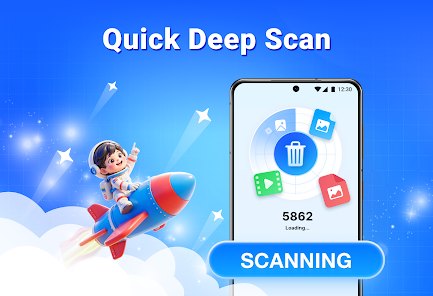
Scanning works in a fairly straightforward way. After granting the necessary storage permissions, you pick the file types you want to look for, such as photos, videos, documents, or audio, and then start a scan of the device's internal memory or an SD card. Results appear in a list with previews, and from there you can select individual items to recover. In my own use, the initial scan felt quick enough on a mid-range phone, though deep scans took noticeably longer. Restored files are usually saved to a separate folder so they don't interfere with existing data, which is a sensible design choice for anyone worried about overwriting something important.
Data recovery apps as a category tend to fall into two rough groups: those aimed at advanced users with root access and technical know-how, and those built for people who just want a simple, guided process. This one clearly leans toward the second camp. Where some competing tools bury options in dense menus, the interface here stays close to a step-by-step flow. That said, the lighter approach also means fewer manual controls for anyone who wants to dig into scan settings or filter results in detail. In everyday terms, it feels more welcoming than more technical alternatives, but it also asks you to trust its defaults rather than tune everything yourself.
Key Functional Highlights
- Guided scan flow: Choosing file types before scanning keeps the process focused, so the result list is less cluttered than in tools that dump everything into one view. It feels tidy, though it does add a couple of extra taps before you see anything.
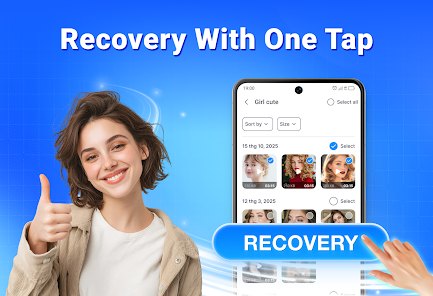
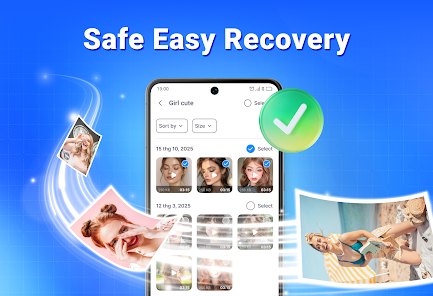
- Preview before recovery: Being able to check thumbnails and file details before committing to a restore is genuinely useful. On slower devices the previews can lag slightly, but the concept itself saves time and avoids recovering the wrong item.
- Storage location choice: Saved files go to a separate folder by default, and the app lets you target an SD card when one is present. This small detail matters when internal space is tight, and it compares well with similar apps that push everything into a single default directory.
- Simple navigation: Menus stay shallow, with most actions reachable from one or two screens. The trade-off is less granular control, but for basic recovery tasks the layout rarely gets in the way.
Advantages & Benefits
- Deleted photos and documents can often be brought back without connecting to a computer, which is handy when you're away from a desk.
- The preview step reduces guesswork, so you recover what you actually need instead of restoring everything blindly.
- Running the whole process on the phone keeps things simple for users who aren't comfortable with technical tools.
- Support for SD cards makes it practical on devices with limited internal storage.
Areas for Improvement
- Deep scans can take a while on older phones, and the progress display isn't always precise.
- The free version includes ads, and some recovery options sit behind in-app purchases.
- Results depend heavily on how much the deleted data has been overwritten, so success rates vary.
- Advanced filtering and manual scan settings are limited compared with more technical recovery tools.
Recommended Apps
![]()
ZEPETO: Avatar, Connect & Play
Naver Z Corporation4.3
![]()
Reverse Voice: Flip Singing
NindaFuit0![]()
AI Chat Ask Assistant - NowAI
Now Tech4.3![]()
Lie Detector Test: Prank App
DkTech inc.4.3![]()
Peachy - AI Face & Body Editor
InShot Video Editor4.8
![]()
AI Video Art Creator - Livensa
FERASET4.5![]()
Google Voice
Google LLC4.3![]()
Horoscopes & Tarot
Astrolis Horoscopes4.7![]()
eBay online shopping & selling
eBay Mobile4.6![]()
JPay
Jpay Mobile4.1![]()
Stranger Things 5 Challenges
MVH Entertainment Team5![]()
Chat Master: Prank Story
ABI Game Studio4.8![]()
Google Maps
Google LLC4.2![]()
AI Chat・Ask Chatbot Assistant
AI Chat Studio4.5![]()
Name Meanings with Impact
Alif Innovative Solution3.7















You May Like
-
![]()
True Tarot Card Reading
KaApps4.2 -
![]()
LinkedIn: Jobs & Business News
LinkedIn4.2 -
![]()
iControl: Easy Widgets Themes
Fancy keyboard for theme apps4.6 -
![]()
Duolingo: Language & Chess
Duolingo4.7 -
![]()
Flipped:Chat with AI Character
First Group pte ltd4.1 -
![]()
Hearing Age
Mobile Solutions Tech0 -
![]()
TikTok
TikTok Pte. Ltd.4.4 -
![]()
Pretty Makeup - Beauty Camera
Photo Editor Perfect Corp.4.4 -
![]()
PhotoRoom AI Photo Editor
PhotoRoom Background Editor App4.7 -
![]()
Lightleap by Lightricks
Lightricks Ltd.4.3 -
![]()
Name Meaning
Dexati4.1 -
![]()
Truth Social
T Media Tech LLC3.3 -
![]()
Ace Hardware
Ace Hardware Corporation4.7 -
![]()
Kpop Fans Demon Hunter Wallpap
JHNStudio4.3 -
![]()
Artplay - AI Photo & Video
Hideaway Technology Limited4.5











































