
AR Draw Sketch - Trace & Paint
MØ Studios
Installs
5K+
Developer
MØ Studios
-
Category
Art & Design
-
Content Rating
Everyone
Developer Email
Privacy Policy
https://sites.google.com/view/mostudios/privacy-policy
Screenshots
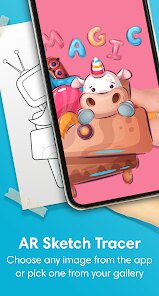
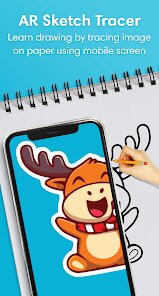
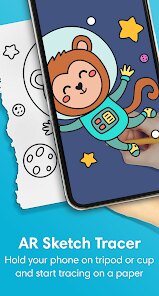
Expert Review
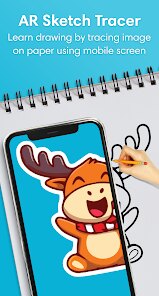
AR Draw Sketch - Trace & Paint is a mobile creativity tool available on Google Play that uses augmented reality to help users draw by projecting an image onto a real surface through the phone screen. When you first download and install the app, it asks for camera permission, which makes sense given how it functions. It is free to use but includes ads and offers in-app purchases for removing them or accessing extra features.
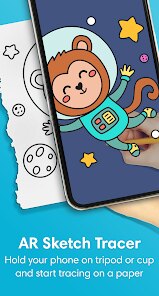
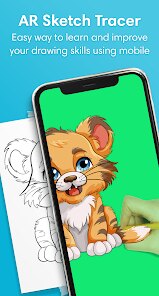
The core idea behind the app is simple: you choose a picture from the gallery or the built-in library, place your phone on a stand or prop it up, and then trace the outlines you see on the screen onto paper. In practice, this works reasonably well, though you do need a steady hand and decent lighting. The app overlays the selected image with adjustable transparency, so you can see both the digital lines and your physical drawing surface at the same time. It is not a fully automated solution, but rather a guided tracing tool for those who want help with proportions and shapes.
Compared to other drawing assist apps like SketchAR or Tracing Projector, this one focuses more on simplicity and a cleaner interface. SketchAR offers more advanced AI-based features, but can feel cluttered for someone who just wants a straightforward tracing experience. The MØ Studios app keeps things minimal, which is fine for basic use, but it lacks some of the refinement found in similar tools. I personally found the interface easy to navigate, though the limited image editing options inside the app were a bit disappointing.
Key Functional Highlights
- The lock-image feature helps keep the traced picture stable when you move the phone, which reduces frustration during longer drawing sessions. I found this useful for maintaining alignment without constantly readjusting the reference.
- Adjustable transparency is handled smoothly, letting you fade the image in or out without lag. This made it easier to focus on my own pencil strokes rather than being distracted by the overlay.
- Unlike some alternatives, the app does not include a community gallery or social sharing options. That is fine for focused work, but it does make the experience feel a bit isolated if you like seeing others creations.
- The built-in image library is decent but limited compared to what you can find in apps like Tracing Projector, which offers more categories and curated content for different skill levels.
Advantages & Benefits
- It helped me improve my sense of proportion without needing to freehand guess every line, which was a practical confidence boost for someone still learning.
- The app works well for quick sketches when I want to transfer an idea from a photo onto paper without spending too much time on planning the layout.
- I also used it occasionally to practice tracing complex patterns, and it handled fine details reasonably well as long as the original image had clear contrast.
Areas for Improvement
- Ads appear between tracing sessions and can be slightly distracting, especially when you are in the middle of focusing on a drawing. The paid removal option solves this, but it would be nice to have a cheaper one-time purchase.
- The app sometimes struggles with low-light environments, making the overlay harder to see clearly. A built-in brightness boost would help here.
- There is no undo button for accidental settings changes, so if you bump the transparency slider, you have to manually readjust it back, which is a small but noticeable inconvenience.
Recommended Apps
![]()
ZEPETO: Avatar, Connect & Play
Naver Z Corporation4.3
![]()
Reverse Voice: Flip Singing
NindaFuit0![]()
AI Chat Ask Assistant - NowAI
Now Tech4.3![]()
Lie Detector Test: Prank App
DkTech inc.4.3![]()
Peachy - AI Face & Body Editor
InShot Video Editor4.8
![]()
AI Video Art Creator - Livensa
FERASET4.5![]()
Google Voice
Google LLC4.3![]()
Horoscopes & Tarot
Astrolis Horoscopes4.7![]()
eBay online shopping & selling
eBay Mobile4.6![]()
JPay
Jpay Mobile4.1![]()
Stranger Things 5 Challenges
MVH Entertainment Team5![]()
Chat Master: Prank Story
ABI Game Studio4.8![]()
Google Maps
Google LLC4.2![]()
AI Chat・Ask Chatbot Assistant
AI Chat Studio4.5![]()
Name Meanings with Impact
Alif Innovative Solution3.7















You May Like
-
![]()
True Tarot Card Reading
KaApps4.2 -
![]()
LinkedIn: Jobs & Business News
LinkedIn4.2 -
![]()
iControl: Easy Widgets Themes
Fancy keyboard for theme apps4.6 -
![]()
Duolingo: Language & Chess
Duolingo4.7 -
![]()
Flipped:Chat with AI Character
First Group pte ltd4.1 -
![]()
Hearing Age
Mobile Solutions Tech0 -
![]()
TikTok
TikTok Pte. Ltd.4.4 -
![]()
Pretty Makeup - Beauty Camera
Photo Editor Perfect Corp.4.4 -
![]()
PhotoRoom AI Photo Editor
PhotoRoom Background Editor App4.7 -
![]()
Lightleap by Lightricks
Lightricks Ltd.4.3 -
![]()
Name Meaning
Dexati4.1 -
![]()
Truth Social
T Media Tech LLC3.3 -
![]()
Ace Hardware
Ace Hardware Corporation4.7 -
![]()
Kpop Fans Demon Hunter Wallpap
JHNStudio4.3 -
![]()
Artplay - AI Photo & Video
Hideaway Technology Limited4.5









































