
AR Drawing - Sketchar App
Braly JSC
Installs
10M+
Developer
Braly JSC
-
Category
Art & Design
-
Content Rating
Everyone
Developer Email
Privacy Policy
https://bralyvn.com/privacy-policy.php
Screenshots
Expert Review
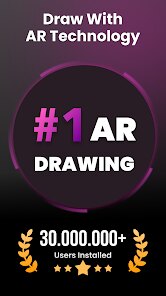
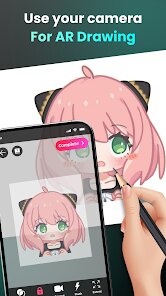
I've been using the AR Drawing - Sketchar app for a while now, and it's a pretty cool tool if you're into drawing or want to learn. Basically, it's an augmented reality drawing app that projects an image onto your paper or canvas through your phone's camera, so you can trace it. It's great for beginners who struggle with proportions or just want to create accurate sketches easily. The app first launched a few years back and you can find it on both the Google Play Store and the App Store. It has millions of downloads on Google Play, which shows how popular it is. You can download and install it for free, and you don't necessarily need to register right away to try some basic features. However, to get the full experience, you'll need to create an account. There are in-app purchases to unlock more tools and courses, and you might see some ads in the free version.
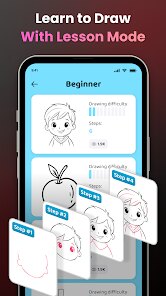
Using the app is straightforward. You pick an image from their library or upload your own photo, position your phone above your paper using a stand or just your hands, and the app overlays the outline. Then, you just follow the lines. A tip I found useful is to make sure your lighting is good so the AR projection is clear. Also, using a phone stand makes the process much smoother than trying to hold it still. The app also has regular drawing tutorials and challenges you can follow step-by-step without the AR, which is helpful for practicing freehand.
Compared to other learn-to-draw apps like 'How to Draw' or even just using YouTube tutorials, Sketchar's AR feature is its main draw (pun intended). Other apps show you a video or static images to copy, but having the guide projected in real space feels like a cheat code. It builds confidence quickly. I chose this app over others because that hands-on, guided tracing with AR is unique and directly addresses the frustration of 'where do I even start' on a blank page. While other apps teach theory, this one gets you putting pencil to paper immediately, which I really appreciate.
Key Functional Highlights
- 🎯 Augmented Reality Tracing: The core feature that sets it apart. It uses your phone's camera to project a chosen image onto your real-world paper, allowing for precise tracing and making complex sketches accessible to everyone.
- 🎯 Structured Learning Paths: Beyond just tracing, the app offers step-by-step drawing courses and daily challenges that teach fundamental skills, helping you progress from simply copying to understanding form and technique.
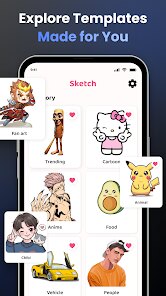
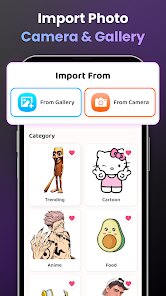
- 🎯 Vast & Customizable Library: You get access to a huge collection of images and templates within the app to trace, or you can upload any photo from your gallery to turn into a sketch outline, offering endless possibilities.
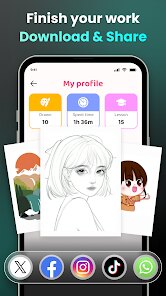
- 🎯 Progress Tracking & Community: The app lets you save your drawings in a personal portfolio to track improvement and share your work within the app's community for feedback and inspiration.
Advantages & Benefits
- ✅ Unique AR Approach: Unlike tutorial apps like 'Learn Drawing' which rely on observation, Sketchar's AR provides direct, hands-on guidance, drastically lowering the barrier to entry for absolute beginners.
- ✅ Immediate Gratification: It allows users to create surprisingly accurate drawings from day one, which is a huge motivator compared to more traditional, slower-paced learning methods found in other apps.
- ✅ All-in-One Platform: It combines a tracing tool, drawing lessons, and a social platform, whereas you might need multiple other apps to get this combination of features.
Areas for Improvement
- ⚠️ Hardware Dependency: The AR feature requires a stable phone mount and good lighting to work well. This can be finicky compared to a simple tutorial app like 'Drawing Desk' that works consistently in any setting.
- ⚠️ Freemium Limitations: The free version is quite restricted. Key tools, many courses, and the removal of ads are locked behind a subscription, which can feel necessary to fully enjoy the app.
- ⚠️ Skill Translation: Some argue that heavy reliance on tracing might not build freehand drawing skills as effectively as observational practice promoted by apps like 'ShadowDraw.'
Recommended Apps
![]()
ZEPETO: Avatar, Connect & Play
Naver Z Corporation4.3
![]()
Reverse Voice: Flip Singing
NindaFuit0![]()
AI Chat Ask Assistant - NowAI
Now Tech4.3![]()
Lie Detector Test: Prank App
DkTech inc.4.3![]()
Peachy - AI Face & Body Editor
InShot Video Editor4.8
![]()
AI Video Art Creator - Livensa
FERASET4.5![]()
Google Voice
Google LLC4.3![]()
Horoscopes & Tarot
Astrolis Horoscopes4.7![]()
eBay online shopping & selling
eBay Mobile4.6![]()
JPay
Jpay Mobile4.1![]()
Stranger Things 5 Challenges
MVH Entertainment Team5![]()
Chat Master: Prank Story
ABI Game Studio4.8![]()
Google Maps
Google LLC4.2![]()
AI Chat・Ask Chatbot Assistant
AI Chat Studio4.5![]()
Name Meanings with Impact
Alif Innovative Solution3.7















You May Like
-
![]()
True Tarot Card Reading
KaApps4.2 -
![]()
LinkedIn: Jobs & Business News
LinkedIn4.2 -
![]()
iControl: Easy Widgets Themes
Fancy keyboard for theme apps4.6 -
![]()
Duolingo: Language & Chess
Duolingo4.7 -
![]()
Flipped:Chat with AI Character
First Group pte ltd4.1 -
![]()
Hearing Age
Mobile Solutions Tech0 -
![]()
TikTok
TikTok Pte. Ltd.4.4 -
![]()
Pretty Makeup - Beauty Camera
Photo Editor Perfect Corp.4.4 -
![]()
PhotoRoom AI Photo Editor
PhotoRoom Background Editor App4.7 -
![]()
Lightleap by Lightricks
Lightricks Ltd.4.3 -
![]()
Name Meaning
Dexati4.1 -
![]()
Truth Social
T Media Tech LLC3.3 -
![]()
Ace Hardware
Ace Hardware Corporation4.7 -
![]()
Kpop Fans Demon Hunter Wallpap
JHNStudio4.3 -
![]()
Artplay - AI Photo & Video
Hideaway Technology Limited4.5












































