
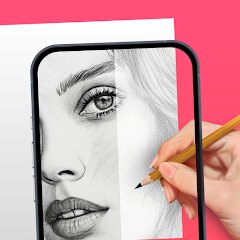
AR Drawing: Sketch & Paint
AR Drawing
Installs
10M+
Developer
AR Drawing
-
Category
Art & Design
-
Content Rating
Everyone
Developer Email
Privacy Policy
https://ar-drawing.com/privacy/
Screenshots
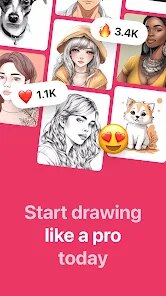
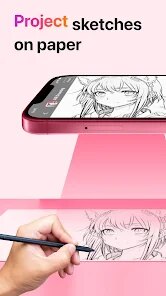
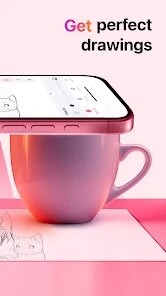

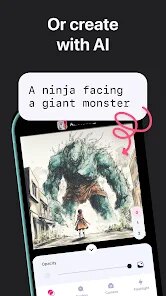
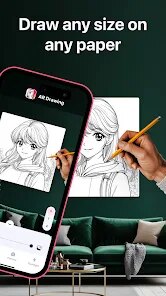
Expert Review
I've been using AR Drawing: Sketch & Paint for a few months now, and it's honestly changed how I approach drawing. This app falls into the art and design genre, and its main purpose is to help you sketch or paint by projecting a reference image onto your paper or canvas using your phone's camera. It's like having a digital tracing guide in real life. I first heard about it when it popped up on the Google Play Store. The app is free to download and install, and it has a huge number of installs, which gave me some confidence to try it. You don't need to register to start using it, which is great for just jumping in. There are some in-app purchases to unlock more tools and features, and you'll see occasional ads in the free version, but they aren't too intrusive.
Using the app is pretty straightforward. You pick an image from your gallery or take a photo, position your phone above your drawing surface, and the app overlays the image. Then, you just trace what you see. A handy tip is to make sure your room is well-lit so the camera can track the paper properly. I also found that using a simple phone holder or tripod makes a world of difference, as holding the phone steady by hand can get tiring. The app lets you adjust the opacity and size of the projected image, which is super useful for getting the outlines just right before you start with details.
When I was looking for a drawing aid app, I also checked out similar ones like 'SketchAR' and 'Tracing Projector'. A lot of people use SketchAR, but I ended up sticking with AR Drawing. For me, the main reason was its simplicity and reliability. The interface felt less cluttered, and it just worked more consistently on my phone. While other apps sometimes had fancier features, I found this one to be more stable during long drawing sessions. It does exactly what I need without overcomplicating things, which is perfect for a hobbyist like me who just wants to relax and draw.
Key Functional Highlights
- 🎯 Live AR Projection: The core feature is the live augmented reality projection. Unlike some apps that just show a static overlay, this one actively tracks your paper. You can move your phone around, and the projected image stays locked in place on your surface, making it much easier to work on larger drawings section by section.
- 🛠️ Solid Basic Toolset: For a free app, it gives you a good set of basic tools right after you install it. You get adjustable brush sizes, an eraser, and a color picker. While apps like Adobe Fresco have more advanced brushes, this app's tools are perfectly tuned for its tracing and sketching purpose.
- 📁 Easy Import & Library: Getting your reference images into the app is a breeze. You can import directly from your gallery, take a photo with the camera, or even use some of the simple practice templates included. Compared to other drawing apps with complex file systems, this one keeps the workflow simple and fast.
Advantages & Benefits
- 👍 Stability is Key: It rarely crashes or glitches during use. I've tried apps like 'Tracing Projector' that would sometimes lose tracking or freeze, but this app has been rock solid, which is crucial when you're in the middle of a detailed sketch.
- 👍 Truly Free to Start: You can download and use the core tracing function without paying anything. Some competitors, like SketchAR, lock essential features behind a paywall much sooner. This app lets you properly test if the AR method works for you.
- 👍 Minimal Learning Curve: The interface is intuitive. Within minutes of installing the app, I was already projecting and drawing. Other apps in this genre can have confusing menus, but this one gets you creating quickly.
Areas for Improvement
- 👎 Limited Creative Tools: As a dedicated tracing aid, it lacks the deep creative toolset of a full drawing app like Procreate or Infinite Painter. You can't do complex digital painting or layering here; it's strictly for guiding physical drawings.
- 👎 Ads in Free Version: The occasional ad pop-ups can interrupt your flow. While not excessive, it's a noticeable difference compared to premium, ad-free apps you might purchase.
- 👎 Dependent on Hardware: The experience heavily relies on your phone's camera quality and processor. On older devices, the AR tracking might be less smooth compared to the performance on newer phones.
Recommended Apps
![]()
ZEPETO: Avatar, Connect & Play
Naver Z Corporation4.3
![]()
Reverse Voice: Flip Singing
NindaFuit0![]()
AI Chat Ask Assistant - NowAI
Now Tech4.3![]()
Lie Detector Test: Prank App
DkTech inc.4.3![]()
Peachy - AI Face & Body Editor
InShot Video Editor4.8
![]()
AI Video Art Creator - Livensa
FERASET4.5![]()
Google Voice
Google LLC4.3![]()
Horoscopes & Tarot
Astrolis Horoscopes4.7![]()
eBay online shopping & selling
eBay Mobile4.6![]()
JPay
Jpay Mobile4.1![]()
Stranger Things 5 Challenges
MVH Entertainment Team5![]()
Chat Master: Prank Story
ABI Game Studio4.8![]()
Google Maps
Google LLC4.2![]()
AI Chat・Ask Chatbot Assistant
AI Chat Studio4.5![]()
Name Meanings with Impact
Alif Innovative Solution3.7















You May Like
-
![]()
True Tarot Card Reading
KaApps4.2 -
![]()
LinkedIn: Jobs & Business News
LinkedIn4.2 -
![]()
iControl: Easy Widgets Themes
Fancy keyboard for theme apps4.6 -
![]()
Duolingo: Language & Chess
Duolingo4.7 -
![]()
Flipped:Chat with AI Character
First Group pte ltd4.1 -
![]()
Hearing Age
Mobile Solutions Tech0 -
![]()
TikTok
TikTok Pte. Ltd.4.4 -
![]()
Pretty Makeup - Beauty Camera
Photo Editor Perfect Corp.4.4 -
![]()
PhotoRoom AI Photo Editor
PhotoRoom Background Editor App4.7 -
![]()
Lightleap by Lightricks
Lightricks Ltd.4.3 -
![]()
Name Meaning
Dexati4.1 -
![]()
Truth Social
T Media Tech LLC3.3 -
![]()
Ace Hardware
Ace Hardware Corporation4.7 -
![]()
Kpop Fans Demon Hunter Wallpap
JHNStudio4.3 -
![]()
Artplay - AI Photo & Video
Hideaway Technology Limited4.5










































