
Weather Radar & Weather Live
Avn Global Application
Installs
1M+
Developer
Avn Global Application
-
Category
Productivity
-
Content Rating
Everyone
Developer Email
Privacy Policy
https://sites.google.com/view/weatherradarmaplive/home
Screenshots
Expert Review
For those who like to stay ahead of changing conditions, Weather Radar & Weather Live offers a straightforward way to track precipitation and forecasts on a mobile device. Developed by Avn Global Application, this weather tool is available for free download through Google Play, where it has accumulated a moderate number of installations. The app provides real-time radar imagery, hourly and weekly outlooks, and various atmospheric data points. While the core functionality is accessible without payment, users will encounter advertisements during normal use, and there are optional in-app purchases available to remove those ads or unlock additional features.
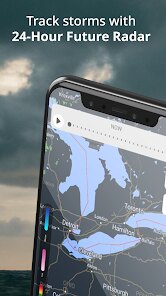
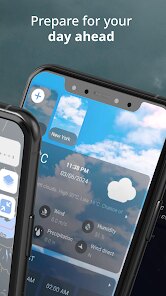
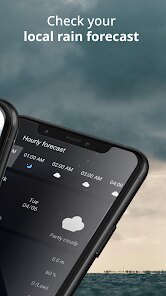
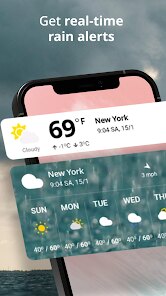
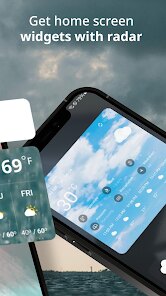
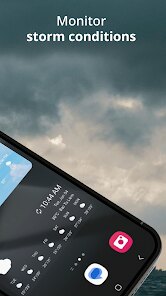
Opening the app presents a clean interface centered on an interactive radar map, which displays current rain, snow, and cloud movement across your chosen region. You can pinch to zoom, tap on specific locations for detailed readings, or switch between different map layers like satellite view or temperature overlays. Swiping upward from the bottom reveals a detailed breakdown of the coming days, including wind speed, humidity levels, and UV index. During my own testing, I found the radar updates felt reasonably responsive, usually reflecting changes within a few minutes. The app also sends severe weather alerts automatically, which is useful for planning around sudden storms without having to manually refresh the data.
Compared to mainstream options like AccuWeather or The Weather Channel, this app focuses more heavily on the visual radar experience rather than extended articles or lifestyle tips. The interface feels slightly less polished in terms of smooth animations, but the radar data itself remains clear and functional. Another difference is the ad frequency — free versions of bigger apps tend to show fewer interruptions, whereas here you may encounter a banner or full-screen ad after switching screens. That trade-off is understandable given the app is free, but it is worth noting if you prefer an uninterrupted browsing experience. For someone who primarily needs a quick look at approaching rain without extra fluff, this app strikes a reasonable balance between simplicity and useful detail.
Key Functional Highlights
- The live radar map updates at a reliable pace, making it easy to track whether a storm is moving toward your location. I noticed that during light drizzle, the animation sometimes lagged by a minute or two, but for heavier precipitation it stayed accurate enough for practical decisions.
- Weather alerts are delivered directly as notifications, which is a feature I appreciate for early morning planning. The alerts include basic information like timing and severity, though they lack the detailed breakdowns found in more premium apps like WeatherBug.
- Temperature and humidity readings are displayed clearly on the main screen without requiring extra taps. This simplicity works well when you just want a quick glance before heading out, though users who want hourly wind gust predictions may need to scroll a bit deeper.
Advantages & Benefits
- Checking the radar before a commute helps avoid getting caught in sudden rain without needing to open a separate weather site.
- The free access means you can test the app thoroughly before deciding whether to purchase the ad-free version.
- Severe weather notifications arrive promptly, giving you time to adjust plans when conditions turn dangerous.
Areas for Improvement
- Advertisements appear frequently, especially when switching between sections, which can disrupt the flow of checking multiple data points.
- The radar animation occasionally stutters during zoom transitions, making it feel less fluid than some competing weather apps.
- Extended forecasts beyond seven days are not available, so long-range planners may need a supplementary tool for that information.
Recommended Apps
![]()
ZEPETO: Avatar, Connect & Play
Naver Z Corporation4.3
![]()
Reverse Voice: Flip Singing
NindaFuit0![]()
AI Chat Ask Assistant - NowAI
Now Tech4.3![]()
Lie Detector Test: Prank App
DkTech inc.4.3![]()
Peachy - AI Face & Body Editor
InShot Video Editor4.8
![]()
AI Video Art Creator - Livensa
FERASET4.5![]()
Google Voice
Google LLC4.3![]()
Horoscopes & Tarot
Astrolis Horoscopes4.7![]()
eBay online shopping & selling
eBay Mobile4.6![]()
JPay
Jpay Mobile4.1![]()
Stranger Things 5 Challenges
MVH Entertainment Team5![]()
Chat Master: Prank Story
ABI Game Studio4.8![]()
Google Maps
Google LLC4.2![]()
AI Chat・Ask Chatbot Assistant
AI Chat Studio4.5![]()
Name Meanings with Impact
Alif Innovative Solution3.7















You May Like
-
![]()
True Tarot Card Reading
KaApps4.2 -
![]()
LinkedIn: Jobs & Business News
LinkedIn4.2 -
![]()
iControl: Easy Widgets Themes
Fancy keyboard for theme apps4.6 -
![]()
Duolingo: Language & Chess
Duolingo4.7 -
![]()
Flipped:Chat with AI Character
First Group pte ltd4.1 -
![]()
Hearing Age
Mobile Solutions Tech0 -
![]()
TikTok
TikTok Pte. Ltd.4.4 -
![]()
Pretty Makeup - Beauty Camera
Photo Editor Perfect Corp.4.4 -
![]()
PhotoRoom AI Photo Editor
PhotoRoom Background Editor App4.7 -
![]()
Lightleap by Lightricks
Lightricks Ltd.4.3 -
![]()
Name Meaning
Dexati4.1 -
![]()
Truth Social
T Media Tech LLC3.3 -
![]()
Ace Hardware
Ace Hardware Corporation4.7 -
![]()
Kpop Fans Demon Hunter Wallpap
JHNStudio4.3 -
![]()
Artplay - AI Photo & Video
Hideaway Technology Limited4.5











































