
Photo Collage - Pic Grid Maker
Magic Photo Collage & Photo Editor - CollageArt
Installs
10M+
Developer
Magic Photo Collage & Photo Editor - CollageArt
-
Category
Video Players & Editors
-
Content Rating
Rated for 3+
Developer Email
Privacy Policy
https://photocollage.github.io/privacy_policy.html
Screenshots

Expert Review
I've been using Photo Collage - Pic Grid Maker for a while now, and it's become my go-to app for putting together quick photo grids and collages. It's a photo editing and collage-making app that lets you combine multiple pictures into a single layout. The app is available for free download on the Google Play Store. I first installed it a couple of years ago, and it's had several updates since then. It doesn't require you to register or create an account to start using it, which I really appreciate. You can just download it and jump right in. The app itself is free, but like many apps, it shows ads and offers in-app purchases to unlock more features or remove the ads.
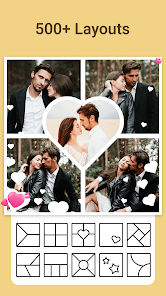
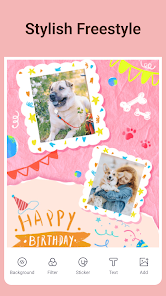
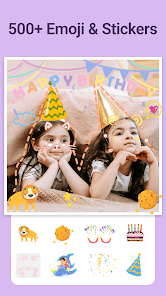
Using the app is pretty straightforward. After you install it, you open it up and choose the 'Collage' option. It then lets you pick photos from your gallery and select a grid layout. There are tons of layouts, from simple two-photo splits to more complex grids with many boxes. Once your photos are in place, you can adjust the borders, add backgrounds, or throw on some stickers and text. A good tip is to play with the spacing and corner rounding – a small adjustment there can make your collage look much cleaner. I use it mostly for sharing fun moments with friends on social media or creating a nice header for my personal blog.
When I was looking for a collage app on Google Play, I tried a few others like Canva and PicCollage. They're great, but I stuck with Photo Collage - Pic Grid Maker because it feels faster for simple grid collages. Canva has more design tools, which is awesome for posters, but it can feel overwhelming when I just want to slap four vacation photos together. This app gets me to the finish line quicker. The interface is less cluttered for the basic task of making a photo grid, which is what I need most of the time. So, for quick, no-fuss collage making, this is the app I keep on my phone.
Key Functional Highlights
- 🖼️ Massive Template Library: Right after you download and install the app, you get access to a huge collection of grid layouts and collage frames. Compared to a popular app like Layout from Instagram, which offers a limited set of grids, this app provides way more variety in shapes and photo arrangements, from classic grids to funky puzzle-style layouts.
- ✂️ One-Tap Background Removal: This is a standout feature I haven't seen as easily in other basic collage apps. You can automatically remove the background from a photo with a single tap, which is perfect for creating stickers or placing a subject onto a new backdrop within your collage. It's surprisingly effective for a free tool.
- 🎨 Integrated Basic Editor: You don't need to jump to another app for quick fixes. Before placing a photo in your grid, you can crop, rotate, adjust brightness, or apply filters right inside the app. This all-in-one approach saves time compared to using a separate photo editor before moving to a collage maker.
- 📱 Lightweight and Fast: The app is relatively small to download and runs smoothly even on older phones. Compared to some heavier, all-in-one photo editing suites, this app launches quickly and lets you create and export a collage in just a few minutes, which is its main appeal.
Advantages & Benefits
- ✅ Simplicity for Core Task: For making standard photo grids, it's more direct and has more layout options than Instagram's Layout or the basic collage feature in Google Photos.
- ✅ Truly Free to Start: You can download, install, and create full collages without any mandatory paywall, unlike some apps that lock basic templates.
- ✅ No Account Needed: You can use the app immediately after install without signing up, offering more privacy than apps like Canva which require an account.
Areas for Improvement
- ❌ Persistent Ads: The free version has quite intrusive video and banner ads, more so than in PicCollage. They can disrupt the workflow.
- ❌ Watermarks on Export: Free exports often include a app watermark, a limitation not found in rivals like Layout.
- ❌ Limited Advanced Tools: For text and graphic overlays, it's much simpler and less customizable than in Canva or Adobe Express.
Recommended Apps
![]()
ZEPETO: Avatar, Connect & Play
Naver Z Corporation4.3
![]()
Reverse Voice: Flip Singing
NindaFuit0![]()
AI Chat Ask Assistant - NowAI
Now Tech4.3![]()
Lie Detector Test: Prank App
DkTech inc.4.3![]()
Peachy - AI Face & Body Editor
InShot Video Editor4.8
![]()
AI Video Art Creator - Livensa
FERASET4.5![]()
Google Voice
Google LLC4.3![]()
Horoscopes & Tarot
Astrolis Horoscopes4.7![]()
eBay online shopping & selling
eBay Mobile4.6![]()
JPay
Jpay Mobile4.1![]()
Stranger Things 5 Challenges
MVH Entertainment Team5![]()
Chat Master: Prank Story
ABI Game Studio4.8![]()
Google Maps
Google LLC4.2![]()
AI Chat・Ask Chatbot Assistant
AI Chat Studio4.5![]()
Name Meanings with Impact
Alif Innovative Solution3.7















You May Like
-
![]()
True Tarot Card Reading
KaApps4.2 -
![]()
LinkedIn: Jobs & Business News
LinkedIn4.2 -
![]()
iControl: Easy Widgets Themes
Fancy keyboard for theme apps4.6 -
![]()
Duolingo: Language & Chess
Duolingo4.7 -
![]()
Flipped:Chat with AI Character
First Group pte ltd4.1 -
![]()
Hearing Age
Mobile Solutions Tech0 -
![]()
TikTok
TikTok Pte. Ltd.4.4 -
![]()
Pretty Makeup - Beauty Camera
Photo Editor Perfect Corp.4.4 -
![]()
PhotoRoom AI Photo Editor
PhotoRoom Background Editor App4.7 -
![]()
Lightleap by Lightricks
Lightricks Ltd.4.3 -
![]()
Name Meaning
Dexati4.1 -
![]()
Truth Social
T Media Tech LLC3.3 -
![]()
Ace Hardware
Ace Hardware Corporation4.7 -
![]()
Kpop Fans Demon Hunter Wallpap
JHNStudio4.3 -
![]()
Artplay - AI Photo & Video
Hideaway Technology Limited4.5











































