
Wave Live Wallpapers Maker 3D
Live Wallpapers by Wave Studio
Installs
50M+
Developer
Live Wallpapers by Wave Studio
-
Category
Productivity
-
Content Rating
Rated for 7+
Developer Email
Privacy Policy
https://www.livewallpapers.com/privacy-policy.html
Screenshots
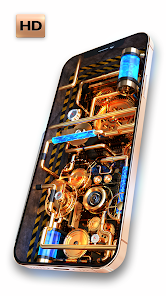
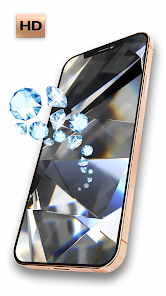
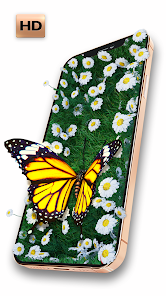
Expert Review
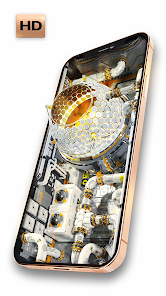
I've been using Wave Live Wallpapers Maker 3D for a while now to customize my phone's home screen, and it's a fantastic app in the live wallpaper genre. It lets you create these beautiful, flowing 3D wave animations right on your device. The app was first launched a few years back, and you can easily find and download it from the Google Play Store. It's got a solid number of installs, which shows how popular it is. The best part is that the core app is free to download and install, and you don't even need to register an account to start using it. Of course, like many free apps, it does have some in-app ads and offers optional purchases to unlock more features or remove the ads.
Using the app is pretty straightforward. After you install it, you open it up and you're greeted with a simple interface. You can tweak all sorts of settings for your wave – the color, speed, height, even the lighting and background. I like to play around with the gradient colors to match my phone's theme. A good tip is to preview the wallpaper in the app before setting it, as it can look a bit different in motion on your actual home screen. You can also adjust the performance settings if you notice any battery drain, which is a handy feature.
There are other live wallpaper apps out there, like KLWP or 3D Parallax Wallpaper, but I keep coming back to this one. KLWP is incredibly powerful but has a steep learning curve; it feels more like a design tool. Wave Live Wallpapers Maker 3D, on the other hand, is just fun and immediate. You get beautiful, hypnotic results without needing a tutorial. Compared to many simpler live wallpaper apps on Google Play that just offer static galleries, this one gives you creative control. That's why I chose it – it strikes the perfect balance between being easy to use and letting me personalize something truly unique for my phone.
Key Functional Highlights
- 🎨 Endless Customization: Unlike many pre-made wallpaper apps, this one puts you in the driver's seat. You control every aspect of your 3D wave, from its core color and ripple speed to the ambient light and even the background image or color behind the animation.
- ⚡ Real-Time Preview & Easy Apply: The app shows you a live preview of your creation as you adjust the sliders. Once you're happy, setting it as your wallpaper is just one tap away. It integrates directly with Android's wallpaper setting, making the whole process from download to install to final setup very smooth.
- 📱 Performance Conscious: It includes settings to limit frame rate and adjust quality. This is a standout feature compared to some other live wallpaper apps that can be battery hogs. You can tailor the app's performance to suit your device.
- 🌊 Pure 3D Wave Focus: While an app like '3D Parallax Wallpaper' might offer various effects, this app specializes in the wave simulation. It does one thing and does it exceptionally well, resulting in more realistic and fluid animations.
Advantages & Benefits
- 👍 Intuitive Design: The interface is clean and the controls are logical. You don't need to be a tech wizard to make something stunning, which isn't always the case with creative apps like KLWP.
- 👍 Truly Live Creation: It's not just a gallery. The act of making the wallpaper is part of the fun and a key strength over static wallpaper apps or even other live wallpaper apps with limited editing.
- 👍 Lightweight Core: The free version is fully functional for creating and using wallpapers. The ads are relatively unobtrusive compared to some other free apps on Google Play.
Areas for Improvement
- 👎 Ads in Free Version: The presence of ads, while common, can interrupt the creative flow. Some similar free apps might have a different ad placement strategy.
- 👎 Limited Effect Variety: If you want fire, smoke, or particle effects, you'll need a different app. It's strictly for wave/fluid simulations, whereas something like 'Particle Flow' offers a different type of animation.
- 👎 Premium Features Locked: Advanced color gradients and some premium wave styles require the in-app purchase. Other apps might offer a wider base set of effects for free.
Recommended Apps
![]()
ZEPETO: Avatar, Connect & Play
Naver Z Corporation4.3
![]()
Reverse Voice: Flip Singing
NindaFuit0![]()
AI Chat Ask Assistant - NowAI
Now Tech4.3![]()
Lie Detector Test: Prank App
DkTech inc.4.3![]()
Peachy - AI Face & Body Editor
InShot Video Editor4.8
![]()
AI Video Art Creator - Livensa
FERASET4.5![]()
Google Voice
Google LLC4.3![]()
Horoscopes & Tarot
Astrolis Horoscopes4.7![]()
eBay online shopping & selling
eBay Mobile4.6![]()
JPay
Jpay Mobile4.1![]()
Stranger Things 5 Challenges
MVH Entertainment Team5![]()
Chat Master: Prank Story
ABI Game Studio4.8![]()
Google Maps
Google LLC4.2![]()
AI Chat・Ask Chatbot Assistant
AI Chat Studio4.5![]()
Name Meanings with Impact
Alif Innovative Solution3.7















You May Like
-
![]()
True Tarot Card Reading
KaApps4.2 -
![]()
LinkedIn: Jobs & Business News
LinkedIn4.2 -
![]()
iControl: Easy Widgets Themes
Fancy keyboard for theme apps4.6 -
![]()
Duolingo: Language & Chess
Duolingo4.7 -
![]()
Flipped:Chat with AI Character
First Group pte ltd4.1 -
![]()
Hearing Age
Mobile Solutions Tech0 -
![]()
TikTok
TikTok Pte. Ltd.4.4 -
![]()
Pretty Makeup - Beauty Camera
Photo Editor Perfect Corp.4.4 -
![]()
PhotoRoom AI Photo Editor
PhotoRoom Background Editor App4.7 -
![]()
Lightleap by Lightricks
Lightricks Ltd.4.3 -
![]()
Name Meaning
Dexati4.1 -
![]()
Truth Social
T Media Tech LLC3.3 -
![]()
Ace Hardware
Ace Hardware Corporation4.7 -
![]()
Kpop Fans Demon Hunter Wallpap
JHNStudio4.3 -
![]()
Artplay - AI Photo & Video
Hideaway Technology Limited4.5










































