
Microsoft Edge: Browse with AI
Microsoft Corporation
Installs
50,000,000+
Developer
Microsoft Corporation
-
Category
Social
-
Content Rating
Rated for 3+
Developer Email
Privacy Policy
https://go.microsoft.com/fwlink/?LinkId=521839
Screenshots
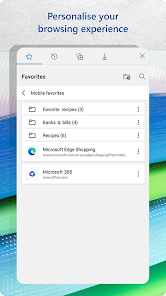
Expert Review
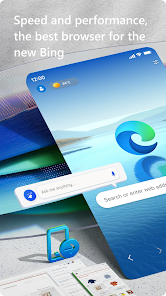
Microsoft Edge is a web browser developed by Microsoft, designed to be a fast, secure, and productive tool for navigating the internet. Launched in 2015, it's now the default browser on Windows and is also available for download on macOS, iOS, and Android. You can easily get it from the Google Play Store or the Apple App Store, and it has been installed by hundreds of millions of users globally. The app is completely free to download and use. While you can sign in with a Microsoft account to sync your data across devices, registration isn't mandatory for basic browsing. The browser itself doesn't have disruptive in-app purchases, but you might encounter optional services or promotions. It does show some ads, primarily through its sponsored new tab page, but these are generally non-intrusive compared to many other free apps.
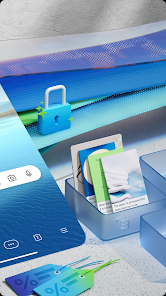
Using Microsoft Edge feels smooth and intuitive. I often start my day by opening the app and checking my personalized news feed on the new tab page. A great tip is to use the vertical tabs feature for managing many open websites—it keeps everything tidy. The built-in Collections tool is perfect for research; I just drag and drop links, text, and images into a collection to organize my thoughts. Don't forget to explore the Read Aloud function, which is fantastic for listening to long articles. For the best experience, I recommend enabling the sleeping tabs feature to save battery and memory on your device.
Compared to other browsers like Chrome or Firefox, I keep coming back to Edge for a few reasons. While Chrome has a massive extension library, Edge can use most of those same extensions, which is a huge plus. Its performance, especially on Windows, often feels snappier and uses less RAM than Chrome, which is important for my older laptop. Firefox is great for privacy, but Edge's integrated features like Collections and the PDF reader with annotation tools fit my workflow better for both work and casual browsing. The decision to stick with this app came down to its excellent balance of speed, useful built-in tools, and deep integration with the Windows ecosystem I use daily.
Key Functional Highlights
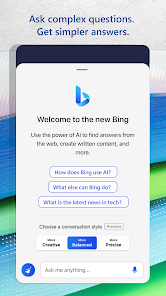
- 🔍 Integrated AI Copilot: This is the standout feature. A sidebar AI assistant can summarize articles, answer questions about the page you're on, help compose emails, or even generate images, all without leaving the app window.
- 📚 Superior PDF and Reading Tools: Unlike many browsers, Edge has a full-featured PDF reader built right in. You can highlight text, add notes, draw, and fill out forms directly within the app, which eliminates the need for a separate PDF app.
- 💤 Efficiency Features like Sleeping Tabs: The browser automatically puts inactive tabs to 'sleep' to free up system resources and battery life. This gives it a practical edge over similar apps that can slow down your device when you have many tabs open.
- 🔄 Seamless Cross-Device Sync: When signed in, your history, passwords, open tabs, and Collections sync instantly across your phone, tablet, and computer. It creates a more connected experience than some competitors offer out-of-the-box.
Advantages & Benefits
- ✅ Performance & Resource Use: It's generally lighter and faster than Google Chrome, especially on Windows, making it a great choice for devices with limited RAM.
- ✅ Unique Built-in Tools: Features like Collections, vertical tabs, and the immersive reader aren't just add-ons; they're core, polished parts of the app that competitors like Firefox or Opera don't match in integration.
- ✅ Chrome Extension Compatibility: You can install almost any extension from the Chrome Web Store, giving you the vast library of Chrome without having to use Chrome itself.
Areas for Improvement
- ❌ Privacy Concerns: As a Microsoft product, its data collection practices can be a turn-off for users who prioritize extreme privacy, an area where browsers like Brave or Firefox Focus are stronger.
- ❌ Occasional 'Bloat': The push to integrate with other Microsoft services (like Bing Chat/Copilot) can make the interface feel cluttered compared to the minimalist design of apps like Safari or Vivaldi.
- ❌ Platform Bias: While it works on all platforms, the experience is undoubtedly best on Windows. Some features are limited or behave differently on macOS or mobile, unlike the more consistent cross-platform experience of Chrome.
Recommended Apps
![]()
ZEPETO: Avatar, Connect & Play
Naver Z Corporation4.3
![]()
Reverse Voice: Flip Singing
NindaFuit0![]()
AI Chat Ask Assistant - NowAI
Now Tech4.3![]()
Lie Detector Test: Prank App
DkTech inc.4.3![]()
Peachy - AI Face & Body Editor
InShot Video Editor4.8
![]()
AI Video Art Creator - Livensa
FERASET4.5![]()
Google Voice
Google LLC4.3![]()
Horoscopes & Tarot
Astrolis Horoscopes4.7![]()
eBay online shopping & selling
eBay Mobile4.6![]()
JPay
Jpay Mobile4.1![]()
Stranger Things 5 Challenges
MVH Entertainment Team5![]()
Chat Master: Prank Story
ABI Game Studio4.8![]()
Google Maps
Google LLC4.2![]()
AI Chat・Ask Chatbot Assistant
AI Chat Studio4.5![]()
Name Meanings with Impact
Alif Innovative Solution3.7















You May Like
-
![]()
True Tarot Card Reading
KaApps4.2 -
![]()
LinkedIn: Jobs & Business News
LinkedIn4.2 -
![]()
iControl: Easy Widgets Themes
Fancy keyboard for theme apps4.6 -
![]()
Duolingo: Language & Chess
Duolingo4.7 -
![]()
Flipped:Chat with AI Character
First Group pte ltd4.1 -
![]()
Hearing Age
Mobile Solutions Tech0 -
![]()
TikTok
TikTok Pte. Ltd.4.4 -
![]()
Pretty Makeup - Beauty Camera
Photo Editor Perfect Corp.4.4 -
![]()
PhotoRoom AI Photo Editor
PhotoRoom Background Editor App4.7 -
![]()
Lightleap by Lightricks
Lightricks Ltd.4.3 -
![]()
Name Meaning
Dexati4.1 -
![]()
Truth Social
T Media Tech LLC3.3 -
![]()
Ace Hardware
Ace Hardware Corporation4.7 -
![]()
Kpop Fans Demon Hunter Wallpap
JHNStudio4.3 -
![]()
Artplay - AI Photo & Video
Hideaway Technology Limited4.5










































