

Mivo: Face swap video bride
Mivo studio
Installs
50M+
Developer
Mivo studio
-
Category
Video Players & Editors
-
Content Rating
Rated for 12+
Developer Email
Privacy Policy
https://res.wiseoel.com/aboutus/policy/policy.vidos.html
Screenshots

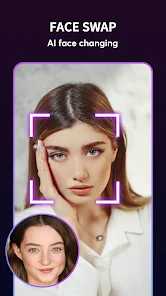
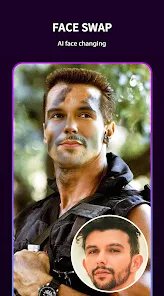
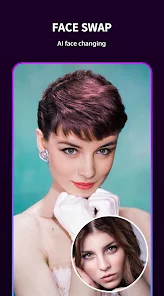
Expert Review
I've been using Mivo for a while now, and it's honestly one of the most entertaining face swap apps out there. The app, developed by Mivo Studio, is all about creating hilarious and sometimes surprisingly realistic face swap videos. You can swap faces in photos, but the real fun is in videos, especially with their popular 'bride' and other themed templates. I first downloaded it from the Google Play Store a couple of years ago, and it's been a go-to for making funny clips to share with friends. The app is free to download and install, and you can start using it right away without needing to register an account, which is super convenient. It has millions of downloads on the Play Store, which shows how popular it is. Just be aware that like many free apps, it does show ads, and there are optional in-app purchases if you want to remove watermarks or access premium filters.
Using the app is pretty straightforward. You just pick a video template or upload your own, select the faces you want to swap, and let the app do its magic. The processing is usually quick. A good tip is to use well-lit photos with clear front-facing faces for the best results. Sometimes the swap can look a bit off if the lighting or angles don't match, but that's part of the charm and often makes the videos even funnier. I mostly use it for quick laughs, creating silly videos where I put a friend's face on a dancing character or use the bride template for a playful joke.
There are other face swap apps like Reface and FaceApp, but I keep coming back to Mivo. Why? For one, it feels less complicated. Some apps have too many features and a cluttered interface. Mivo gets straight to the point: pick a fun template and swap. The 'bride' genre of videos is a signature thing for this app, and they have a ton of other trendy templates that are updated regularly. Also, the fact that I don't need to sign up is a big plus for privacy and simplicity. While FaceApp might have more advanced editing, Mivo is perfect for when you just want to create something funny and share it in minutes without any fuss.
Key Functional Highlights
- 🎭 Themed Video Templates: Unlike basic photo swaps, Mivo specializes in short, themed video templates. The 'bride' series is iconic, but they also have dances, movie scenes, and memes. You just pick one, add faces, and get a ready-made funny clip. It's much more dynamic than static swaps in many other apps.
- 🚀 Quick and Simple Workflow: The process to download, install, and create is incredibly fast. There's no steep learning curve. You're in the app, choosing a template, and exporting your video in under a minute. This ease of use keeps me opening the app more often than more complex alternatives.
- 🔓 No Login Required: You can use the core features immediately after install without creating an account. This is a relief compared to similar apps that require email or social media sign-ins just to try a basic swap, making Mivo feel less intrusive.
- 📈 Regular Template Updates: The app's library of swap templates feels fresh because they frequently add new ones based on current internet trends. This means there's always a new reason to open the app and see what funny video you can make next.
Advantages & Benefits
- ✨ Pure Entertainment Focus: Mivo doesn't try to be a professional editor. Its strength is delivering quick, guaranteed laughs with its viral-style templates, which apps like FaceApp (more focused on beautification) don't prioritize as heavily.
- 📱 Lightweight and Accessible: The app doesn't feel bloated. It downloads and installs quickly, runs smoothly on older phones, and its simple UI means anyone can figure it out instantly, unlike some feature-packed competitors.
- 🎬 Strong Template Variety: Within its niche, the range of video scenarios (from the bride genre to superhero parodies) is broader and more creative than what I've seen in many other single-feature swap apps on Google Play.
Areas for Improvement
- 🖼️ Persistent Watermark: The free version places a quite noticeable Mivo watermark on videos. To remove it, you need a premium purchase. Some competing apps offer watermark-free exports more freely or have smaller, less intrusive logos.
- 📺 Ad Frequency: The ad breaks between creating and saving videos can be frequent and sometimes disrupt the fun, quick-flow experience the app otherwise provides. Other similar free apps might have a slightly less aggressive ad placement.
- 🎭 Swap Accuracy Variability: The face swap quality is good for laughs, but it can sometimes glitch or misalign, especially with complex movements or side profiles. Apps like Reface occasionally handle motion and angles with a bit more consistency.
Recommended Apps
![]()
ZEPETO: Avatar, Connect & Play
Naver Z Corporation4.3
![]()
Reverse Voice: Flip Singing
NindaFuit0![]()
AI Chat Ask Assistant - NowAI
Now Tech4.3![]()
Lie Detector Test: Prank App
DkTech inc.4.3![]()
Peachy - AI Face & Body Editor
InShot Video Editor4.8
![]()
AI Video Art Creator - Livensa
FERASET4.5![]()
Google Voice
Google LLC4.3![]()
Horoscopes & Tarot
Astrolis Horoscopes4.7![]()
eBay online shopping & selling
eBay Mobile4.6![]()
JPay
Jpay Mobile4.1![]()
Stranger Things 5 Challenges
MVH Entertainment Team5![]()
Chat Master: Prank Story
ABI Game Studio4.8![]()
Google Maps
Google LLC4.2![]()
AI Chat・Ask Chatbot Assistant
AI Chat Studio4.5![]()
Name Meanings with Impact
Alif Innovative Solution3.7















You May Like
-
![]()
True Tarot Card Reading
KaApps4.2 -
![]()
LinkedIn: Jobs & Business News
LinkedIn4.2 -
![]()
iControl: Easy Widgets Themes
Fancy keyboard for theme apps4.6 -
![]()
Duolingo: Language & Chess
Duolingo4.7 -
![]()
Flipped:Chat with AI Character
First Group pte ltd4.1 -
![]()
Hearing Age
Mobile Solutions Tech0 -
![]()
TikTok
TikTok Pte. Ltd.4.4 -
![]()
Pretty Makeup - Beauty Camera
Photo Editor Perfect Corp.4.4 -
![]()
PhotoRoom AI Photo Editor
PhotoRoom Background Editor App4.7 -
![]()
Lightleap by Lightricks
Lightricks Ltd.4.3 -
![]()
Name Meaning
Dexati4.1 -
![]()
Truth Social
T Media Tech LLC3.3 -
![]()
Ace Hardware
Ace Hardware Corporation4.7 -
![]()
Kpop Fans Demon Hunter Wallpap
JHNStudio4.3 -
![]()
Artplay - AI Photo & Video
Hideaway Technology Limited4.5











































